Last Updated on 17. October 2026 by SuffocationLink status: OK
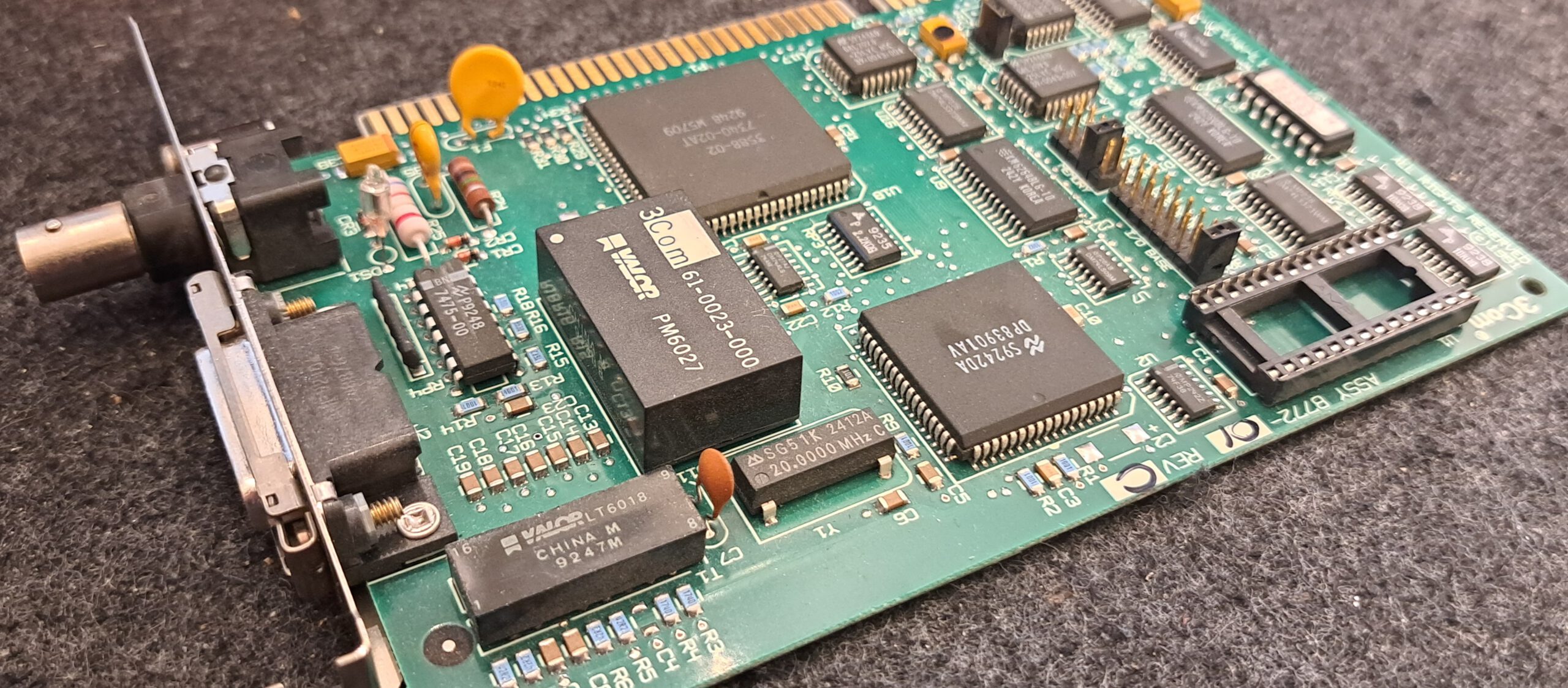
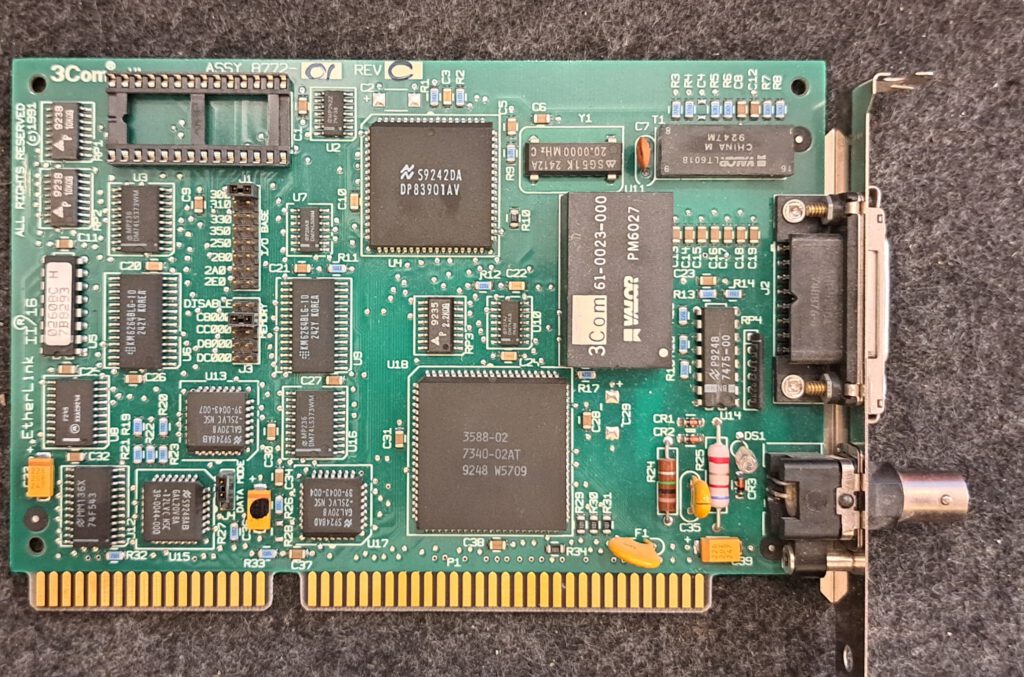
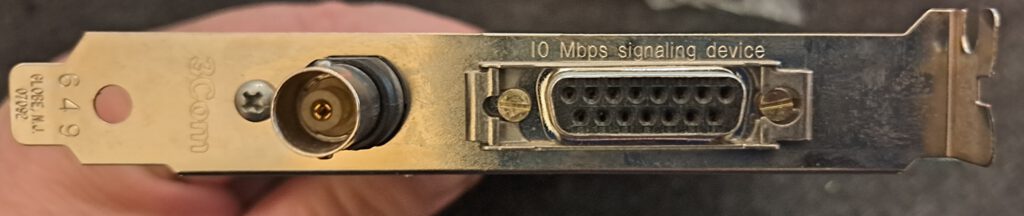
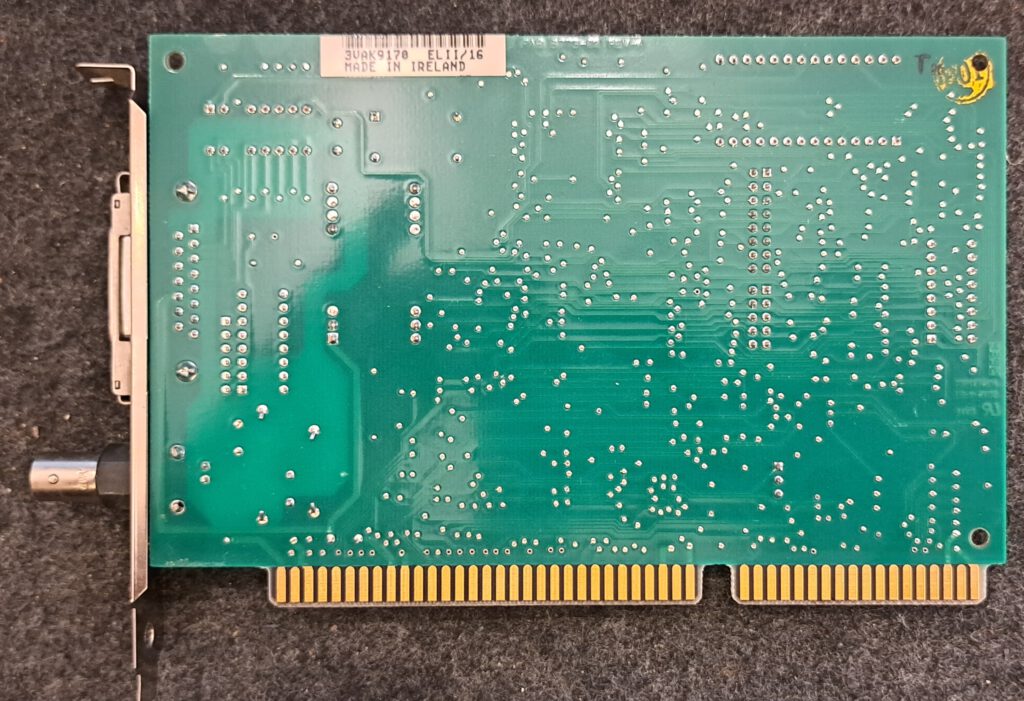
Vorgänger der Etherlink III Karte, leider ohne RJ45 Anschluss. Wenn mans kann, ist die Karte schnell konfiguriert und leicht zu handhaben, auch wenn mir immer noch nicht klar ist, wie der IRQ eingestellt wird. Bitte meldet euch in den Kommentaren, wenn ihr mehr wisst.
Views
Facts
| EtherLink II/16 (3C503) | EtherLink III (3C509B-COMBO) | |
|---|---|---|
| Manufacturer | 3Com | 3Com |
| Teilenummer | 3C503 | 3C509B-COMBO |
| Alternative Bezeichnungen | EtherLink II/16 TP (3C503-TP), EtherLink II (3C503) | 3C509 |
| Bus | ISA 16 Bit | ISA 16 Bit |
| Connections | 1 · 10BASE2 (BNC), 1 · 10BASE5 (AUI) | 1 · 10BASE2 (BNC), 1 · 10BASE5 (AUI), 1 · 10BASE-T (RJ45) |
| Onboard | 3Com 40-0130-002 (Parallel Tasking) | |
| Storage | 8 kB | |
| Boot-ROM | Boot-ROM möglich, Adresse C8000h–DC000h per Jumper | Sockel für Boot-ROM (28-polig DIP, 8, 16 oder 32 KB) |
| Configuration | Jumper | Software, Plug and Play |
| Kompatibel mit | 3Com 3C503 | 3Com 3C509 |
| Erscheinungs Monat/Jahr | 1994 |
User manual
Source: Link status: OKhttps://theretroweb.com/expansioncards/s/3com-etherlink-ii-16-3c503#docsLink status: Broken Link status: OK
Driver
Disk Operating System
REM Autoexec.bat for package driver
REM Card Address IRQ Memory_Address
c:\driver\network\3c503\3c503.com 0x60 3 0x300 1
| Option marked with [] | Description | Example |
|---|---|---|
| 3c503.com0x603 300 1 | Karten Adresse frei wählbar zwischen 0x60 und 0x80 | 0x60 |
| 3c503.com 0x60 [30x300 1 | IRQ kann evtl. per Software aber nicht per Jumper eingestellt werden (zumindest nicht bei meiner Karte) | 3 |
| 3c503.com 0x60 3 [0x300] 1 | Speicheradresse kann per Jumper eingestellt werden. Auch wenn andere Treiber das zulassen, hier den Hexindikator, also 0x davor, nicht vergessen. | 0x300 |
| 3c503.com 0x60 3 0x300 [1] | 0 für externen Transceiver über AUI Schnittstelle oder 1 für den BNC Anschluss | 1 |
Windows 3.x
–
Windows 9.x, XP, NT 3.5, NT 4.0, 2000
The driver should be included in the operating system. (Statement not yet verified)
OS2, Novell
Other
Das ganze Treiberpaket
–
Miscellaneous
Technical Reference Manual
Which Archive.org
In the XT
Die Karte funktioniert wohl auch mit 8Bit Isa, braucht aber einen speziellen Treiber, der nicht auf 286er optimiert ist. Infos, Treiber und das Configtool findet ihr im folgenden Link:
https://github.com/hackerb9/3C509B-nestor?tab=readme-ov-fileLink status: OK
Zur Konservierung hier mal die aktuellen Treiber gesichert:
XT-IDE
I have the map with a XT-IDE ROMLink status: OK bestückt, in der Software das ROM aktiviert, die Adresse gesetzt (0c800) und hat gleich funktioniert.
Network types
https://www.fambach.net/?p=12059Link status: Broken
Conclusion
Ist der Vorgänger einer tollen Karte :).
| Question | Antwort |
|---|---|
| Does the card work | Yes |
| How much did it cost? | 39,50€ |
| Was the price okay? | No bargain |
| Is it worth it? | Um sich die Karte mal näher anzusehen, ja, um sie zu verwenden, wegen des fehlenden RJ45 Anschlusses eher nicht. Da gibts bessere und günstigere Alternativen. |
| Gesamtfazit | Neutral |
Problems
Card not recognised
- Adress- oder IRQ-Konflikt, bei mir war die Mouse bereits auf IRQ3
- Adresse beim Treiberladen nicht mit 0x angegeben, also zum Beispiel 0x300.
Licence
Stand 10.10.2026; kommerzielles Produkt, keine offene Lizenz bekannt.
- Hardware: nicht offen, kommerzielles Produkt von 3Com (proprietär)
- Software/Firmware: Treiber und Boot-ROM des Herstellers proprietär
- Marken: Genannte Marken- und Produktnamen gehören ihren jeweiligen Inhabern.
Related Posts
- Retro Net – Novell #738-149-00xLink status: OK
- Retro Net – UMC 9007FLink status: OK
- Retro Net – Compaq NC 3121 40236-006Link status: OK
- Retro Net – COGENT Data eMaster 960001-04 / DEC 21×4Link status: OK
- Retro Net – Realtek RTL8139xLink status: OK
- Retro Net – Viglen Ethernet Accelerator PN: 142640-420 Rev-01ELink status: OK
- Retro Net – 3Com Etherlink XL PCI 3C900BLink status: Unknown
- Retro Net – DLink DGE-528TLink status: OK
- Retro Net – Artisoft LANtasticLink status: OK
- Retro Net – 3Com Etherlink IIILink status: OK
Sources
https://theretroweb.com/expansioncards/s/3com-etherlink-ii-16-3c503Link status: Unknown
AUI Port Link status: Unknown
https://github.com/hackerb9/3C509B-nestor?tab=readme-ov-fileLink status: OK
Good places to get drivers
http://vogonsdrivers.com/
https://www.philscomputerlab.comLink status: OK
https://www.fambach.net/?p=12059Link status: Broken
https://theretroweb.comLink status: Broken
Log
| Date | Change | Author |
|---|---|---|
| 18.10.2026 | Netzwerkkarten-Tabelle (TablePress) durch Vergleichsblock des Taxonomy Modeller ersetzt | Suffocation |
| 10.10.2026 | Abschnitt Lizenz ergänzt (Hardware/Software) | Suffocation |
| 08.10.2026 | Überschriften-Hierarchie korrigiert (H1→H2, Unterebenen eine Stufe tiefer) | Suffocation |
| 04.10.2026 | Rechtschreibung korrigiert: Tippfehler, Kommas, Groß-/Kleinschreibung, Satzbau | Suffocation |
| 03.10.2026 | Logbuch-Tabelle auf Log-Liste umgestellt | Suffocation |
| 10.04.2025 | Battle won, but the problem was still in front of the PC. Post completed and made live. | Suffocation |
| 09.04.2025 | Card received and contribution completed, struggled with driver Post created | Suffocation |