Last Updated on 3. October 2026 by SuffocationLink status: OK
Boards
Raspberry Pi 1Link status: OK
Raspberry Pi 2.0Link status: OK
Raspberry Pi Zero WLink status: OK
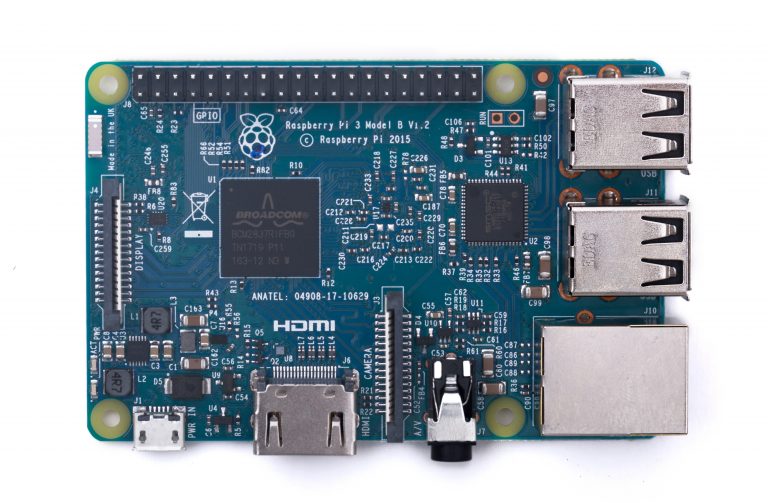
Raspberry Pi 3Link status: OK
| Name | Raspberry Pi 1.0/A+/B+ | Raspberry Pi 2.0/B | Raspberry Pi 3.0 | Raspberry Pi Zero | Arduino Nano 33 BLE |
|---|---|---|---|---|---|
| Number/CPU | ARM1176JZF-S | ARM Cortex-A7 / ARM Cortex-A53 | ARM Cortex-A53 | ARM1176JZF-S | 1 / 64 MHz Arm® Cortex-M4F (with FPU) |
| Clock speed (MHz) | 700 | 900 | 1200/1400 | 1000 | 64 |
| Kernel | 1 | 4 | 4 | 1 | 1 |
| Digital IOs / Pins | 17 - 26 | 26 | 26 | 26 | 14 |
| Analog inputs | - | - | - | - | 8 |
| Interrupt Pins | ? | ? | ? | ? | 14 |
| Pulse Width Modulation | 2 | 2 | 2 | 2 | 14 |
| SPI | 1 | 1 | 1 | 1 | 1 |
| Flash memory | micro SD card | micro SD card | micro SD card | micro SD card | 1 megabyte |
| RAM (KB) | 256/512 | 1024 | 1024 | 512 | 256KB |
| EEPROM (KB) | - | - | - | - | - |
| WiFi | - | - | 2.4 GHz 802.11 b/g/n | 2.4 GHz, 802.11 b/g/n | - |
| Encryption | - | - | WEB / WPA2 / TKIP / AES | WEB / WPA2 / TKIP / AES | - |
| Bluetooth | - | - | 4.1/4.2 | 4.1 | NINA-B306 Module Bluetooth® Low Energy 5.0 Module Bluetooth® 5 Multiprotocol / Zigbee |
| UART | 1 | 1 | 1 | 1 | 1 |
| I2C | 1 | 1 | 1 | 1 | 1 |
| Ethernet | 10/100 MBit | 10/100 MBit | 10/100/100 Mbit | - | - |
| Video | Normal | Normal | Normal | Micro | - |
| Sound | 3.5mm jack stereo | 3.5mm jack stereo | 3.5mm jack stereo | HDMI digital | - |
| Miscellaneous | - | - | - | - | LSM9DS1 (9-axis IMU) MPM3610 DC regulator NFC-A tag Nina B306 |
| USB | 1-2 | 4 | - | - | 1 Micro |
| Operating voltage [V] | 5 | 5 | 5 | 5 | 3,3 |
| Input voltage | 5 | 5 | 5 | 5 | 21 |
| Current (mA) / Standby (mA) | 80-160 | 200-450 | 260-730 | 80-120 | 30 |
| Size L x W x H | 93 x 63,5 x 17 | 93 x 63,5 x 20 | 93 x 63,5 x 20 | 65 x 31 x 5 | 43,16 x 17,7 |
| Weight [g] | 31 | 40 | 40 | 9 | 5 |
Projects
GY-NEO6MV2 GPS MODULELink status: OK
Raspberry Pi with SATA in a caseLink status: Unknown
MQTT Protocol + Experimental SetupLink status: Unknown
Raspberry Pi Zero W – Headless InstallationLink status: Unknown
Raspberry Pi + ServoLink status: OK
Pi4J + BlueJLink status: OK
Raspberry Pi 3 + Motor ControlLink status: Unknown
Controlling the US-100 distance sensor with a Raspberry Pi 3Link status: Unknown
Controlling the Raspberry Pi 3 LEDLink status: Unknown
Useful
Querying the Raspberry Pi version on Raspbian
The command `cat /sys/firmware/devicetree/base/model` is a Linux command that displays the hardware model of the system. This command reads information from the device tree, which is a data structure used by the Linux kernel to describe hardware.

The output of this command will vary depending on the specific hardware the Linux system is running on. Here are a few examples of what the output might look like:

*   **Raspberry Pi:**
    ```
    Raspberry Pi 4 Model B Rev 1.2
    ```
    or
    ```
    Raspberry Pi 3 Model B Plus Rev 1.3
    ```

*   **Virtual Machine (e.g., VMware, VirtualBox):**
    ```
    VMware Virtual Platform
    ```
    or
    ```
    Oracle VM VirtualBox
    ```

*   **Server/Desktop Hardware:**
    ```
    Aptio UEFI SP5100 (Rev 1.00)
    ```
    or
    ```
    Supermicro H12DSi-NT6
    ```

*   **Embedded Systems:**
    The output will be specific to the System on a Chip (SoC) and board manufacturer. For example:
    ```
    Rockchip RK3399
    ```
    or
    ```
    Qualcomm Technologies, Inc. APQ8096
    ```

**In summary, the command `cat /sys/firmware/devicetree/base/model` is used to identify the specific make and model of the computer's hardware that the Linux operating system is running on.**
Source: https://www.elektronik-kompendium.de/sites/raspberry-pi/2006071.htmLink status: Unknown
Links
https://www.raspberrypi.org/Link status: OK
Useful commands for querying configurationLink status: Unknown
PI as a network analyserLink status: Unknown
Docker on PiLink status: Unknown
Pi-holeLink status: Unknown
YunohostLink status: Unknown
freedomboxLink status: Unknown
freedomboneLink status: Unknown
| Date | Change | Author |
|---|---|---|
| 03.10.2026 | Log-Liste eingefügt | Suffocation |
| 23.03.2018 | Post created | Suffocation |