Last Updated on 15. Oktober 2026 by sfambachLink-Status: OK
Als ich diese Zusatzplatine sah, fragte ich mich, welchen Sinn es ergibt, wenn man doch eine Zusatzplatine mit 8 RGB LEDsLink-Status: OK hat, die viel vielfältiger ist. Ist es der niedrigere Preis oder simpler Purismus?
Zum D1 mini ESP8266 und ESP 32 gehts hier lang:
- Preview – W600-Pico V1.0.0 1MB FlashLink-Status: OK
- (Wemos) C3 MiniLink-Status: OK
- (Wemos) D1 ESP32Link-Status: OK
- Wemos D1 Mini Pro (V1.1.0)Link-Status: OK
- Wemos D1 MiniLink-Status: OK
Fakten
- Eine RGB LED
| Beschreibung | Name | D1 | ESP32 | C3 | S2 |
|---|---|---|---|---|---|
| RGB Pin | D2 | 4 | 21 | 8 | 33 |
Schaltplan
Kompatibilität
| D1 Typ | Kompatibel | Begründung wenn nicht |
|---|---|---|
| D1 mini | Ja | |
| D1 mini Pro | Ja | Nicht getestet |
| D1 mini Lite | Ja | Nicht getestet |
| D1 32 | Ja | |
S2 mini | Ja | |
| C3 | Ja |
Anwendungsbereiche
- Bunte Beleuchtung
Ansichten
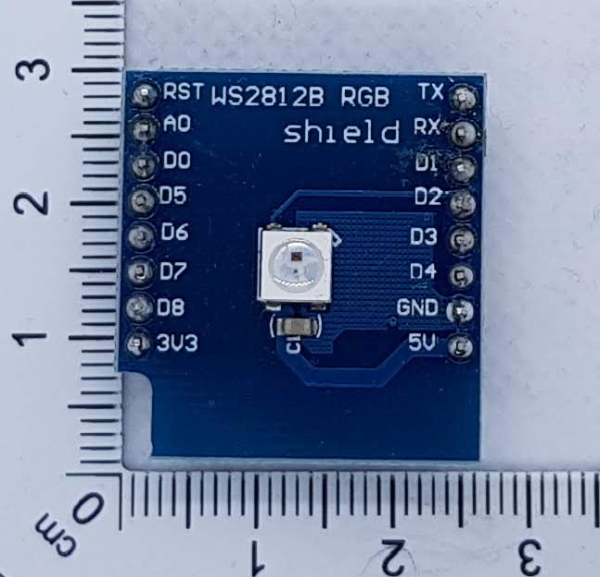
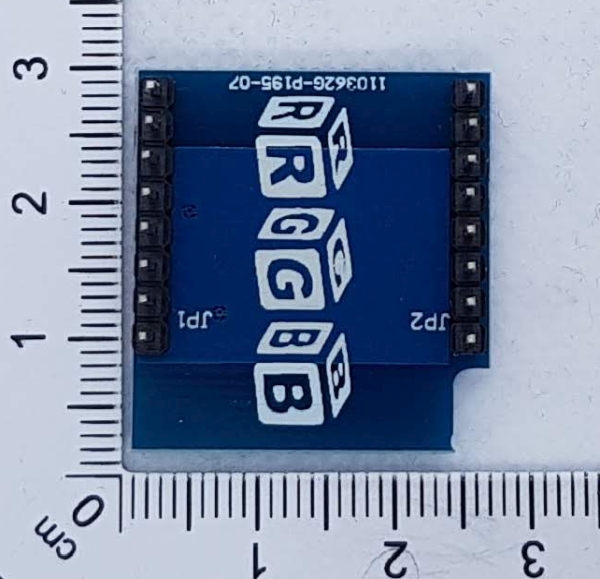
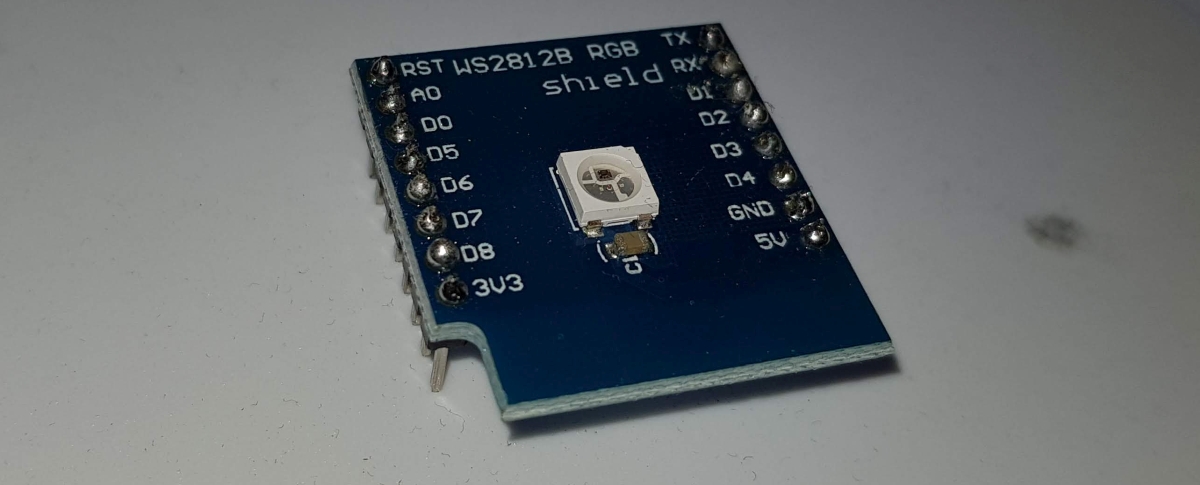
Programmierung
Bibliotheken
Arduino ESP32 Bibliothek V2.0.2
Arduino ESP8266 Bibliothek V3.0.2
https://github.com/adafruit/Adafruit_NeoPixelLink-Status: OK
Testprogramm
Quellcode RGBPixelExample.ino (GitHubLink-Status: OK)
/**
   Example for Singel RGB
   Show RGB and CMY

   Libs:
   https://github.com/adafruit/Adafruit_NeoPixel

   Written by S. Famach GPL2
   Visit https://www.fambach.net
*/


#define LED_COUNT 7


// output pin +
// pin where the pir is connected
#if defined(ESP8266) // d1 mini
#pragma message("ESP8266 Remove Shield while start!")
#define LED_PIN D2

#elif defined ( ESP32 ) // d1 mini esp32

#if CONFIG_IDF_TARGET_ESP32C3 // c3
#pragma message("ESP32C3")
#define LED_PIN 8

#elif CONFIG_IDF_TARGET_ESP32S2
#pragma message("ESP32S2")
#define LED_PIN 33

#else
#pragma message("ESP32")
#define LED_PIN 21

#endif
#else
#error "Unknown board"
#define LED_PIN -1

#endif


// init adafruits neo pixel
#include <Adafruit_NeoPixel.h>
Adafruit_NeoPixel ledController = Adafruit_NeoPixel(LED_COUNT, LED_PIN, NEO_GRB + NEO_KHZ800);
#define DEF_COLOR 50
static const uint32_t  COLORS[] = { ledController.Color(150, 0, 0), // red
                                    ledController.Color(0, DEF_COLOR, 0), // green
                                    ledController.Color(0, 0, DEF_COLOR), // blue
                                    ledController.Color(DEF_COLOR, DEF_COLOR, 0), // Yellow
                                    ledController.Color(0, DEF_COLOR, DEF_COLOR), // Cyan
                                    ledController.Color(DEF_COLOR, 0, DEF_COLOR)
                                  }; // magenta

uint8_t COLOR_COUNT = 6;

void setup() {
  Serial.begin(115200);
  ledController.begin();
  Serial.println(F("Started"));
}


void loop() {
  ledController.clear(); // Set all pixel colors to 'off'
  delay(500);


  // set all pixels after another
  for (int j = 0; j < COLOR_COUNT; j++) { // For each pixel...

    // set color of single pixel
    ledController.setPixelColor(0, COLORS[j]);
    ledController.show();   // Send the updated pixel colors to the hardware.

    delay(500);
  }


}
Probleme
—
Fazit
Ja, man kann mit einer RGB LED spielen, aber das 8-fach LED-Shield ist interessanter.
Weitere Beiträge
Andere Shields
- D1 Mini Shield – Prototyp-PlatineLink-Status: OK
- D1 Mini Shield – RGB LEDLink-Status: OK
- D1 Mini Shield – PIR (Bewegungssensor)Link-Status: OK
- D1 Mini Shield – HR8833 MotorLink-Status: OK
- D1 Mini Shield – AT8870 MotorLink-Status: OK
- D1 Mini Shield – SG30 LuftqualitätsmessungLink-Status: OK
- D1 Mini Shield – I2C ConnectorLink-Status: OK
- D1 Mini Shield – Matrix LED ShieldLink-Status: OK
- D1 Mini Shield – Oled 64×48Link-Status: OK
- D1 Mini Shield – Buzzer (Pipser)Link-Status: OK
Mehr ESPs
- October Check 2026 – Neue Mikrocontroller und BoardsLink-Status: OK
- Ulanzi TC001 Smart Pixel ClockLink-Status: OK
- ESP WEB Serial BibliothekLink-Status: OK
- ESP32-C3 seeed studio xiaoLink-Status: OK
- ESP32-C3 Super Mini BoardLink-Status: Unbekannt
- Preview – LuatOs ESP32-C3 BoardLink-Status: Unbekannt
- ESP32 BlueTooth GamepadLink-Status: Unbekannt
- ESP01 – DHT11 Temperatur und Feuchte Sensor PlatinenLink-Status: OK
- ESP01 Relais PlatinenLink-Status: OK
- ESP8266/32 WiFi ManagerLink-Status: Unbekannt
Quellen
Quellen zum Shield
HerstellerseiteLink-Status: Unbekannt
Quellen zu den Boards
HerstellerseiteLink-Status: Unbekannt
SchaltplanLink-Status: Unbekannt
CH340 USB TreiberLink-Status: Unbekannt
https://arduino-projekte.info/wemos-d1-mini/Link-Status: Unbekannt
https://www.exp-tech.de/plattformen/esp8266/entwicklungsboards/8898/wemos-d1-miniLink-Status: Unbekannt
| Datum | Änderung | Autor |
|---|---|---|
| 15.10.2026 | Beispielcode als Code-Block eingefügt (Einbettung über gist-it.appspot.com funktionierte nicht mehr) | sfambach |
| 08.10.2026 | Überschriften-Hierarchie korrigiert (H1→H2, Unterebenen eine Stufe tiefer) | sfambach |
| 03.10.2026 | Rechtschreibung korrigiert: Tippfehler, Groß-/Kleinschreibung, Kommas Log-Liste eingefügt | sfambach |
| 14.05.2022 | Beitrag erstellt | sfambach |