Last Updated on 10. October 2026 by SuffocationLink status: OK
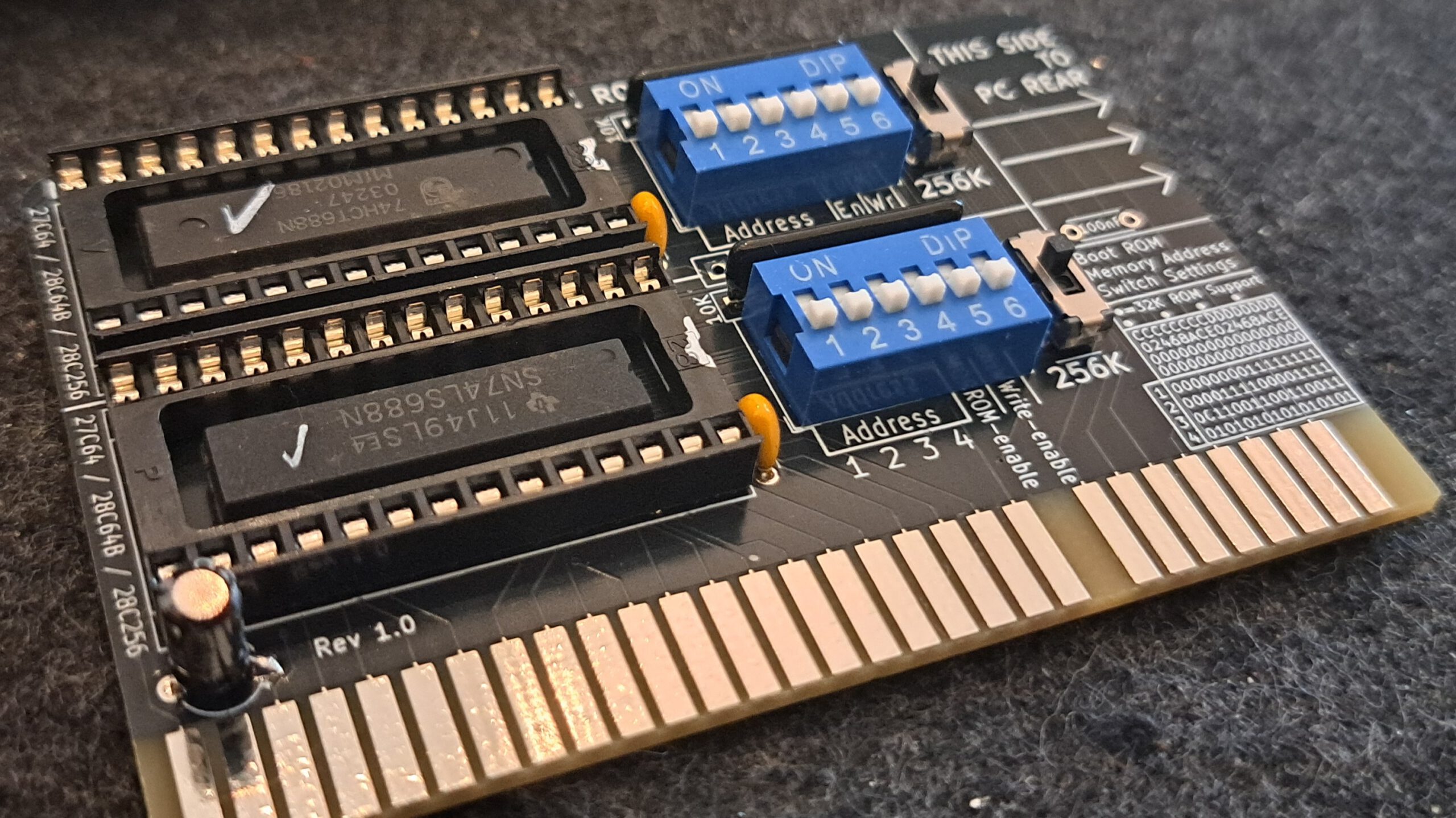
Warum eine Karte mit nur einem ROM nehmen, wenn ich doch eine bekommen kann, die gleich zwei hat. Genau das mögen sich die Entwickler von Monotech auch gedacht haben und haben eine Double ROM Karte layoutet und, noch besser, sie haben die Hardware open source gemacht. Wer also nicht selbst basteln möchte, kann sich here Link status: OKbuy the original assembled with many other beautiful projects (This advert is not sponsored 😉).
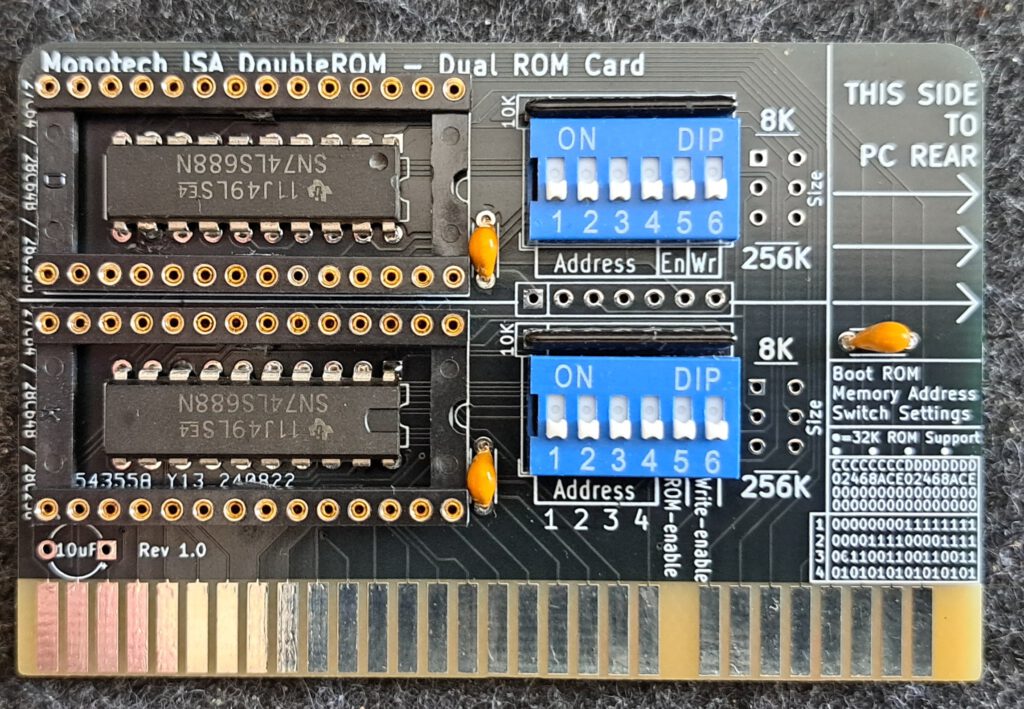
ADDENDUM With every new circuit board with switches, I usually have the problem that my switches don't fit the stock. This time I ordered SMD switches and bent the pins so that they fit into the holes.
Link to the project
Nur zur Klarstellung: Das Projekt ist nicht mein geistiges Eigentum, sondern wurde vom Entwickler mit hohem zeitlichen Aufwand realisiert und der Allgemeinheit zur Verfügung gestellt. Sollte das Projekt gefallen, zollt dem Entwickler doch mal euren Respekt mit einem Like oder vielleicht sogar mit einer (Kaffee-)Spende.
Link to the projectLink status: OK
Views
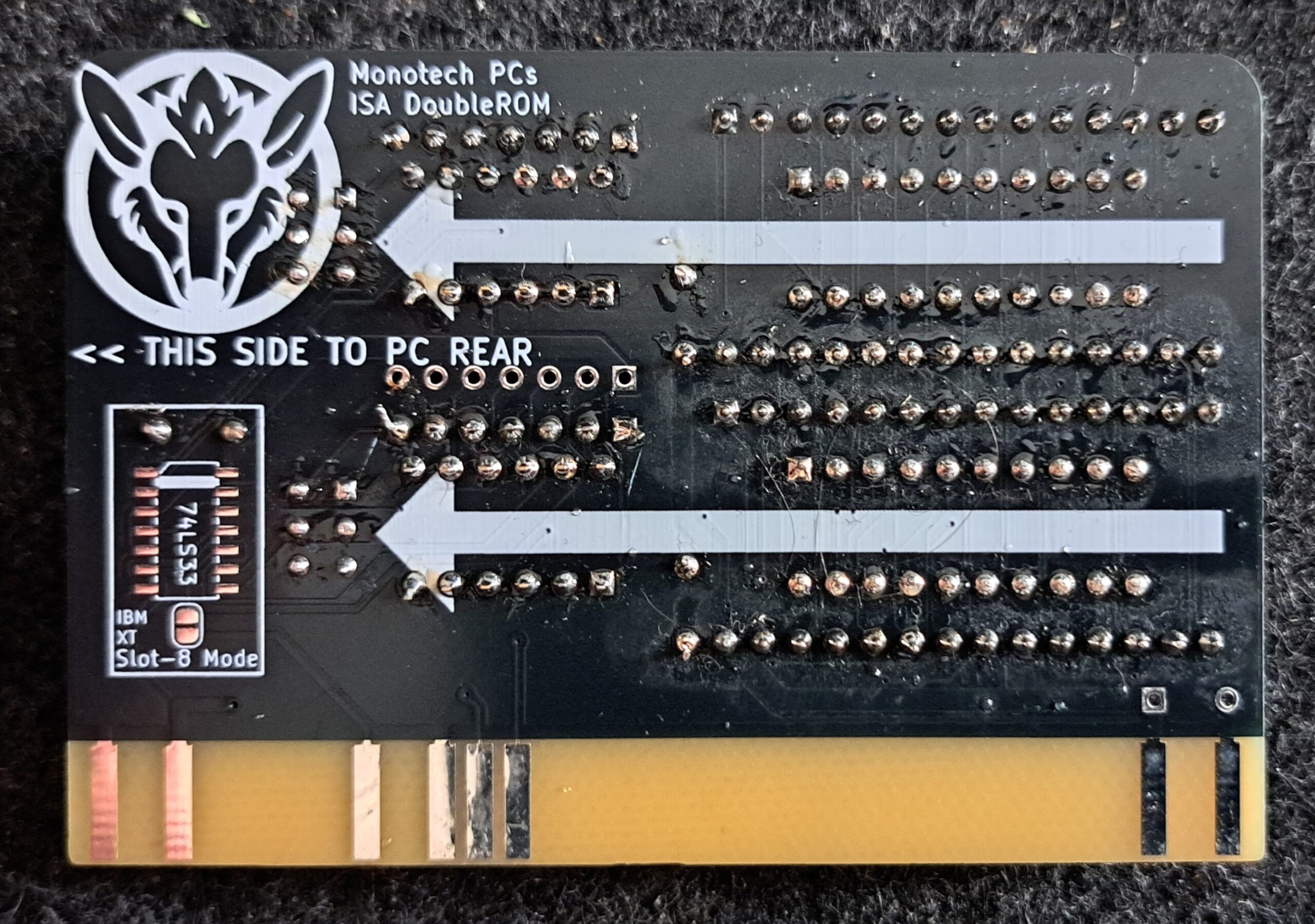
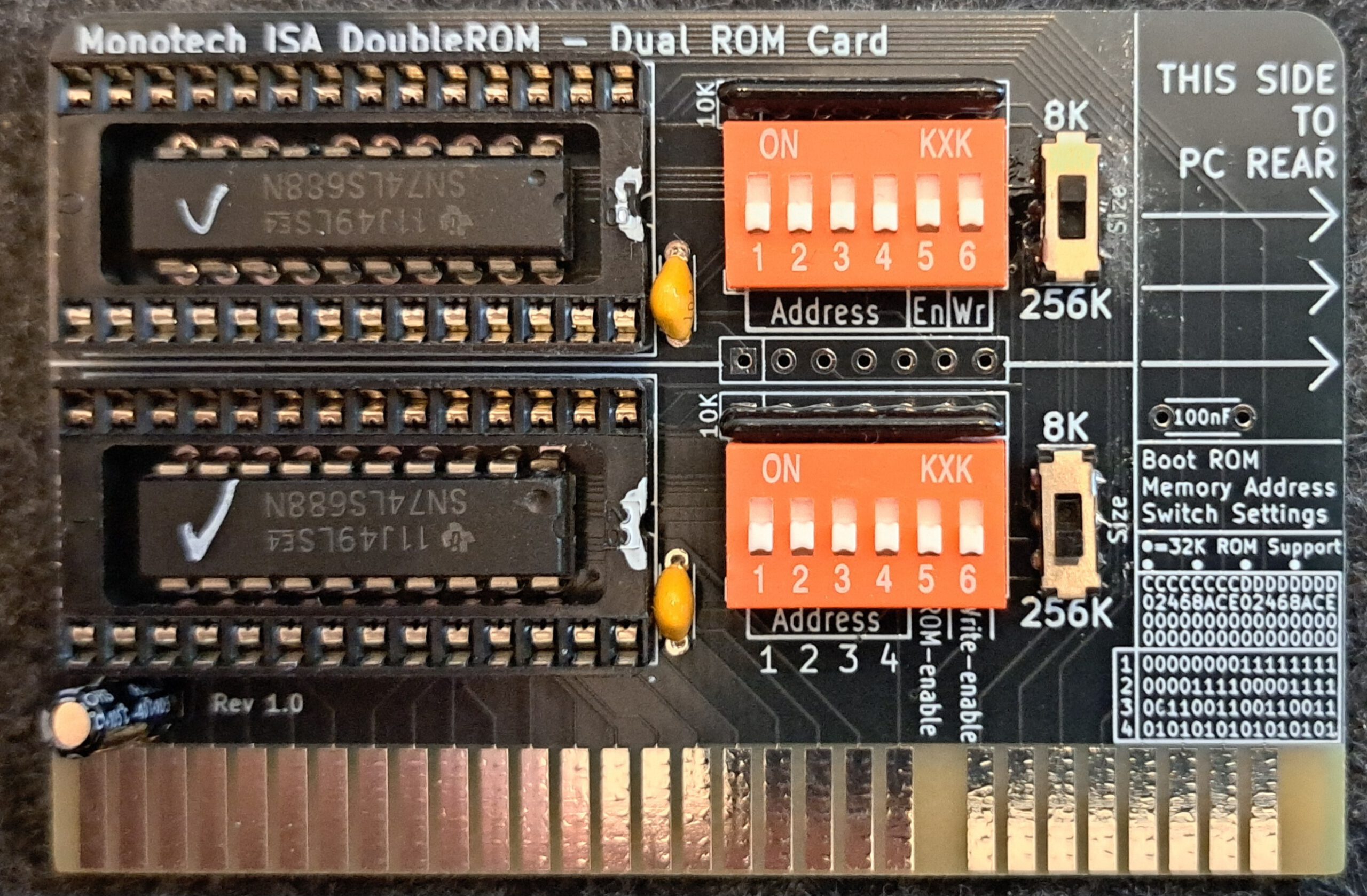
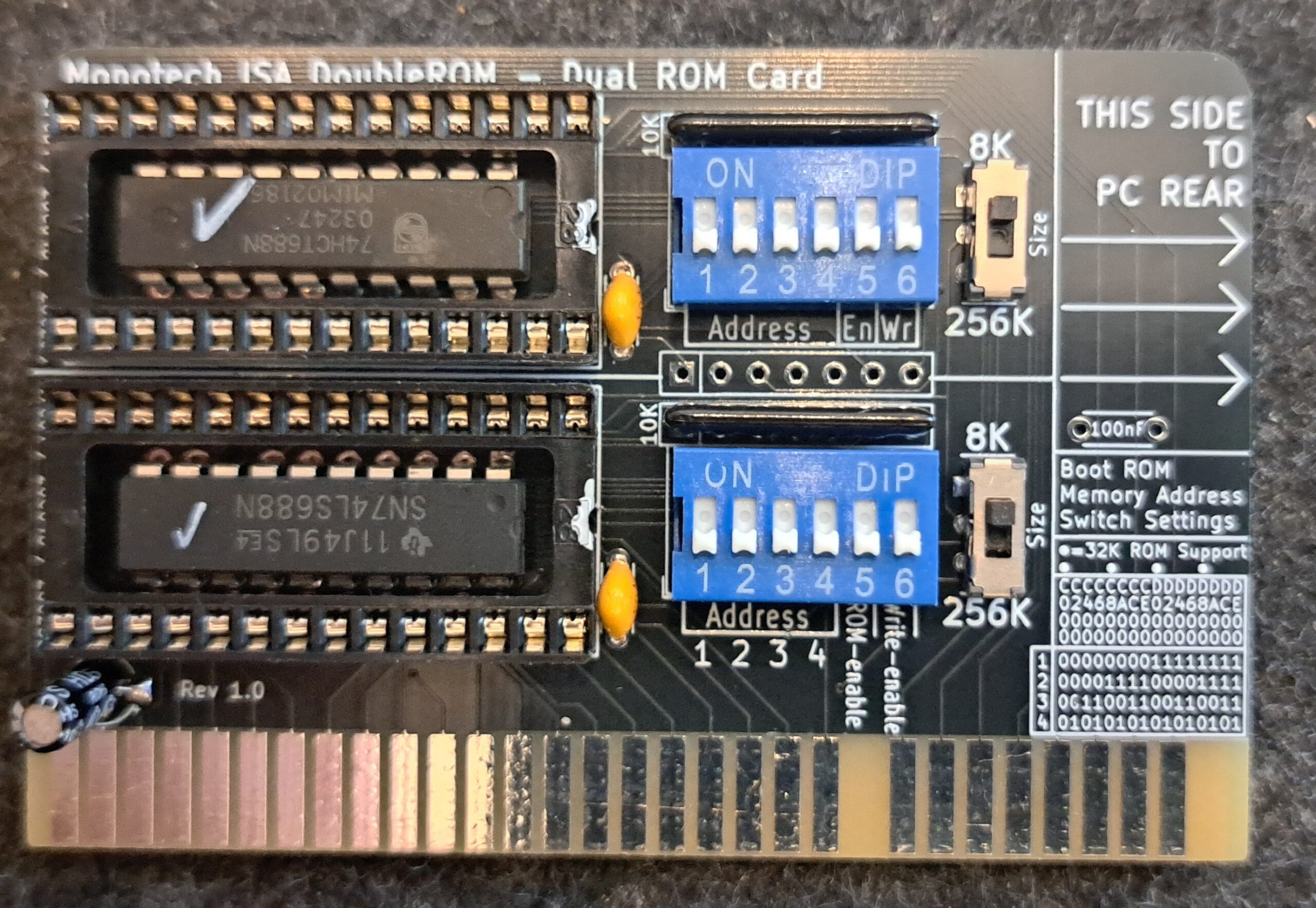
Facts
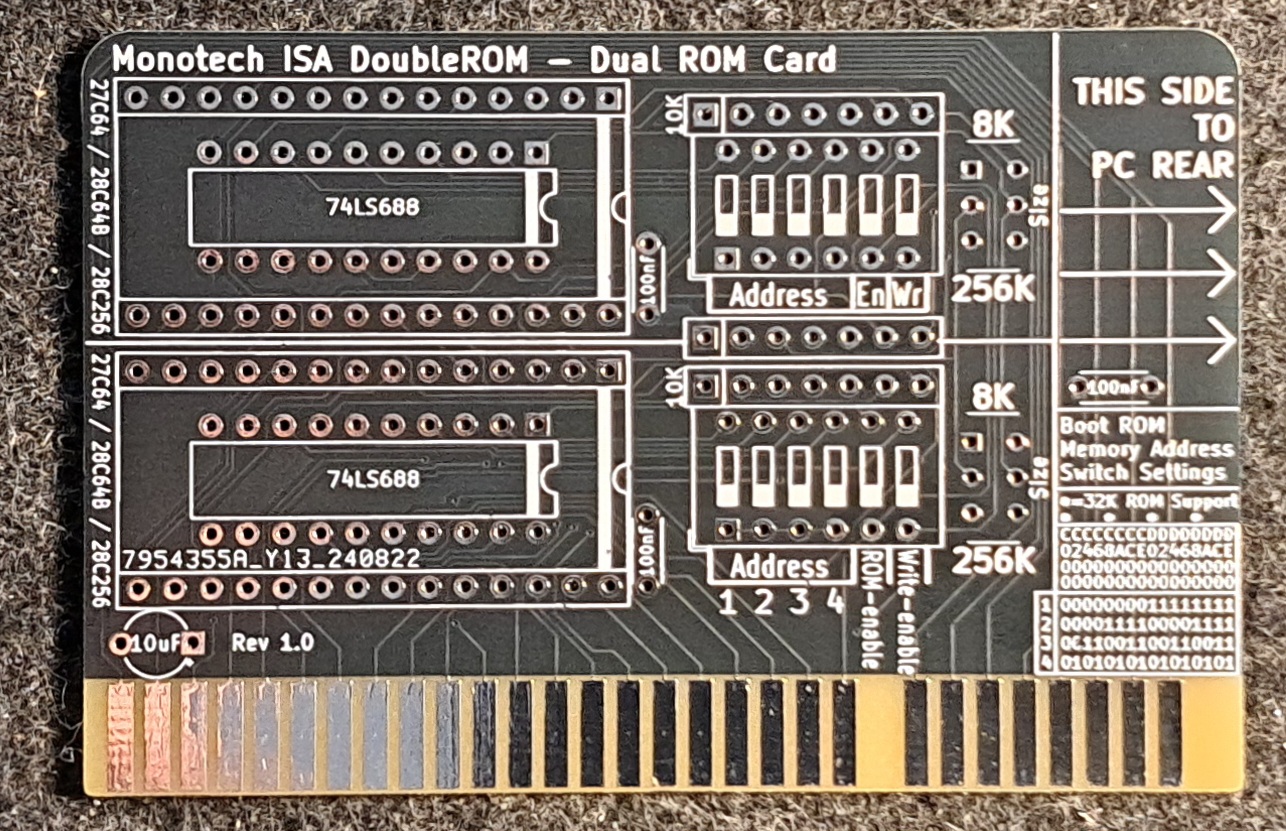
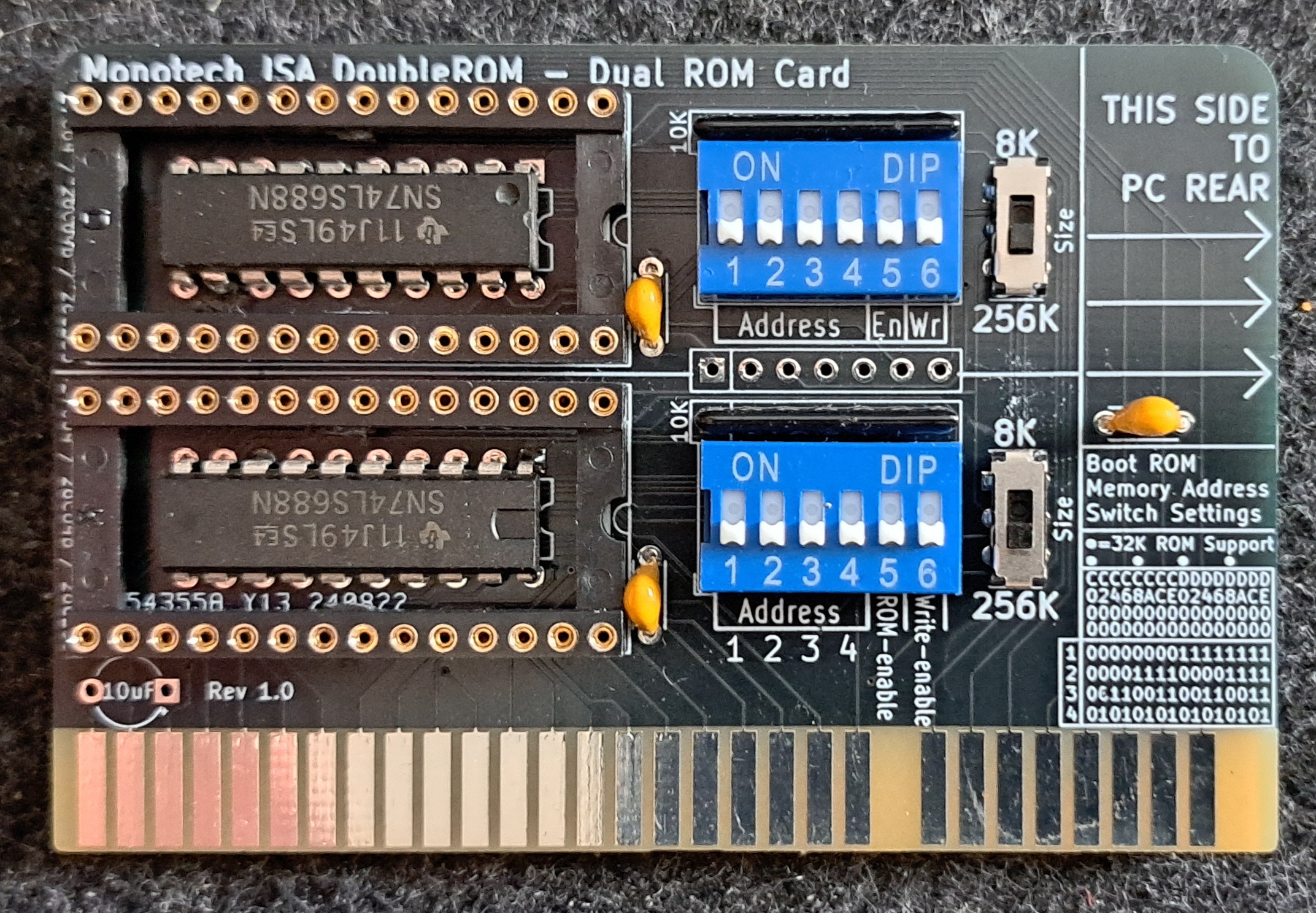
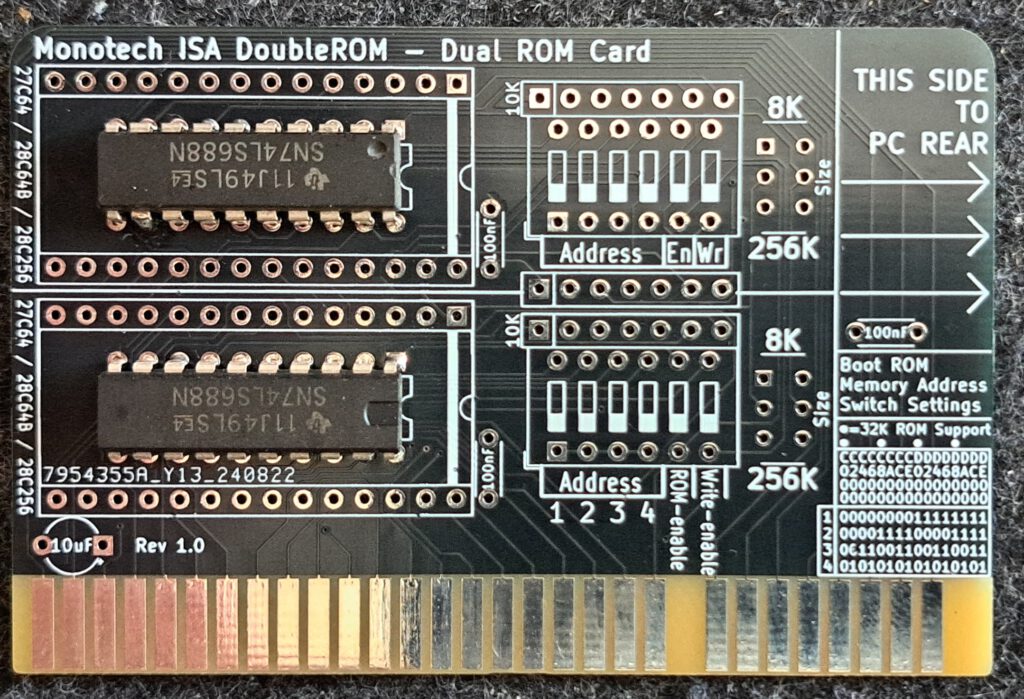
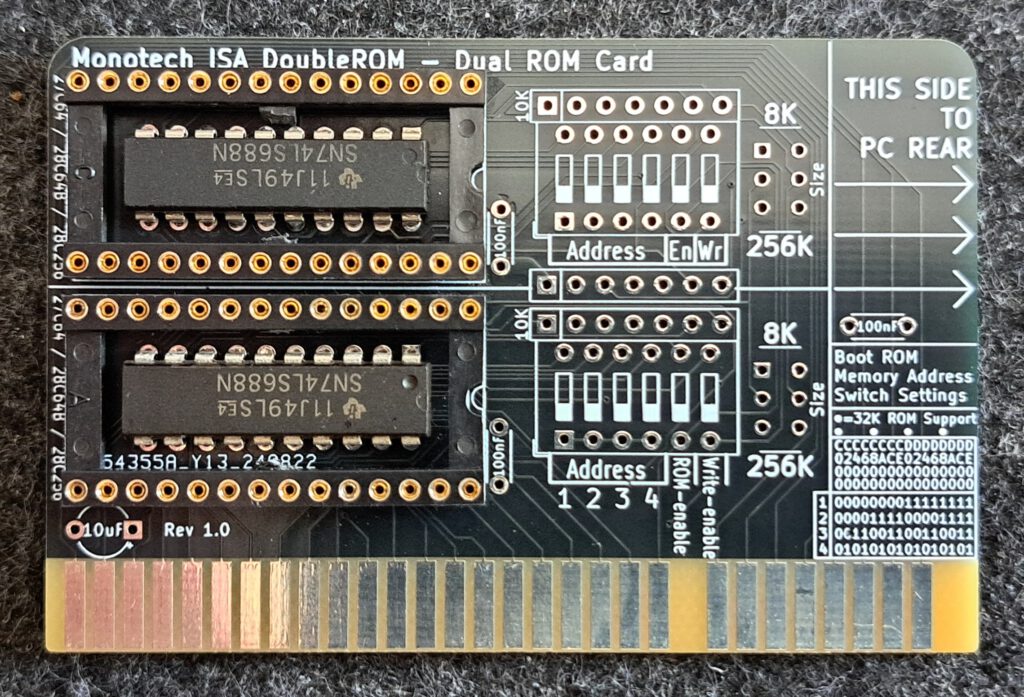
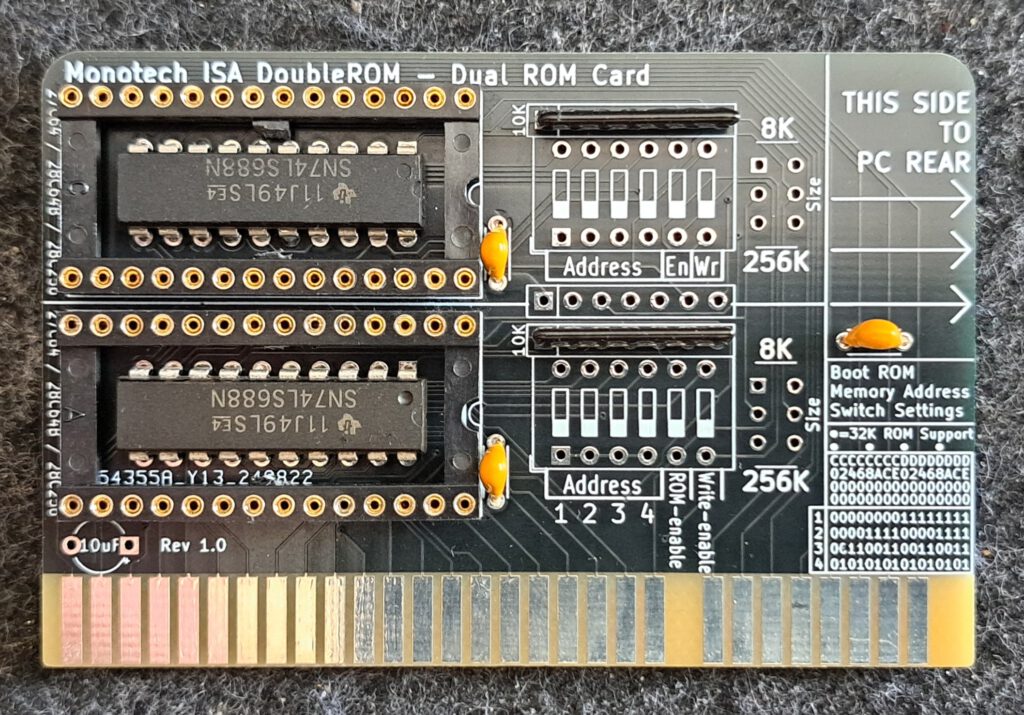
- Space for two EEPROMs.
- For each ROM, you can choose between 8K and 32K (the labelling on the circuit board is incorrect)
- Die Adresse kann mit den Dip Schaltern neben dem jeweiligen ROM eingestellt werden.
- Zwei Dipschalter sind für das ROM setup reserviert, ROM Aktiv und Schreiberlaubnis.
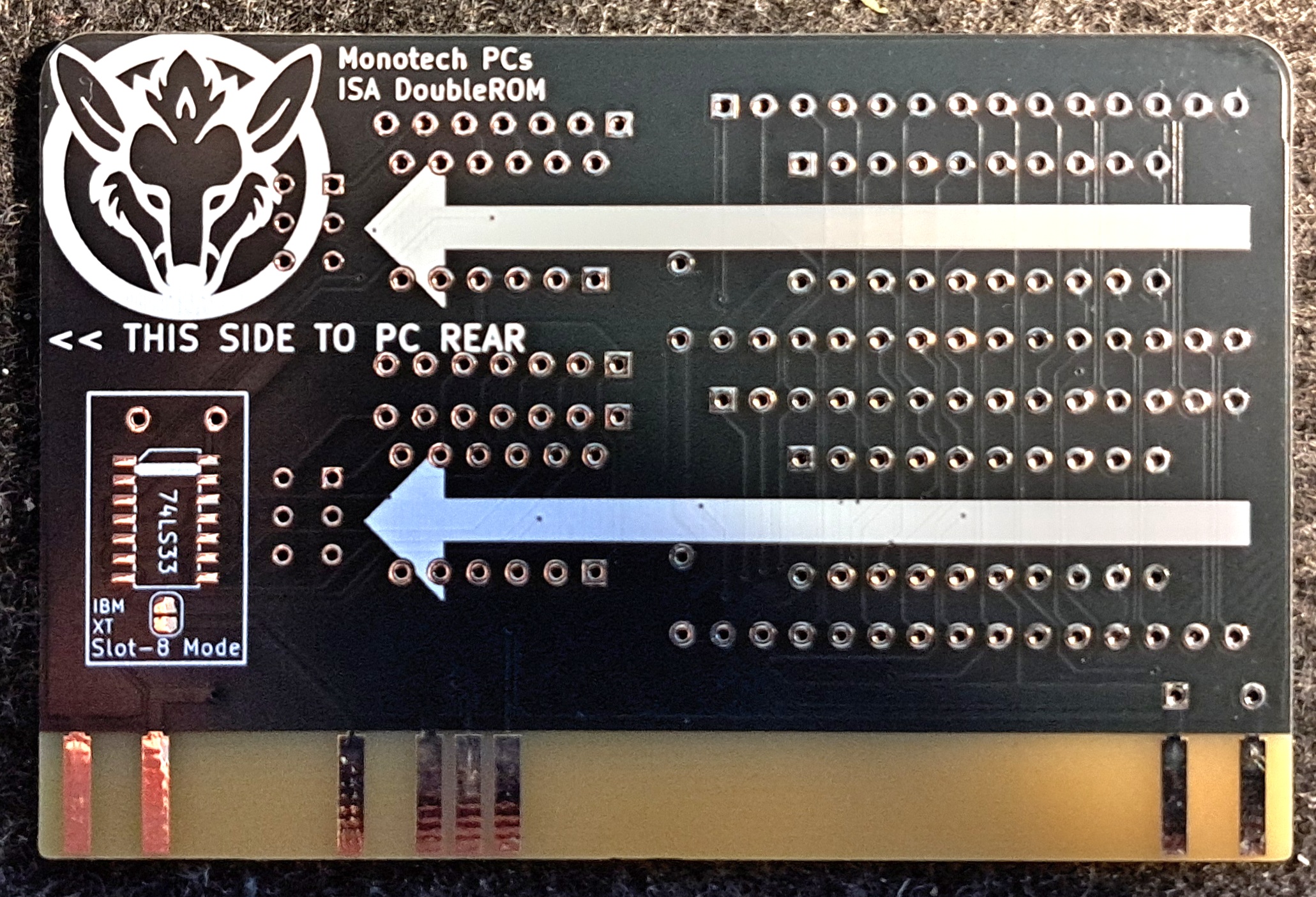
- A 74LS688 under the ROM handles the connection to the bus (chip select)
Circuit diagrams
Documentation
Der Dipschalter und Schalter rechts neben dem Sockel schaltet jeweils die Einstellungen für diesen Sockel. Die Einstellungsmöglichkeiten sind für beide Sockel gleich. Es kann auch nur ein Rom verwendet werden, bei der Verwendung von zwei ROMs ist darauf zu achten, dass beide unterschiedliche Adressbereiche verwenden.
DIP switch
Here is a description of the DIP switch settings.
| Address | 1 | 2 | 3 | 4 |
|---|---|---|---|---|
| C000 | 0 | 0 | 0 | 0 |
| C200 | 0 | 0 | 0 | 1 |
| C400 | 0 | 0 | 1 | 0 |
| C600 | 0 | 0 | 1 | 1 |
| C800 | 0 | 1 | 0 | 0 |
| CA00 | 0 | 1 | 0 | 1 |
| CC00 | 0 | 1 | 1 | 0 |
| CE00 | 0 | 1 | 1 | 1 |
| D000 | 1 | 0 | 0 | 0 |
| D200 | 1 | 0 | 0 | 1 |
| D400 | 1 | 0 | 1 | 0 |
| D600 | 1 | 0 | 1 | 1 |
| D800 | 1 | 1 | 0 | 0 |
| DA00 | 1 | 1 | 0 | 1 |
| DC00 | 1 | 1 | 1 | 0 |
| DE00 | 1 | 1 | 1 | 1 |
| Description | 5 | 6 |
|---|---|---|
| ROM Disabled | Australia | * |
| ROM Activated | An | * |
| ROM write-protected | * | Australia |
| ROM writable | * | An |
ROM size
Der kleine Schalter erlaubt es je nach verwendetem (E)PROM die ROM Größe einzustellen.
| Description | Switch position |
|---|---|
| 8K for ICs 27C64, 28C64B | Above |
| 32K for 28C256 | Down |
Assembly
Record
| Description | Worth |
|---|---|
| Gerber available | Yes |
| Gerber file | LinkLink status: OK |
| Ordered where | JLCPCB |
| Piece | 10 |
| Price | 14€ including shipping and taxes in a large package |
| Special features | Leadfree, Farbe Schwarz |
Hier konserviert die Gerberdateien, bitte auf der Original page Link status: OK nach der aktuellen Version schauen.
Components
Die Bauteile habe ich bei diversen Quellen bestellt.
| Component | Size | Number | Description | Price € |
|---|---|---|---|---|
| 74LS688 | Dip | 2 | TTL 8-Bit Comparator | 0,68 |
| Wide base | 28-pin DIP | 2 | Base, Wide | 0,2 |
| 5 x 10K | 6-pin | 2 | Resistor array | 0,2 |
| C1, C2 | 100nF | 2 | Keramikkondensator | 0,10 |
| South West | 2*3 metres | 2 | Slide switch | 0,4 |
| Dip SW | 12 pins | 2 | 6 x Dip Switch | 0,4 |
| C3 | 10 microfarads | 1 | Electrolytic capacitor | 0,2 |
| Summer | 2,18€ |
Structure
Variations
Order
Commissioning
Rom einklinken, Adresse einstellen, ISA Karte richtig herum in den SLOT stecken und hoffen, dass beim Booten das ROM sichtbar wird. Zur Fehlersuche mit XTIDE habe ich in dem folgenden Artikel schon etwas geschrieben.
Floppy BIOS
Source: https://github.com/skiselev/floppy_biosLink status: OK
Post: https://www.fambach.net/retro_pojekt-retro-projekt-floppy-disk-controller-isa-fdc/Link status: Unknown
A BIOS for operating up to 8 floppy drives from 160KB to 2.88MB.
Facts:
- Up to 8 floppy drives
- 5 1/4 and 3 1/2 inch support
- Up to two controllers
- Own BIOS functions for configuration
- 100% IBM PC XT/AT compatible
- ….
Further sources: –
XTIDE Universal BIOS
Source: https://xtideuniversalbios.orgLink status: OK
Post: https://www.fambach.net/retro-xt-ide-bios/Link status: OK
Enables new and large hard drives to be operated on old hardware.
Facts:
- Up to 4 hard drives
- Up to 2 controllers
- Configuration software
- Boot menu for starting from floppy disk or other sources
- 100% IBM PC XT/AT compatible
Further sources: –
Roman
Source: https://rayer.g6.cz/romos/romose.htmLink status: OK
Post: https://www.fambach.net/wp-admin/post.php?post=12663&action=editLink status: Unknown
Free-DOS on a ROM
Facts:
- DOS OS on the ROM
- For drive-less operation of PCs
- Space for your own programmes
- Detaillierte „Bauanleitung“
Further sources: –
Supersoft/Landmark Diagnostic ROM
Source: Supersoft Landmark XTLink status: OK (No original link, leads to MinusZeroDegree)
Post: –
Diagnose BIOS to find an error. Used when an XT board is not functioning, but there are no short circuits and a good power supply. (Source: https://www.minuszerodegrees.net/Link status: OK)
Facts:
- No RAM error support
- XT Compatible
- CGA, MDA/MGA support
- EGA is poorly supported
- Only a few VGA cards work.
- Different BIOS versions for different XT versions
- 27256 ROM Required (e.g. 27C256)
Further sources:
User manualLink status: OK
Supersoft/Landmark Diagnostic ROM (AT Version)
Source: Supersoft Landmark AT CloneLink status: OK (No original link, leads to MinusZeroDegree)
Post: –
BIOS diagnostics for AT mainboards. Not suitable for finding memory errors.
Facts:
- No RAM error support
- AT Compatible
- Not all CGA, MDA/MGA, EGA cards are supported
- None of the tested VGA cards are working.Minus Zero DegreesLink status: OK)
- Various BIOS images for different ROMs
- Supports 27256 / 27512 ROMs (For example 27C256, 27C512)
- W27E257 EEProm supported
Further sources: –
Ruud's Diagnostic ROM
Source: https://www.minuszerodegrees.net/ruuds_diagnostic_rom/Ruuds%20Diagnostic%20ROM.htmLink status: OK
Post: –
Diagnose Rom für XT’s und Klone
Facts:
- Versions with CGA/MDA output and without
- XT 5150, 5155, 5160, Klone
- RAM, CPU, Interrupt Test
- Keyboard Reset/Stuck Key Test
- Floppy Controller / Read Test
- Rom F4000, F6000, F8000, FA000, FC000 8-Bit Checksum Test
Further sources: –
X Ram Rest
Source: ExtratestLink status: OK
Post:
RAM test on a ROM, good if the normal BIOS refuses to work.
Facts:
- Test of bit patterns and address/data bus
- March-U Algorithms
- No parity RAM test.
- PC/XT Clone Support (5150, 5160)
- Different ROM images for different ROM sizes
- 2764/2864/27256/28256 Support
Further sources:
IBM ROM Basic
Source: https://www.ardent-tool.com/tech/ROM_BASIC.htmlLink status: OK
Post: –
IBM Basis welches mit den 5150, 5160, 5170 … Maschinen ausgeliefert wurde. Hier war es möglich den XT PC im Basic Modus zu starten. Dieses Rom wurde auch als Kassetten Basic bezeichnet weil hierzu keine Disketten nötig waren.
Facts:
- XT compatible
- Komerzielles Product – scheint aber ohne Lizensierung erhöltlich zu sein
- Complete Basic interpreter
Further sources: –
https://www.pcjs.org/machines/pcx86/ibm/5150/rom/basicLink status: OK
https://github.com/jeffpar/pcjs/tree/gh-pages/machines/pcx86/ibm/5150/rom/basic/Link status: OK
https://github.com/jeffpar/pcjs/tree/gh-pages/machines/pcx86/ibm/5160/rom/basicLink status: OK
GLaDOS
Source: https://github.com/640-KB/GLaBIOSLink status: OK
Post: –
Newly written minimal BIOS for XT 8088.
Facts:
- Advanced, coloured postscreen
- Quick
- 5150 Dataset Support
- V20 instruction set support
- CGA snow removed
- …
Further sources: –
V40 BIOS
Source: https://gitlab.com/hakfoo1/v40-biosLink status: OK
Post: –
This BIOS is a revision of an old BIOS and adds CH375 support. This allows with the correct hardware (for example https://www.lo-tech.co.uk/product/isa-usb-adapter/Link status: OK), to operate and even boot from USB sticks.
Facts:
- Does the CH375 allow controlled USB stick addressing?
- The number of floppies must be set when compiling
ROMDOS
Source: https://ftp.emacinc.com/Tech_Info/ROMDOS/ROM-DOS_Users_Guide.pdfLink status: Unknown
Facts:
- DOS 6.22 on ROM
- Commercial Product (Licensed)
Further sources:
https://archiveos.org/rom-dosLink status: Unknown
https://shop.emacinc.com/ms-dosLink status: Unknown
Super PC/Turbo XT BIOS 3.1
Source: http://www.phatcode.net/Link status: Unknown
Post: –
Facts:
- Modified version of the anonymous generic Turbo BIOS
- Compatible with IBM 5150/5155/5160
- Also for 8/10 MHz turbo systems
- Bug fixed
Further sources:
https://github.com/virtualxt/pcxtbios/tree/masterLink status: Unknown
Miscellaneous
Generelle Tipps
Soldering points
Lötstellen gerade an den ICs nochmal genau, am besten mit dem Mikroskop oder Lupe, auf Kurzschlüsse und Kontakt prüfen. Durchmessen mit Multifunktionsmeter bzw. Durchgangsprüfer.
For small solder joints on through-hole components, use flux if possible; it makes life easier and increases the quality of the connection.
Problems
Conclusion
| Description | Worth |
|---|---|
| Successful | Yes / No |
| Preis pro Stück | ~3 € |
| Soldering time | Half an hour |
| Function | Gut |
| Is it worth it | ? – Gute Frage, außer XT-IDE habe ich aktuell keine Anwendung, aber ist nicht schlecht mal zwei Roms parallel betreiben zu können 😉 |
| Restrictions | Ist auf die 3 (E)Promtypen beschränkt 27C64 (nur lesbar), 28C64B, 28C256 |
Licence
Stand 10.10.2026, laut Projektseite bzw. Repository.
- Hardware: offen, GPLv3Link status: OK
- Software/Firmware: ROM-Images unter der Lizenz ihrer Autoren (z. B. XTIDE Universal BIOS GPLv2, GLaBIOS GPLv3, IBM ROM BASIC proprietär)
- Marken: Genannte Marken- und Produktnamen gehören ihren jeweiligen Inhabern.
Related Posts
- Retro Projekt – LaufwerksalternativenLink status: OK
- Retro Projekt – Micro 8088Link status: OK
- Retro Projekt – Real Time Clock – RTC8088 (skiselev/RTC8088)Link status: OK
- Retro Projekt – DiskBuddy 64Link status: OK
- Retro Projekt – Joystick TesterLink status: OK
- Retro Projekt – ISA 8Bit BackplaneLink status: OK
- Retro Projekt – Voltage BlasterLink status: OK
- Retro Projekt – 8Bit ISA Ethernet Card (isa8_eth)Link status: OK
- Retro Projekt – FDC USB Floppy Disk ControllerLink status: OK
- Retro Projekt – Floppy Disk Controller (isa-fdc)Link status: OK
Sources
To the project
GitHub LinkLink status: OK
Parts listLink status: OK
Gerber filesLink status: OK
https://github.com/skiselev/floppy_biosLink status: OK
Retro pages
https://archive.orgLink status: OK – Alte Software, Magazine, Handbücher und viele mehr.
https://theretroweb.comLink status: Broken – PC Hardwareverzeichnis.
https://www.winhistory.de/index.phpLink status: OK – Dos, Windows Versions Beschreibungen.
http://www.win31.de/links.htm – Win 3.1x Tools und Tricks
Retro Forensics
https://forum.classic-computing.de/forumLink status: OK – Deutsch/Englische Forum mit vielen Retro-Computer Enthusiasten.
https://www.vogons.orgLink status: OK – Hier habe ich schon viele Tipps zu Hardware gefunden, sie haben auch eine Treiber Verzeichnis.
https://www.dosforum.deLink status: OK – Forum mit strikten Regeln und sehr hilfreich in Bezug zu DOS, Windows-Fragen werden nicht gerne gesehen.
https://dosreloaded.deLink status: OK – Dos, Hardware Reparatur, Bios Dateien und mehr.
https://www.winhistory-forum.netLink status: OK DOS and Windows history.
Retro Shops
https://ram-co-shop.deLink status: Broken – PC Teile auch neuere, schon viel dort bestellt hat immer funktioniert.
http://www.amoretro.deLink status: OK – Verkauft auf EBay und hat ein nettes Verzeichnis alter Hardware
https://retroreiz.deLink status: OK – Atari, Nintendo, Sega und anderes.
https://www.retroworld.info/deLink status: Unknown – Aufkleber, Schilder und mehr.
https://retesa-nb.deLink status: OK – Alte Hardware rund um den PC
https://www.retro8bitshop.comLink status: Unknown – C64 lastig
Logbook
| Date | Change | Author |
|---|---|---|
| 10.10.2026 | Abschnitt Lizenz ergänzt (Hardware/Software) Block Klarstellung unter Link zum Projekt eingefügt | Suffocation |
| 08.10.2026 | Überschriften-Hierarchie korrigiert (H1→H2, Unterebenen eine Stufe tiefer) | Suffocation |
| 04.10.2026 | Rechtschreibung korrigiert: Tippfehler, Kommas, Groß-/Kleinschreibung, fehlende Wörter | Suffocation |
| 03.10.2026 | Logbuch-Tabelle auf Log-Liste umgestellt | Suffocation |
| 06.07.2025 | Post finalized | Suffocation |
| 14.04.2025 | Post created | Suffocation |