Last Updated on 18. October 2026 by SuffocationLink status: OK
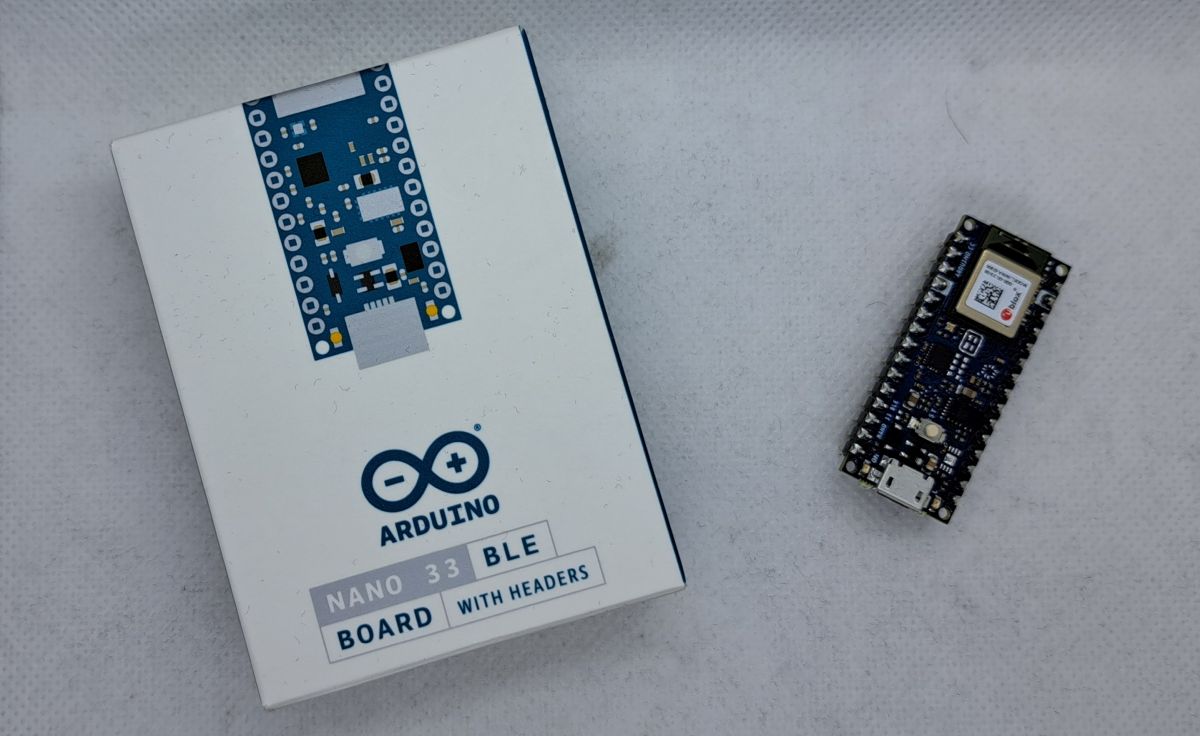
I'd asked for a Arduino Nano 33 BLE Sense Rev2Link status: OK bestellt und einen Nano 33 BLE bekommen. Nun ja, „Mann“ nimmt, was „Mann“ bekommt ;). Nein, ich werde hier nicht gendern, weil das die Tatsachen verdrehen würde. Bevor ich noch weiter abschweife, ich habe also das Ding seit vorletztem Jahr unausgepackt in der Kiste liegen. Da ich mich gerade mit Bluetooth Joysticks, Gamepads und Sonstigem beschäftige und ein Board aus meinem Fundus nehmen wollte, habe ich also den Nano 33 BLE ausgepackt und werde ihn hier sehr kurz vorstellen.
ATTENTIONThis Nano is not compatible with the original Nano as it operates at 3.3V instead of 5V. This is also indicated by the 33 in the name.
Facts
Hier ein Überblick über die technischen Daten. Ich habe zum BLE den Ur-Nano und den IOT mit dazu genommen.
| Arduino Nano | Arduino Nano 33 IoT | Arduino Nano 33 BLE | |
|---|---|---|---|
| Manufacturer | Arduino | Arduino | Arduino |
| Processor | ATmega328 | SAMD21 Cortex®-M0+ 32bit low power ARM MCU | 64 MHz Arm® Cortex-M4F (with FPU) |
| Kernel | 1 | 1 | |
| Tact | 16 MHz | 48 MHz | 64 MHz |
| Flash | 32 KB | 256 KB | 1 megabyte |
| SRAM | 2 KB | 32 KB | 256KB |
| EEPROM | 1 KB | ||
| Digitale Pins | 14 | 22 | 14 |
| Analoge Eingänge | 8 | 8 | 8 |
| PWM-Pins | 6 | 5 | 5 |
| Interrupt-Pins | 2 | 9 (D2, D3, D9, D10, D11, D13, A1, A5, A7) | 14 |
| UART | 1 | 1 | 1 |
| SPI | 1 | 1 | 1 |
| I²C | 1 | 1 | 1 |
| WLAN | 2,4 GHz 802.11 b/g/n (NINA-W102) · WEP / TKIP / CCMP (AES) | ||
| Bluetooth | 4.2 BR/EDR / 4.2 Low power | NINA-B306 Module Bluetooth® Low Energy 5.0 Module Bluetooth® 5 Multiprotocol / Zigbee | |
| USB | 1 Mini | 1 Micro | 1 Micro |
| Operating voltage | 5 V | 3,3 V | 3,3 V |
| Input voltage | 7-12 V | 5-18 V (max. 21 V) | 5-18 V (max. 21 V) |
| Stromaufnahme | 40 mA | 7 mA | 30 mA |
| Abmessungen | 18 x 45 mm | 43,16 x 17,77 mm | 43,16 x 17,76 mm |
| Weight | 7 g | 5 g | 5 g |
| Weitere Bausteine | ATECC608A Crypto-Chip, 6-Achsen-IMU (LSM6DS3) | LSM9DS1 (9 axis IMU) MPM3610 DC regulator NFC-A tag Nina B306 |
Pinout
Schematic
Instructions
Areas of application
- Bluetooth-controlled applications with the mobile phone
Human Interface Devices (Mouse, Keyboard, Joystick)- BLE Audio Applications
Views
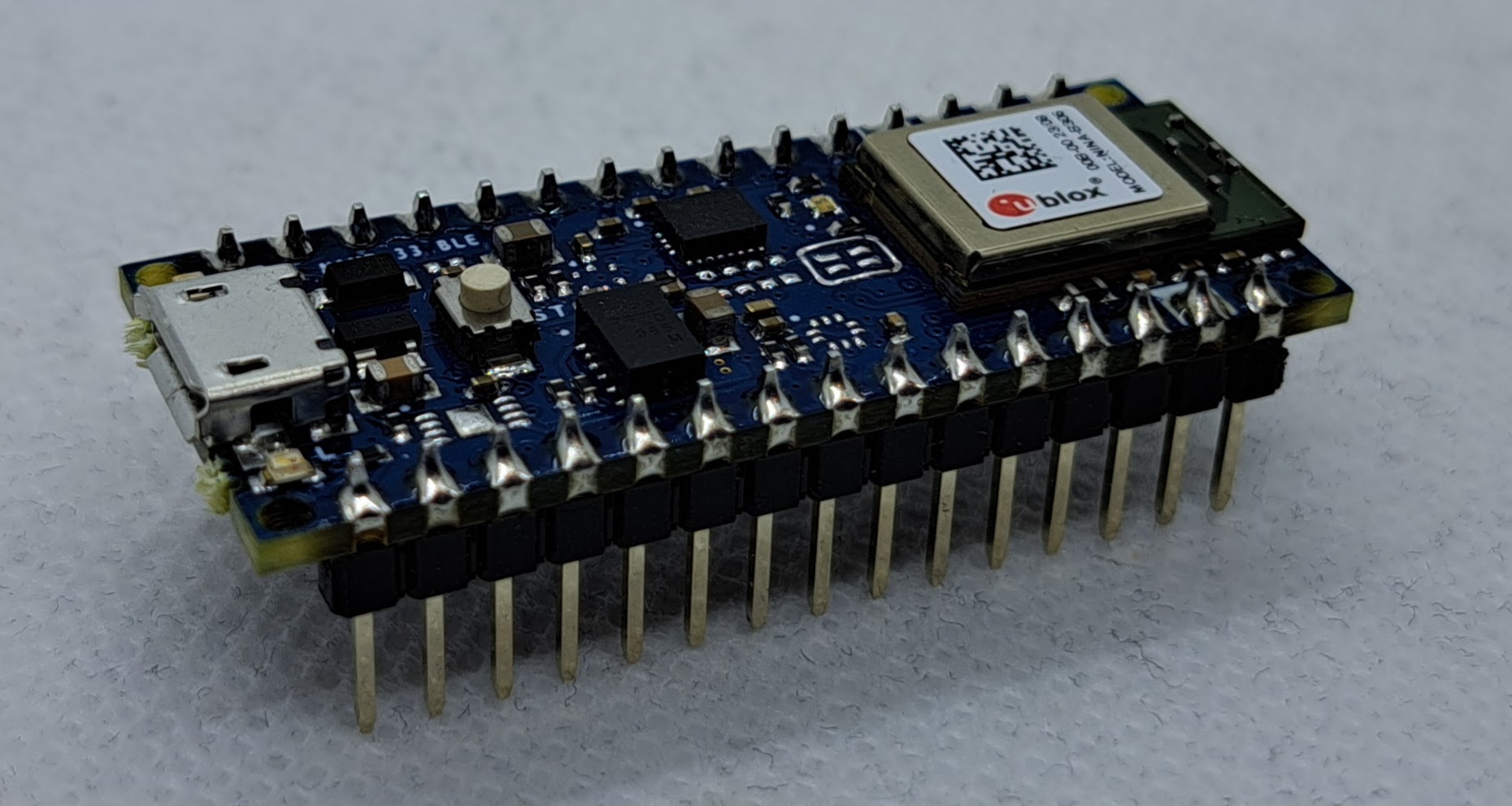
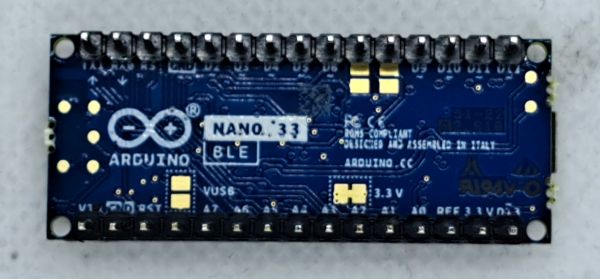
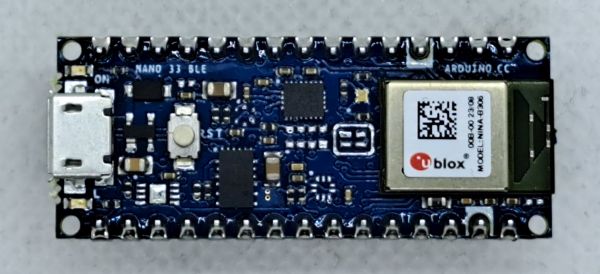
Programming
Install Board
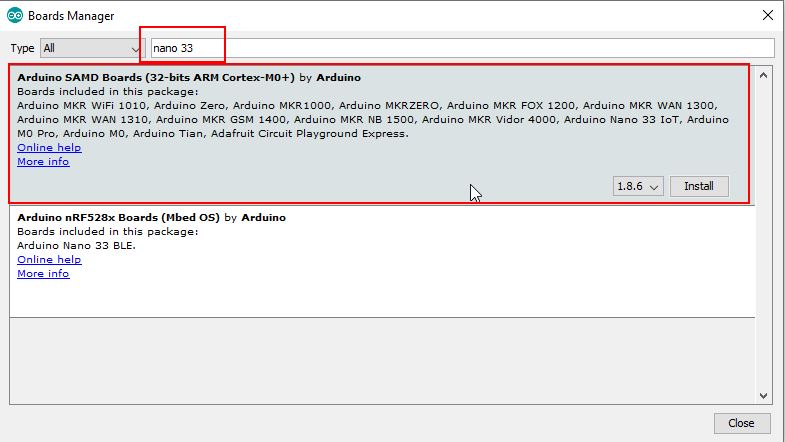
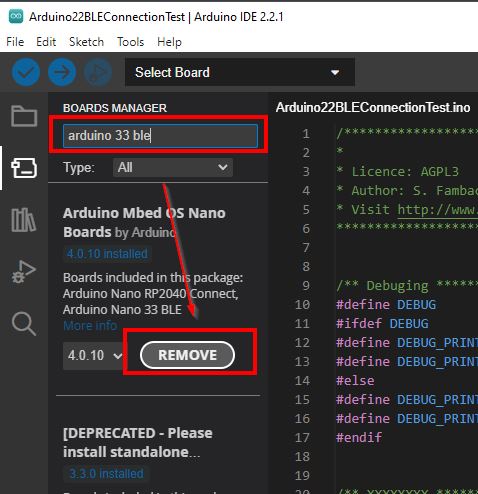
Der Nano33Ble selbst muss über den Board Manager installiert werden.
Gui1.x
GUI 2.x
(Bei mir ist sie schon installiert, deswegen steht dort Remove)
Libraries
IMU LSM9DS1
https://docs.arduino.cc/tutorials/nano-33-ble/imu-accelerometerLink status: OK
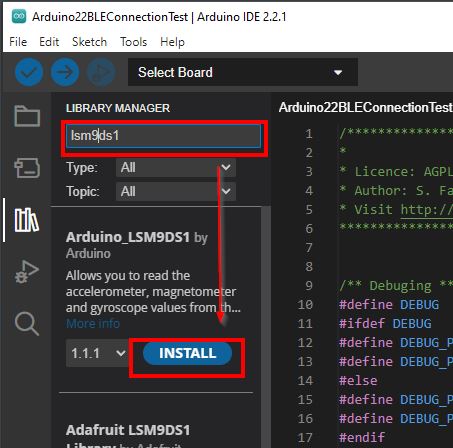
Der IMU Chip ist ein LSM9DS1 und Arduino bietet hierfür eine eigene Bibliothek. Die Installation ist über den Bibliothekar möglich.
Bluetooth
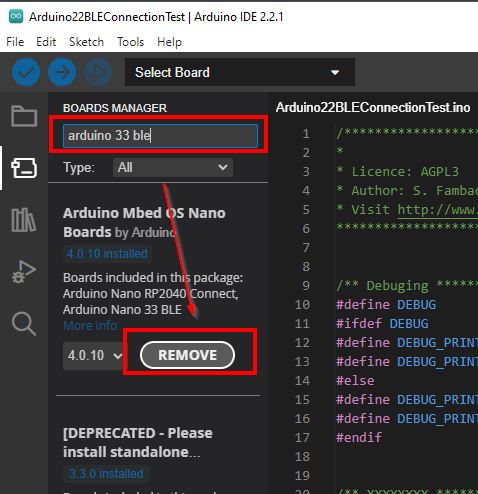
Für Bluetooth hat Arduino eine eigene Bibliothek, die alle ihre Chips unterstützen.
(Bei mir ist sie schon installiert, deswegen steht dort Remove)
Test programme
Bluetooth
Bei der ArduinoBLE Bibliothek ist ein einfaches Testprogramm enthalten. Mit diesem kann die LED auf dem Nano Board mit Bluetooth ein-/ausgeschaltet werden.
Testprogramm auswählen, kompilieren und auf den Arduino spielen.
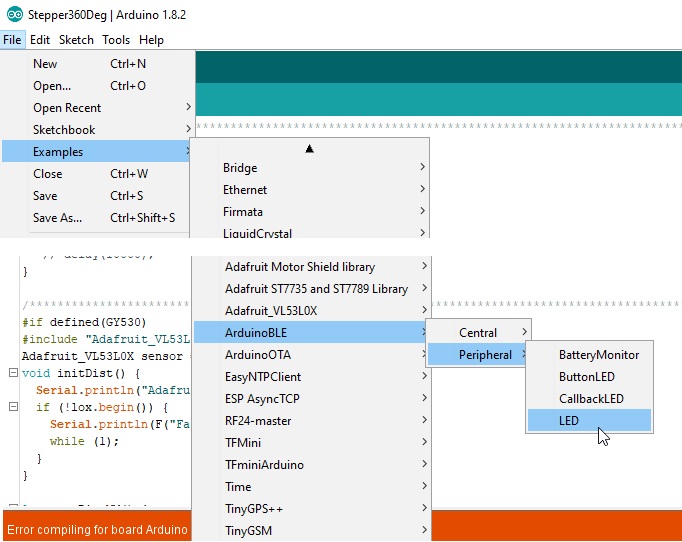
Android App fürs Handy installieren, um Werte an das Bluetooth Device zu schicken.
LightBlue Google Play StoreLink status: OK
Na gut, auch für Apfelnutzer:
LightBlue Apple StoreLink status: OK
Applikation starten
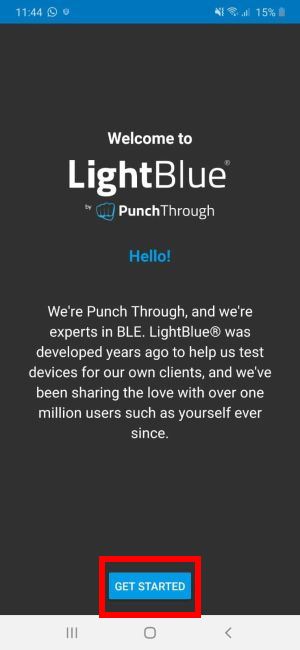
Device auswählen
Below, enter 0 = for LED off or anything else for LED on and press the Write button.
Miscellaneous
Programming over the network
https://github.com/jandrassy/ArduinoOTALink status: Unknown
Fritzing part
https://content.arduino.cc/assets/Arduino%20Nano%2033%20BLE%20Sense.fzpzLink status: Unknown
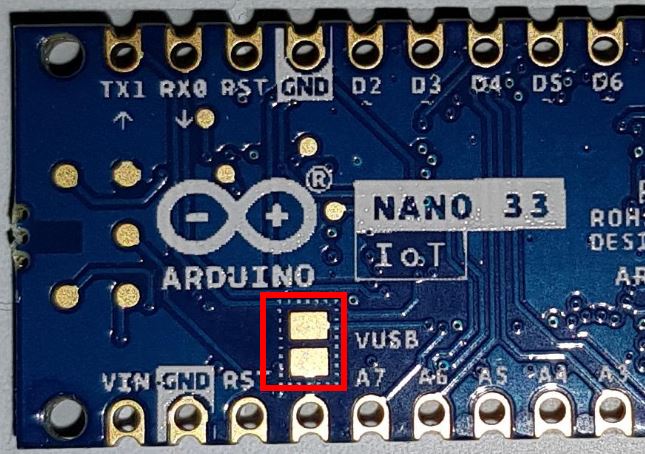
5 Volt Versorgung aktivieren
Am 5 Volt Pin kann die 5V USB Spannung angezapft werden. Dies ist gut für Sensoren, die eine 5V Versorgungsspannung brauchen. Aber bitte aufpassen, 5V an den Eingängen kann den Nano beschädigen.
The 5V pin is not connected on delivery. For this, there are two contact pads on the underside, which must be connected with solder. Please also refer to the following diagram.
Problems
No BLE connection on the phone
Ich vermute, mein Samsung Galaxy S8 ist zu alt, ich sehe zwar im Bluetooth Monitor den Arduino, kann ihn aber in Light Blue nicht verwenden.
Pairing with PC
Pairing mit dem PC oder Mac wird aktuell nicht von Arduino BLE unterstützt. Dies disqualifiziert das Board zum Beispiel als reguläres HID Device oder als BLE Lautsprecher. Unter Windows und Mac kann das Board aber zum Beispiel über die Web Bluetooth API mit JavaScript und HTML5 angesprochen werden (Chrome/Edge).
SOURCES
https://forum.arduino.cc/t/arduino-nano-33-ble-no-bluetooth-pairing/636789/5Link status: OK
https://developer.mozilla.org/en-US/docs/Web/API/Web_Bluetooth_API 49Link status: Unknown
https://googlechrome.github.io/samples/web-bluetooth/ 42Link status: Unknown
Conclusion
Der Nano 33 BLE ist aus meiner Sicht völlig überteuert, jeder beliebige ESP32 kann fast genauso viel. Aber nur fast, die IMU mit 9 Freiheitsgraden ist ein echter Gewinn und nicht ganz billig, was sicherlich zum hohen Preis beiträgt. Auch ist das Board im bekannten Formfaktor perfekt für ein Breadboard geeignet, was bei den meisten ESP Boards nicht klappt. Die Integration in die Arduino GUI ist wie gewohnt gut. Hervorzuheben sind die analogen Ports und die Interrupts, die an allen digitalen Pins funktionieren.
Der kleine Wermutstropfen bleibt, der hohe Preis von ~22€. Wer nicht so viele Ports braucht, ist mit dem ESP32Link status: Unknown günstiger unterwegs und bekommt unter 10€ noch ein Display und WLAN dazu. Die IMU muss jedoch extern betrieben werden.
Der USB Port ist etwas gewöhnungsbedürftig, nach dem Programmieren wird ein Reset durchgeführt, das erinnert an den Leonardo. Auch ist der Micro USB Port nicht mehr ganz zeitgemäß.
Related Posts
- Arduino Nano 33 IoTLink status: OK
- RF NanoLink status: Unknown
- Arduino Nano V3Link status: Unknown
Sources
Arduino manufacturer's pageLink status: Unknown
Arduino Bluetooth ContributionLink status: Unknown
https://github.com/jandrassy/ArduinoOTALink status: Unknown
https://forum.arduino.cc/t/arduino-nano-33-ble-no-bluetooth-pairing/636789/5Link status: OK
https://developer.mozilla.org/en-US/docs/Web/API/Web_Bluetooth_API 49Link status: Unknown
https://googlechrome.github.io/samples/web-bluetooth/ 42Link status: Unknown
| Date | Change | Author |
|---|---|---|
| 18.10.2026 | TablePress-Tabelle durch Datenblock aus dem Modell ersetzt | Suffocation |
| 08.10.2026 | Überschriften-Hierarchie korrigiert (H1→H2, Unterebenen eine Stufe tiefer) | Suffocation |
| 04.10.2026 | Satz zu Web Bluetooth unter Windows/Mac umformuliert | Suffocation |
| 03.10.2026 | Rechtschreibung korrigiert: Tippfehler, Groß-/Kleinschreibung, Kommas Log-Liste eingefügt | Suffocation |
| 11.01.2024 | Post created | Suffocation |