Last Updated on 8. October 2026 by SuffocationLink status: OK
Ein Logic Analyzer kann mehrere digitale Ausgänge, im aktuellen Fall genau 8, beobachten und mittels Software graphisch auf dem Computer darstellen. Logik Analyzer bekannter Firmen sind meist recht teuer, allerdings sind seit geraumer Zeit auch Billiganbieter mit Clonen auf dem Markt. Solch einen Clone habe ich mir besorgt, um ein paar Tests mit ihm durchzuführen.
An dieser Stelle sei gesagt, dass ich nicht einverstanden bin, wie manche Clone Hersteller mit dem geistigen Eigentum der bekannten Hersteller umgehen. Auf der anderen Seite bin ich aber auch nicht bereit privat mehrere hundert Euro für solch ein Teil auszugeben, wenn ich es nur sporadisch und nicht professionell nutze. Es gibt auch freie Firmware und Programme für diese Billigdinger, diese funktionieren und reichen für meine Zwecke aus. Eine weitere Überlegung wäre es, sich selbst so ein Teil mit einem Arduino o.ä. zu bauen, hier hat die fertige Lösung aber schon ein Gehäuse, einen mehr oder minder genormten Anschluss und ist direkt nutzbar.
Facts
| Description | Worth |
|---|---|
| Channels | 8 |
| USB | Mini |
| LEDs | 2 |
| Max Eingangsspannung | -25V to +25V |
| Sampling Rate | 100 Megabits per second |
| Bandwidth | 25 megahertz |
| Analogue bandwidth | 1MHz |
| Operating temperature | 0–70°C |
| Input Impedanz | 1 Megaohm |
,Data and Facts
Areas of application
- Analysis of digital circuits.
- Support for Arduino projects
- Analyse der Kommunikation zwischen Komponenten
Views
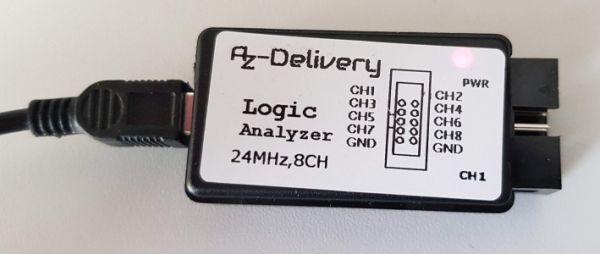
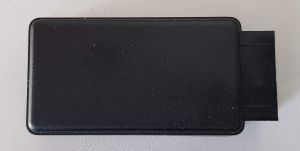
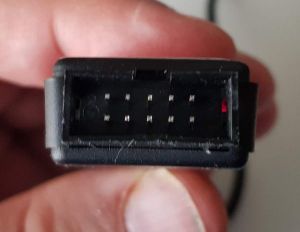
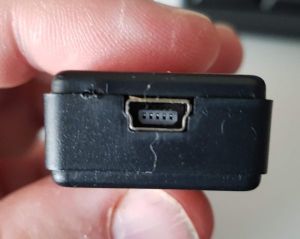
Installation
Sigrok PulseView
Download: https://sigrok.org/wiki/Main_PageLink status: OK
Download and install software.
Driver
Mein Clone verwendet den offenen fx2lafw Treiber, dieser kann unter folgendem Link heruntergeladen werden.
Download: https://sigrok.org/download/binary/sigrok-firmware-fx2lafwLink status: OK
Sollte ein anderer Treiber benötigt werden, gibts zusätzliche Informationen auf der PulseView Website . Nützlich war hier die Seite Supported Hardware Link status: OK.
Unpack the driver and into the installation directory …PulseView\share\sigrok-firmware copy
Setting up
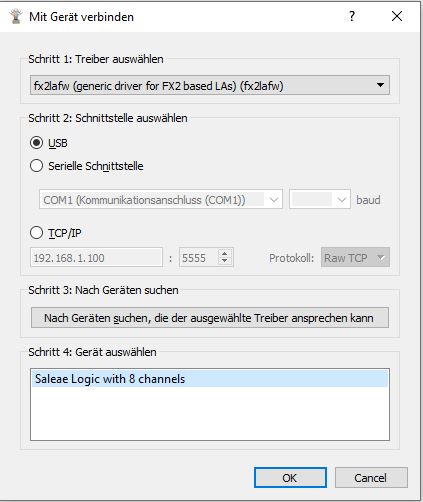
Select driver and then search for device.

Test
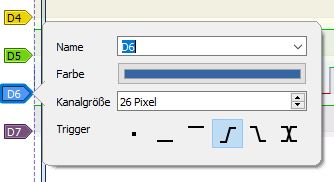
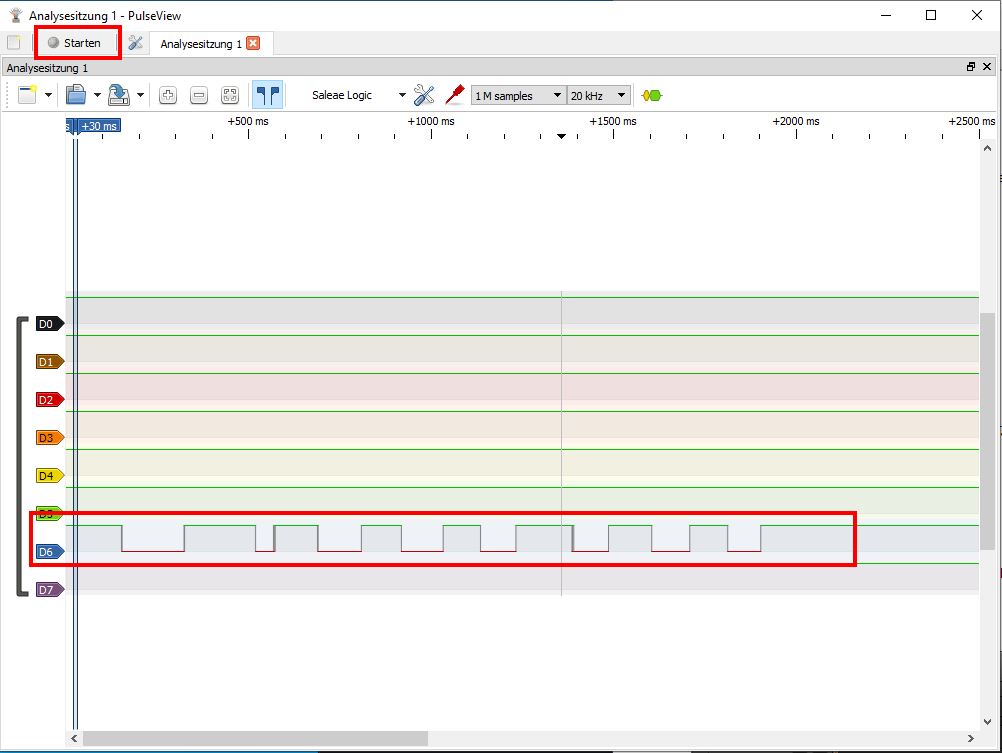
I've connected a button between ground and channel 6. The trigger settings are on rising edge.
After that, start the recording and press the button a few times.
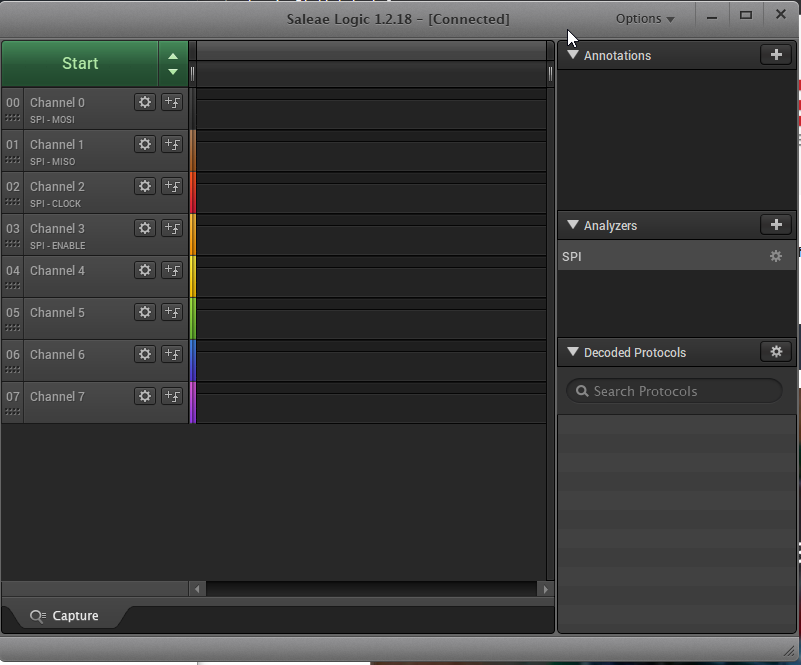
Original Saleae Logic2 Software
Software downloaden und installieren. Gerät wurde bei mir direkt erkannt.
https://www.saleae.com/downloadsLink status: OK
Problems
USB device not recognised correctly
Use Zadig Link status: OKto install the WinUSB driver.
Conclusion
Ich habe zwei dieser Geräte. Das erste habe ich irgendwann vor 2020 gekauft und nie zum Funktionieren gebracht. Danach habe ich mir die AZ-Delivery Version bestellt, aber auch diese hatte so ihre Probleme. Wenn man weiß, wie es geht, ist die Installation jedoch recht simpel. Ich bin mir unsicher, warum der erste Anlauf nicht funktioniert hat. Nun funktionieren beide Geräte und ich kann mich meiner neuen Reihe TTL IC’s widmen. Evtl. bestelle ich mir mal eine 16 Bit Version und schaue sie mir an.
Related Posts
- ZadigLink status: OK
- CustomKeyboard LibraryLink status: OK
- CodeShorty: Serial InterruptLink status: OK
- Raspberry Pi as NVR with ShinobiLink status: OK
- MySD adjustment of the Arduino libraryLink status: OK
- Debug output in source codeLink status: OK
- SwitchLibLink status: OK
- MPV (Linux)Link status: OK
- ISpyLink status: OK
- VLC Media PlayerLink status: OK
Sources
https://cdn.shopify.com/s/files/1/1509/1638/files/Logic_Analyzer_Datasheet.pdf?104423Link status: OK
https://cdn.shopify.com/s/files/1/1509/1638/files/Logic_Analyzer_Pinout.pdf?44545Link status: OK
https://www.saleae.com/downloadsLink status: OK
https://learn.sparkfun.com/tutorials/using-the-usb-logic-analyzer-with-sigrok-pulseview/allLink status: OK
https://ideas.saleae.com/f/changelogLink status: OK
https://sigrok.org/download/binary/sigrok-firmware-fx2lafwLink status: OK
Log
| Date | Change | Author |
|---|---|---|
| 08.10.2026 | Überschriften-Hierarchie korrigiert (H1→H2, Unterebenen eine Stufe tiefer) | Suffocation |
| 04.10.2026 | Rechtschreibung korrigiert: Tippfehler (Impedanz, Ausgänge u. a.), Grammatik und Kommasetzung | Suffocation |
| 03.10.2026 | Logbuch-Tabelle auf Log-Liste umgestellt | Suffocation |
| 22.05.2024 | The article now has a final status and has been released. Ideas for the future would be to show a few additional measurements also from interfaces. | Suffocation |
| 18.05.2024 | With the right drivers, it also works with PulseView. Mit Zadig den Treiber ersetzt. Logic Analyzer wird von Saleae Software nun einwandrei erkannt und funktioniert. Ich schäue noch einwenig zurück Logic2 mit dem Clone zu verwenden, fühlt sich irgendwie nicht richtig an. Wer es dennoch machen will hier der Link. | Suffocation |
| 28.03.2020 | Post created | Suffocation |