Last Updated on 4. October 2026 by SuffocationLink status: OK
Für alle, die unter Linux arbeiten, hat Joseph (siehe Kommentare zur ESP 32 Cam) den MPV Player empfohlen. Ich habe mir diesen mal kurz auf dem Pi angesehen und bin begeistert.
DOWNLOAD
Der Download sollte möglichst über den Linux-eigenen Paketmanager erfolgen.
Alternativ kann der Player unter folgenden Links heruntergeladen werden:
mpv.ioLink status: OK
Alternative at ChipLink status: OK
INSTALLATION
The installation on the Pi works with the package manager (update beforehand as always):
sudo apt-get update
sudo apt-get upgrade
sudp apt-get install mpv
USE
Josef empfiehlt für das MJPEG-Format eine Config für den Player zu erstellen:
touch ~/.config/mpv/mpv.conf
echo demuxer-lavf-probescore=25 >> ~/.config/mpv/mpv.conf
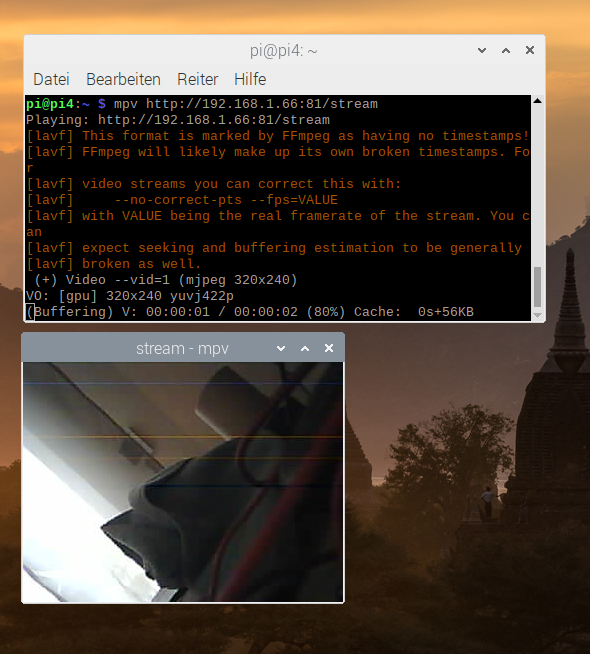
Start the MPV:
mpv http://192.168.1.66:81/streamIt works for me without any problems. Generating the screenshots on the Pi took longer ;) Thanks Josef.
PROBLEM
Not yet.
TIPPS
Tipps auch noch keine …
Conclusion
Quick to install and easy to configure tool.
ANDERE BEITRÄGE
- Raspberry Pi as NVR with ShinobiLink status: OK
- ISpyLink status: OK
- VLC Media PlayerLink status: OK
SOURCES
https://mpv.io/Link status: OK
https://www.chip.de/downloads/MPV-Video-Player_77406943.htmlLink status: OK
| Date | Change | Author |
|---|---|---|
| 04.10.2026 | Rechtschreibung korrigiert: Tippfehler, Kommas, Satztrennung, Zusammenschreibung | Suffocation |
| 03.10.2026 | Log-Liste eingefügt | Suffocation |
| 24.04.2020 | Post created | Suffocation |