Last Updated on 18. October 2026 by SuffocationLink status: OK
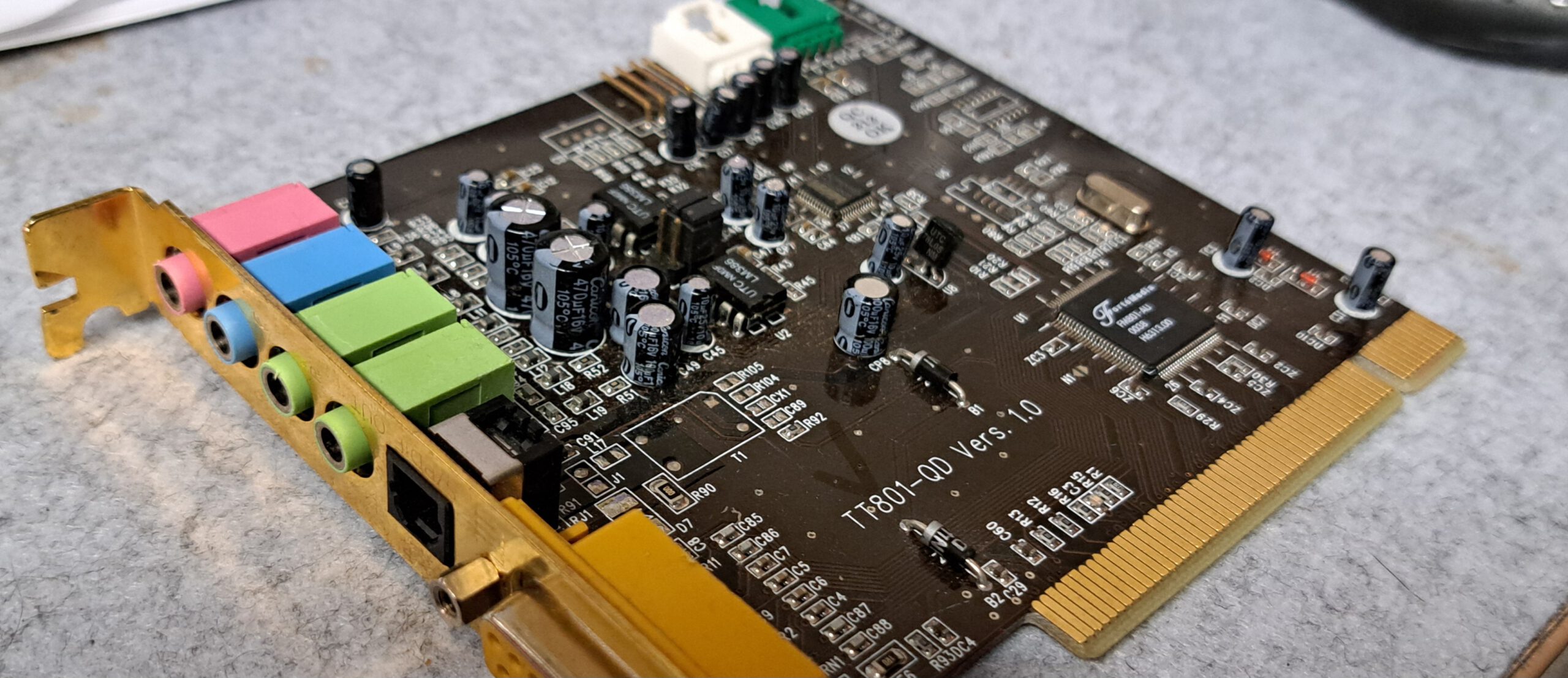
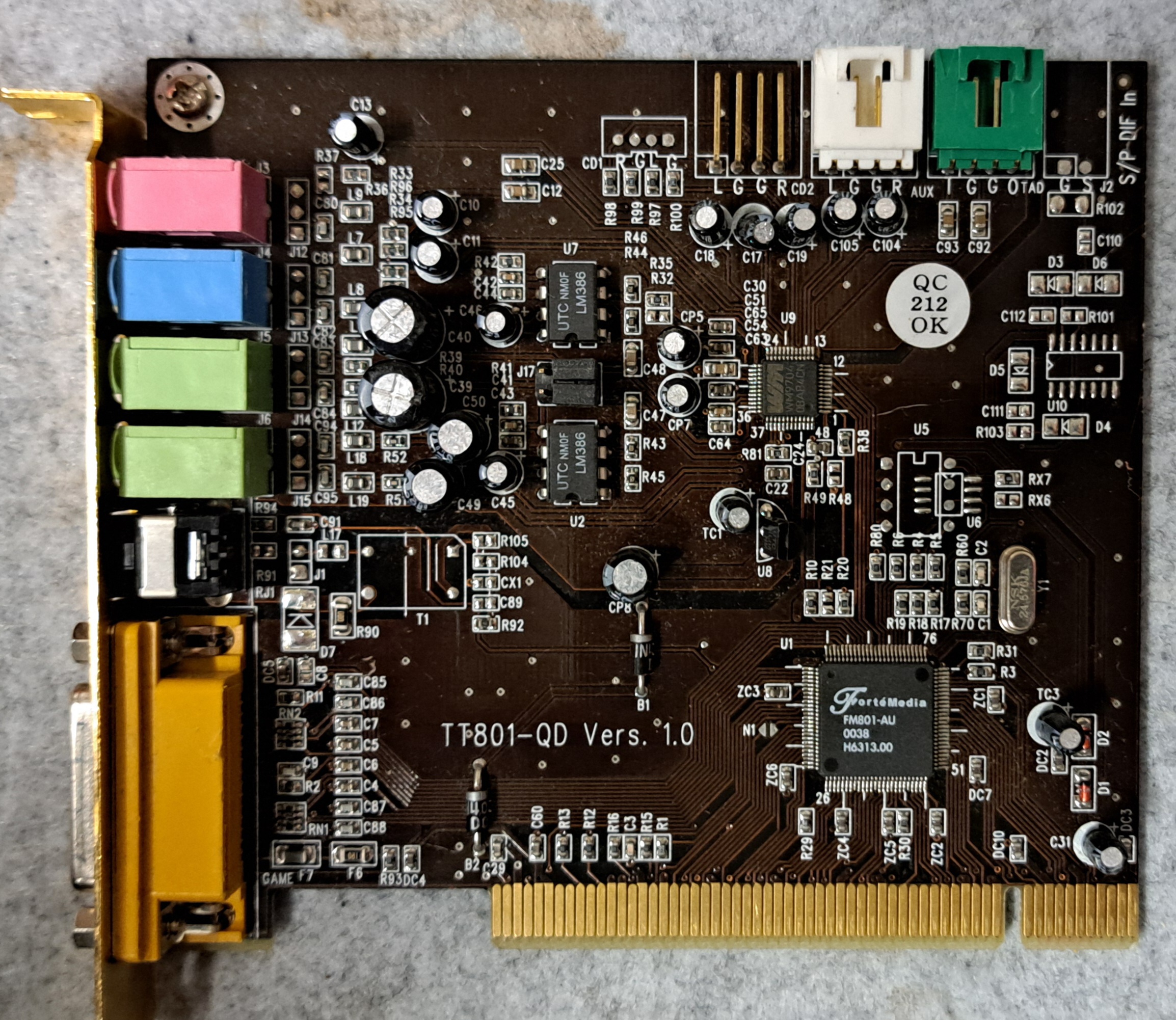
Annähernd moderne PCI Soundkarte mit DOS Treiber. Die Karte besitzt einen Forte Media 801 Soundchip. Dieser beherrscht 5.0 Sound, zumindest unter Windows. Die Karte lässt sich leicht installieren und war zumindest in meinen Testfällen robust. Auch machte die Installation unter DOS keine Probleme, hier hätte sich Creative durchaus mal eine Scheibe abschneiden können.
Views

Facts
| SoundSystem 512i digital | |
|---|---|
| Manufacturer | TerraTec |
| Teilenummer | TT801-QD |
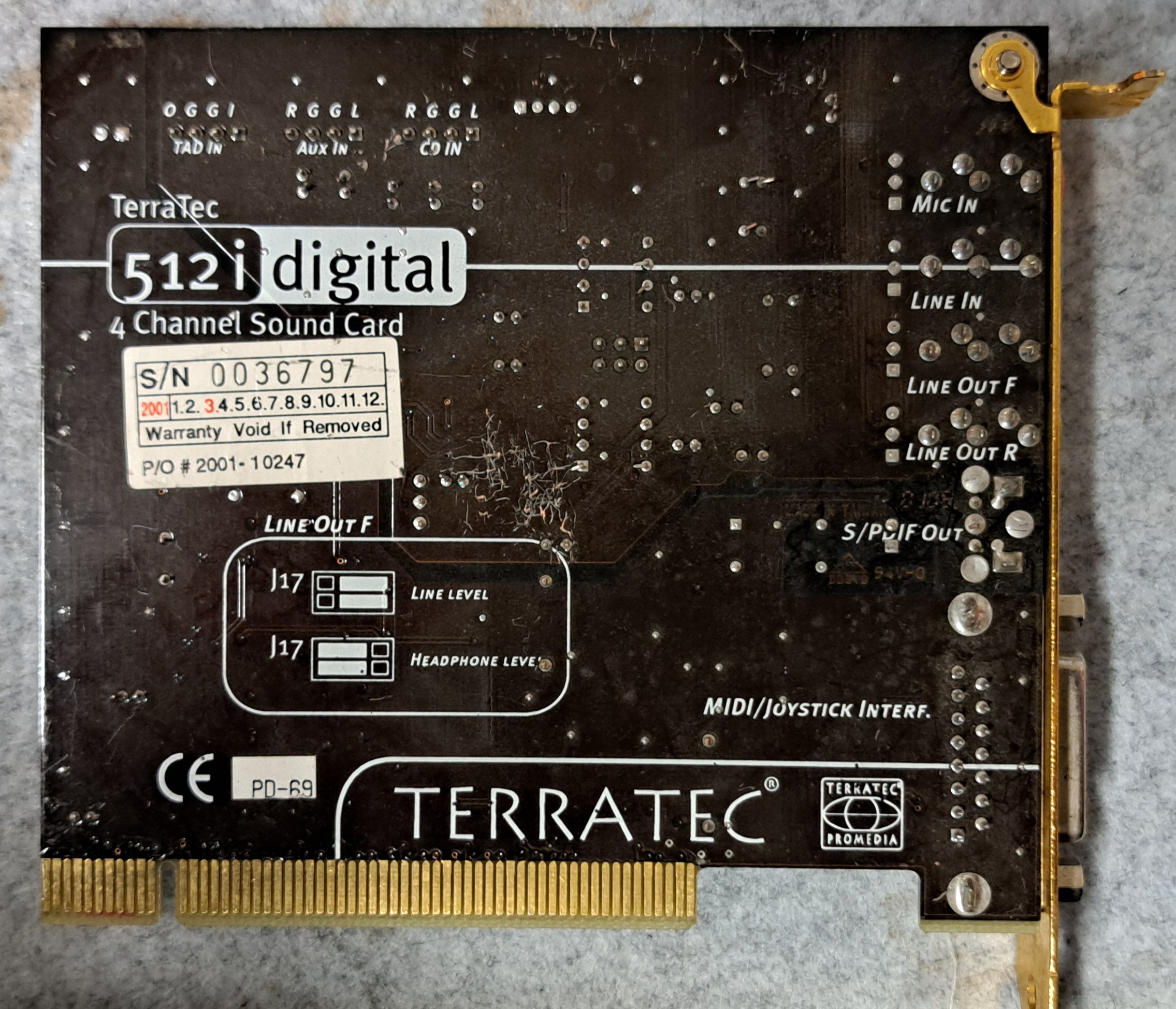
| Alternative Bezeichnungen | Promedia 512i Digital |
| Bus | PCI |
| Klangerzeugung | Software-Wavetable Yamaha S-YXG50; keine FM-Hardware |
| Wiedergabe | 4 Kanäle |
| Connections | 2 · Line-Out, 1 · Line-In, 1 · Mikrofon, 1 · S/PDIF optisch, 1 · Gameport, 3 · CD-Audio (intern) |
| Onboard | ForteMedia FM801-AU |
| Configuration | Plug and Play |
| Kompatibel mit | AdLib, Sound Blaster, Sound Blaster Pro, Roland MPU-401 |
| Treiber für | Windows 9x, NT, ME, 2000, XP |
| Description | PCI-Soundkarte für Einsteiger, 2001; AC'97/PC'97; Q3D mit EAX 1.0 und A3D 1.0. |
Data sheet
User manual
–
Driver
Treiber habe ich bei den Vogonen gefunden, gibts aber auch noch bei Terratec selbst.
https://www.vogonsdrivers.com/getfile.php?fileid=1147&menustate=53,0Link status: OK
Two
Die Install.exe aus dem unten verlinkten Paket verwenden. Es werden die Einstellungen abgefragt und der Treiber samt Konfiguration auf C: abgelegt. Ein entsprechender Eintrag wird in die Autoexec.bat gemacht. Ich habe die Dateien bei mir in ein Treiberverzeichnis verschoben. Der Pfad der eigenen Maschine muss entsprechend angepasst werden.
Die Karte funktioniert bei mir gut in DOS, habe sie mit Monkey Island 1, Doom I und Duke Nukem 3D getestet. Testrechner war ein Pentium I MMX 200MHz, mit ATI Mach 64 Graka.
ACHTUNG das Installationsskript ist nicht ganz fehlerfrei, es ändert „goto %CONFIG%“ in „goto CONFIG“
#Autoexec.bat
#Autoexec.bat
SET BLASTER=A220 I5 D1 T4 P330
LH c:\driver\dt0398\CFG801
LH c:\driver\dt0398\DOS801
Win3.x
?
Win 9x, NT4, 2k, DOS
WIN 2000, XP
NT3.x, 4.x
OS/2
–
Sound problems
Windows no sound in DOS mode
- Install/start DOS driver
- Install SB16 Emulation
No music
- Check settings, is the address correct?
No TFX sound
- Einstellungen überprüfen simmen Adress, IRQ, DMA …
IRQ Busy
- BIOS IRQ Search Reset
- Assign IRQ in BIOS
- Use another slot (usually means another IRQ too)
- Reserve IRQ for ISA (it will then not be available for PCI)
IRQ not suitable for DOS
- Reserve IRQ for ISA (it will then not be available for PCI)
- See IRQ Occupied
Choppy sound with interruptions
Dies kann passieren wenn der IRQ doppelt belegt ist, hierfür mal bei den Lösungen zu „IRQ Belegt“ schauen.
Miscellaneous
Manufacturer's FAQ
Magazines
PC Hardware 2001-5 Page 45
Source: Archive.org Link status: Unknown
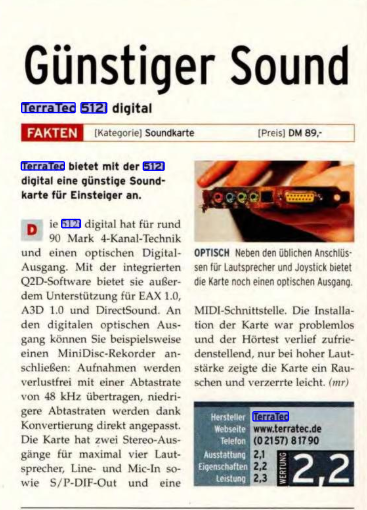
PC Game Hardware 2001_8 Page 127
Source: Archive.org
Test report
PC Action 2001_8 Page 171
Source: Archive.orgLink status: Unknown
Conclusion
| Description | Worth |
|---|---|
| Erfolgreich installiert | Yes |
| Price | Gibts bei EBAY um die 20€, sie scheint nicht begehrt zu sein, obwohl sie unter Dos funktioniert, hier wird wohl lieber auf ein Creative-Produkt zurückgegriffen |
| Function | OK |
| Is it worth it | Ja – für 20€ eine PCI-DOS-Karte, das ist ok. |
| Restrictions | Soundblaster Emulation – scheint aber keine Probleme zu machen |
Licence
Stand 10.10.2026; kommerzielles Produkt, keine offene Lizenz bekannt.
- Hardware: nicht offen, kommerzielles Produkt von Terratec (proprietär)
- Software/Firmware: Treiber und Tools des Herstellers proprietär
- Marken: Genannte Marken- und Produktnamen gehören ihren jeweiligen Inhabern.
Related Posts
- Retro Graphik – ET4000AX (1994 Bios)Link status: OK
- Retro Sound – 8Bit ISA SoundBlaster 2.0 (CT1350B)Link status: OK
- Retro Sound – Diamond Technologie DT0398Link status: OK
- Retro Sound – CT4810, CT 4750Link status: OK
- Retro Sound – CT5803Link status: OK
Sources
Herstellerseite Terratec, hier gibt es noch Treiber und HandbücherLink status: Unknown
Retro Web – Soundkarten-BeschreibungLink status: Unknown
Good places to get drivers
http://vogonsdrivers.com/
https://www.philscomputerlab.comLink status: OK
Log
| Date | Change | Author |
|---|---|---|
| 18.10.2026 | Soundkarten-Tabelle (TablePress) durch Vergleichsblock des Taxonomy Modeller ersetzt | Suffocation |
| 10.10.2026 | Abschnitt Lizenz ergänzt (Hardware/Software) | Suffocation |
| 08.10.2026 | Überschriften-Hierarchie korrigiert (H1→H2, Unterebenen eine Stufe tiefer) | Suffocation |
| 04.10.2026 | Rechtschreibung korrigiert: Tippfehler, Kommas, fehlende Wörter, Groß-/Kleinschreibung | Suffocation |
| 03.10.2026 | Logbuch-Tabelle auf Log-Liste umgestellt | Suffocation |
| 11.04.2024 | Contribution completed, card tested under DOS Post created | Suffocation |