Last Updated on 18. October 2026 by SuffocationLink status: OK
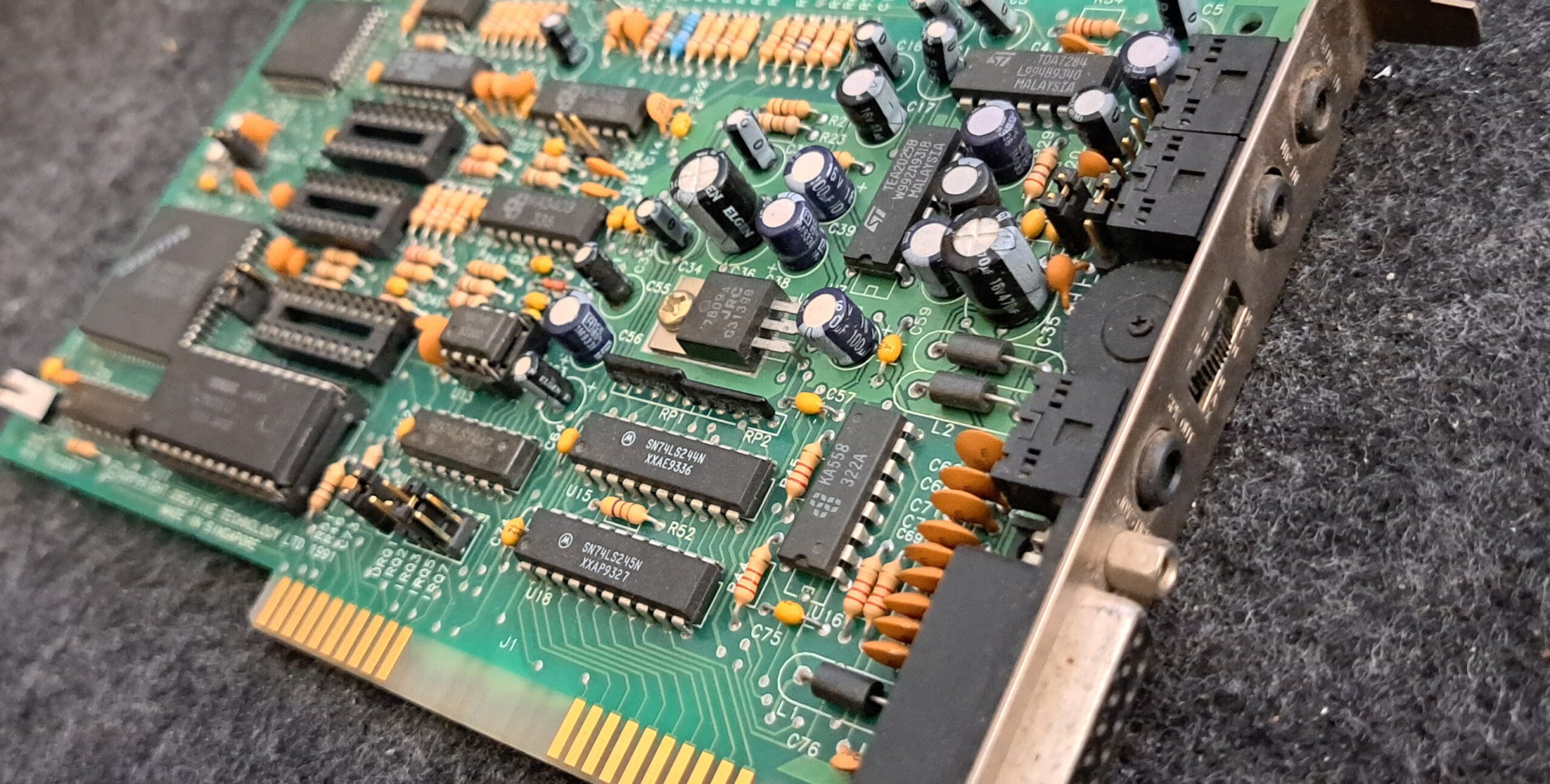
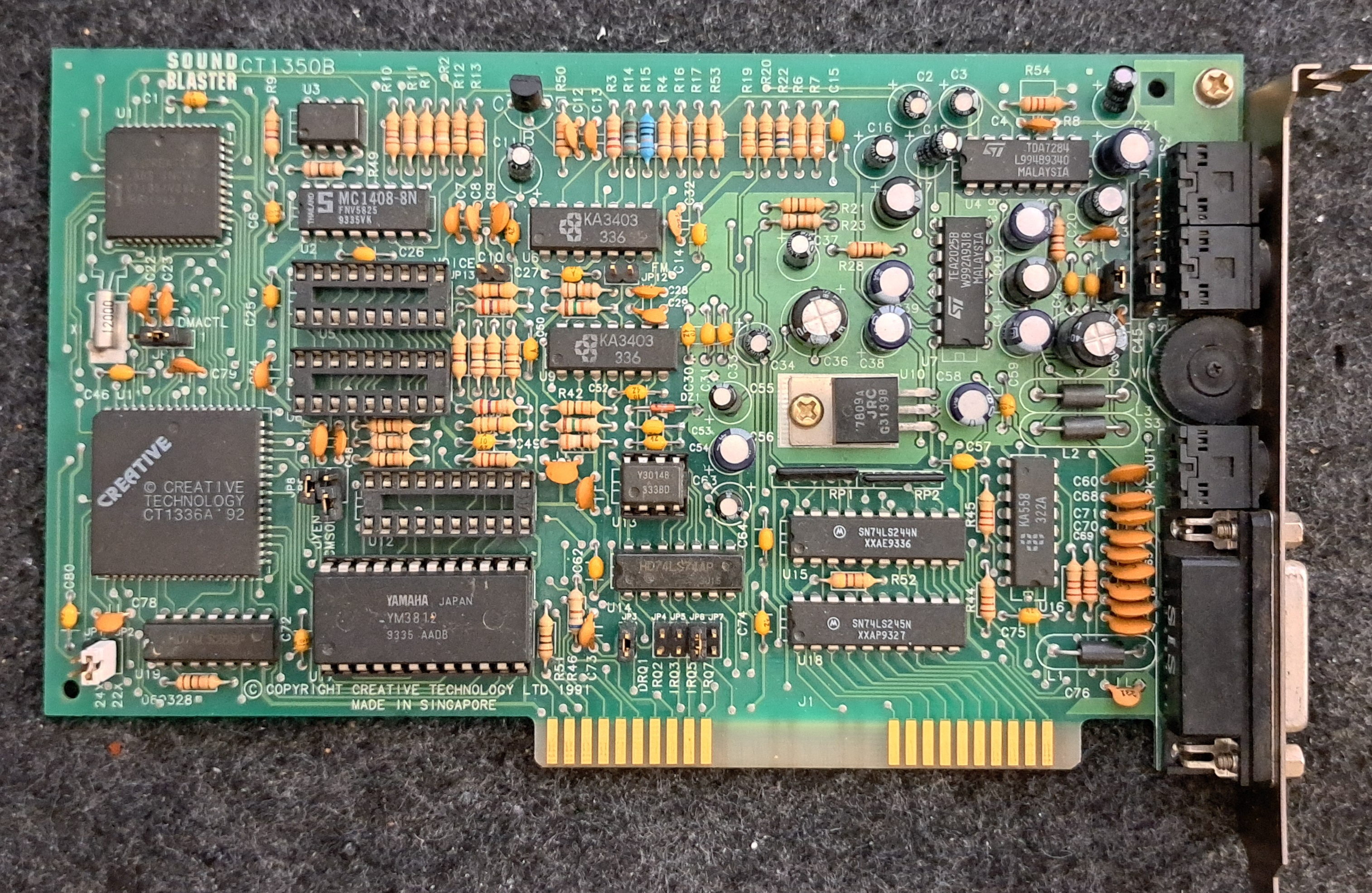
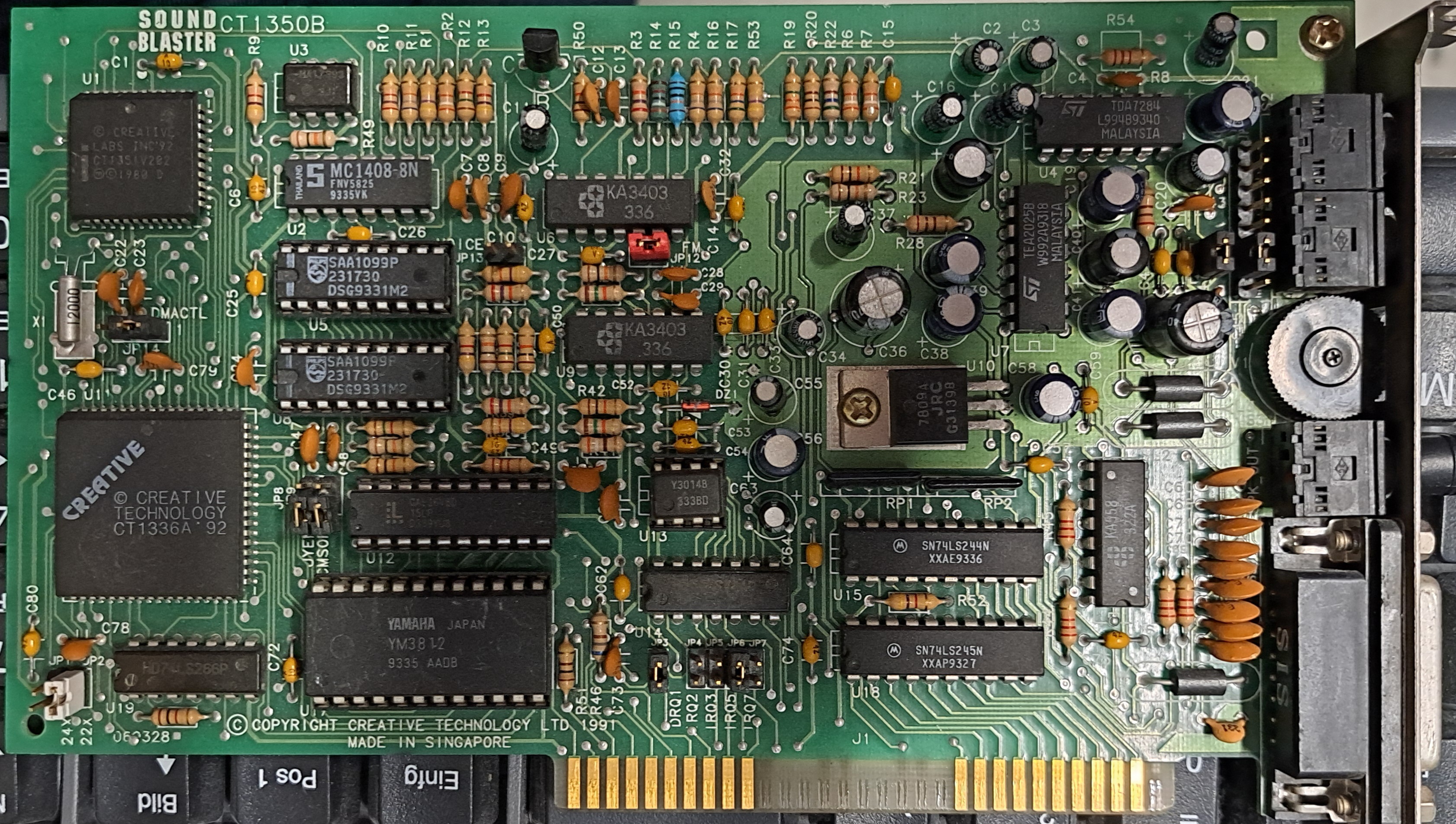
SoundBlaster 2.0 – Karte ohne hängende Note. 8-Bit-ISA-Karte mit Option für FM-Sound. Echter OPL2-Sound dank Yamaha YM3812-Chip.
Views
Facts
- Mono-Sound (mit CMS Stereo)
- Echter Yamaha OPL2-Soundchip
- Karte benötigt −5V, sonst gibt es fast nur Rauschen
- Mikrofonverstärker
| Sound Blaster 2.0 | |
|---|---|
| Manufacturer | Creative Labs |
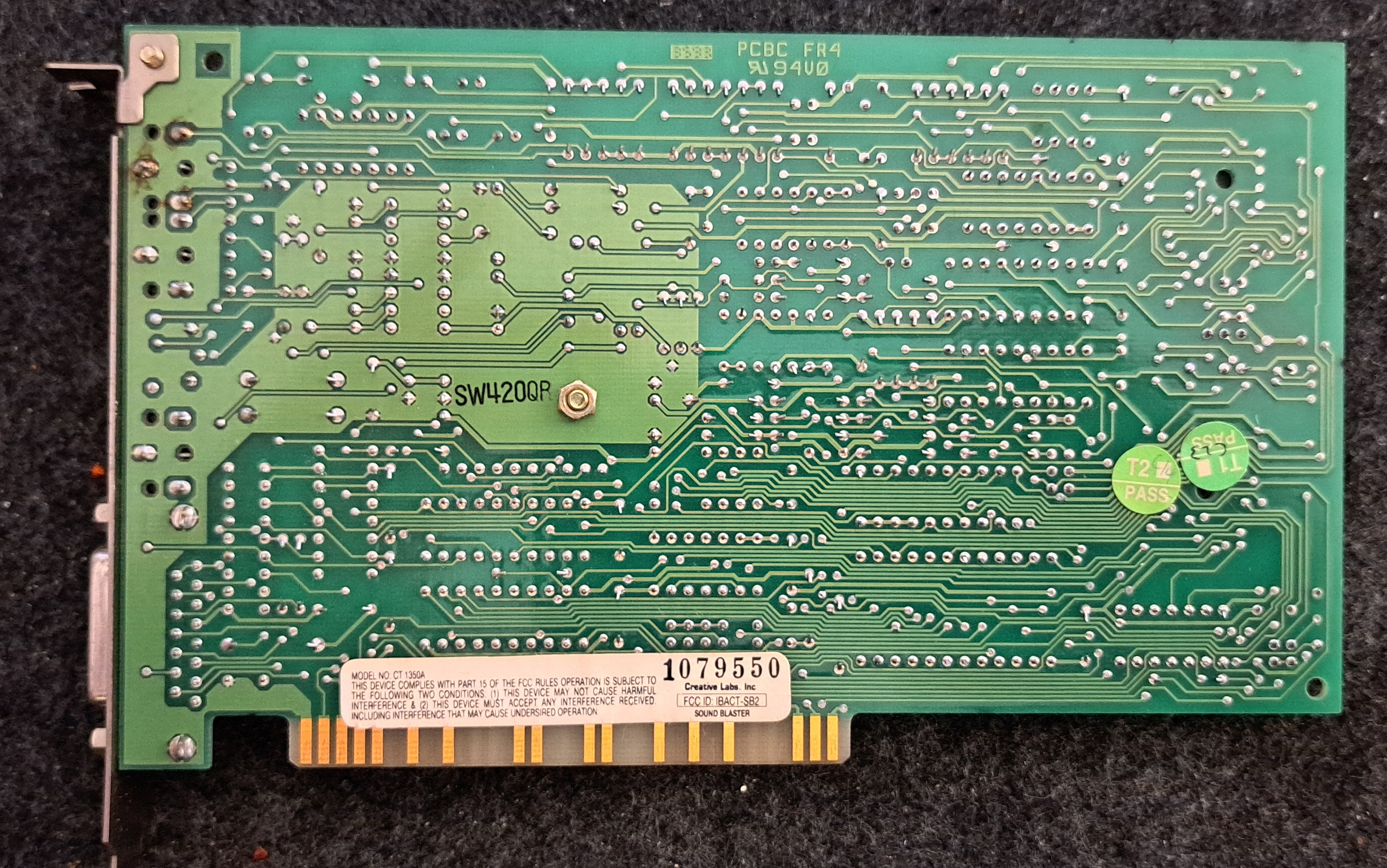
| Teilenummer | CT1350B |
| Bus | ISA 8-bit |
| Klangerzeugung | FM-Synthese OPL2 (Yamaha YM3812); Sockel für zwei CMS-Chips (Game Blaster) |
| Wiedergabe | Mono (mit CMS-Chips Stereo-FM) |
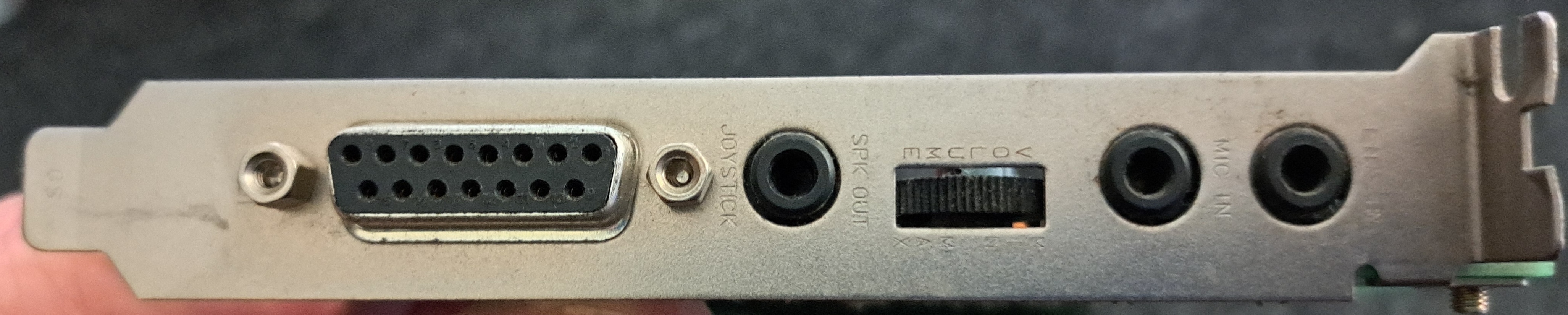
| Connections | 1 · Lautsprecher-Ausgang, 1 · Line-In, 1 · Mikrofon, 1 · Gameport |
| Onboard | Creative CT1336 (Bus-Schnittstelle), Yamaha YM3812 (OPL2) |
| Configuration | Jumper |
| Kompatibel mit | AdLib, Sound Blaster 1.x/2.0, Game Blaster (CMS), mit nachgerüsteten Chips |
| Treiber für | Windows 3.1, DOS 3.31, 5, 6.22 |
| System requirements | PC/XT, AT, 286 oder kompatibel; zwei Diskettenlaufwerke; 640 KB RAM; CGA, EGA oder VGA |
| Description | 8-Bit-ISA-Soundkarte mit Lautstärkeregler am Slotblech; Gameport mit MIDI. |
User manual
Kein Handbuch hinterlegt. Treiberquellen siehe unten (VOGONS / Archive.org).
Source: RetroWebLink status: Unknown
Driver
I found the drivers at Vogons and Archive.org:
https://www.vogonsdrivers.com/getfile.php?fileid=1002&menustate=52,0Link status: OK
https://archive.org/details/sound-blaster-driversLink status: OK
Source for the drivers here, if possible, please use the source for the drivers for download.
| Betriebssystem | Two | Windows | Other | Pack/CD |
|---|---|---|---|---|
| Driver | X | Windows 3.11 | X | X |
DOS/Win 3.11
Wichtig in DOS ist, die Soundblaster-Variable zu setzen, damit die Programme wissen, wie die Soundkarte anzusprechen ist.
#Autoexec.bat
SET SOUND=C:\driver\sound\SB20
SET BLASTER=A220 I5 D1 T3
SET MIDI=SYNTH:1 MAP:E

#Config.sys
DEVICE=C:\DRIVER\SOUND\SB20\CTSB2.SYS /UNIT=0 /BLASTER=a220 I:5 D:1
DEVICE=C:\DRIVER\SOUND\SB20\CTMMSYS.SYS
Packages
Diskette set from Archive.org
Package from the Vogons
Sound problems
Windows no sound in DOS mode
- Install/start DOS driver
- Install SB16 Emulation
No music
- Check settings, is the address correct?
No TFX sound
- Einstellungen überprüfen simmen Adress, IRQ, DMA …
IRQ Busy
- BIOS IRQ Search Reset
- Assign IRQ in BIOS
- Use another slot (usually means another IRQ too)
- Reserve IRQ for ISA (it will then not be available for PCI)
IRQ not suitable for DOS
- Reserve IRQ for ISA (it will then not be available for PCI)
- See IRQ Occupied
Choppy sound with interruptions
Dies kann passieren wenn der IRQ doppelt belegt ist, hierfür mal bei den Lösungen zu „IRQ Belegt“ schauen.
Lautes Brummen auf den Lautsprechern
Wenn ein modernes Netzteil verwendet wird, fehlen sehr wahrscheinlich die −5V. Entweder man verwendet ein altes Netzteil oder ein Gerät wie den Voltage BlasterLink status: OK. Der wandelt −12V über einen Spannungsregler in −5V für den ISA-Bus um.
Miscellaneous
Test report
PC Player 2023-2
Pages 16-18
PC Player German Magazine 1993-02 : PC Player : Free Download, Borrow, and Streaming : Internet ArchiveLink status: OK
Pages 20-21
CMS Update
Gibt’s in der Bucht für rund 15-25€. Dafür gibt es 3 ICs: 2x Philips SAA1099P und ein GAL-IC.
Conclusion
| Description | Worth |
|---|---|
| Erfolgreich installiert | Ja – war kein Problem |
| Price | ~85 € |
| Function | OK |
| Is it worth it | Ja – weil es ein Stück 8-Bit-Geschichte ist. Nein, weil der Preis viel zu hoch ist. |
| Restrictions | 8 Bit ISA – was für alte PCs, Mono-Sound, Adlib-kompatibel, und die CMS-Philips-Chips können auch noch nachgerüstet werden und man erhält für die Effekte Stereo-Sound. |
Licence
Stand 10.10.2026; kommerzielles Produkt, keine offene Lizenz bekannt.
- Hardware: nicht offen, kommerzielles Produkt von Creative Labs (proprietär)
- Software/Firmware: Treiber und Tools des Herstellers proprietär
- Marken: Genannte Marken- und Produktnamen gehören ihren jeweiligen Inhabern.
Related Posts
- Retro Graphik – ET4000AX (1994 Bios)Link status: OK
- Retro Sound – Terratec Promedia 512i digitalLink status: OK
- Retro Sound – Diamond Technologie DT0398Link status: OK
- Retro Sound – CT4810, CT 4750Link status: OK
- Retro Sound – CT5803Link status: OK
Sources
DriverLink status: OK
RetroWebLink status: Unknown
Wikipedia – SoundBlasterLink status: OK
Treiber bei den Vogonen – https://www.vogonsdrivers.com/getfile.php?fileid=1002&menustate=52,0Link status: OK
Treiber bei Archive.org – https://archive.org/details/sound-blaster-driversLink status: OK
Good places to get sound drivers
Vogonen Treiber Seite – http://vogonsdrivers.comLink status: OK
Phillips Computer Lab – https://www.philscomputerlab.comLink status: OK
Archive.org – https://archive.orgLink status: OK
Log
| Date | Change | Author |
|---|---|---|
| 18.10.2026 | Soundkarten-Tabelle (TablePress) durch Vergleichsblock des Taxonomy Modeller ersetzt | Suffocation |
| 10.10.2026 | Abschnitt Lizenz ergänzt (Hardware/Software) | Suffocation |
| 08.10.2026 | Überschriften-Hierarchie korrigiert (H1→H2, Unterebenen eine Stufe tiefer) | Suffocation |
| 04.10.2026 | Rechtschreibung korrigiert: Tippfehler, Kommas, Groß-/Kleinschreibung, Bindestriche | Suffocation |
| 03.10.2026 | Logbuch-Tabelle auf Log-Liste umgestellt | Suffocation |
| 04.06.2026 | Post improved and finalised, images with FM chipset inserted. | Suffocation |
| 13.04.2025 | Featured image changed (was the SB 16), looked for test reports from that time. Post created | Suffocation |