Last Updated on 4. October 2026 by SuffocationLink status: OK
Hier kommt die Platine, die alle Sergey KiselevLink status: OK Projekte verbindet. Die Backplane besteht aus 7x 8-Bit ISA Slots, einem ATX Anschluss, zwei LEDs und einem Power Button. Sonst hat sie nicht viel mehr zu bieten, außer dass sie aus allen 8-Bit-ISA-Karten zusammen einen echten 8088 PC formt.
Link to the project
Nur zur Klarstellung das Projekt ist nicht mein geistiges Eigentum sondern wurde vom Entwickler mit hohem zeitlichen Aufwand realisiert und der Allgemeinheit zur Verfügung gestellt. Sollte das Projekt gefallen zollt dem Entwickler doch mal euren Respekt mit einem Like oder vielleicht sogar mit einer (Kaffee) Spende.
Link to the projectLink status: OK
Series contributions
ISA 8-bit 8088 BoardLink status: Broken – Das Hauptprozessor Board mit 8088 oder V20
ISA 8-bit BackplaneLink status: OK – Platine mit ISA Steckplätzen für die gebauten ISA Karten
ISA 8-Bit Super VGA CardLink status: Broken – Karte basiert auf Trident TVGA9000i Chip
ISA 8-bit Ethernet CardLink status: OK – Moderne Netzwerkkarte basierend auf dem Realtek 8019 Chip
Views
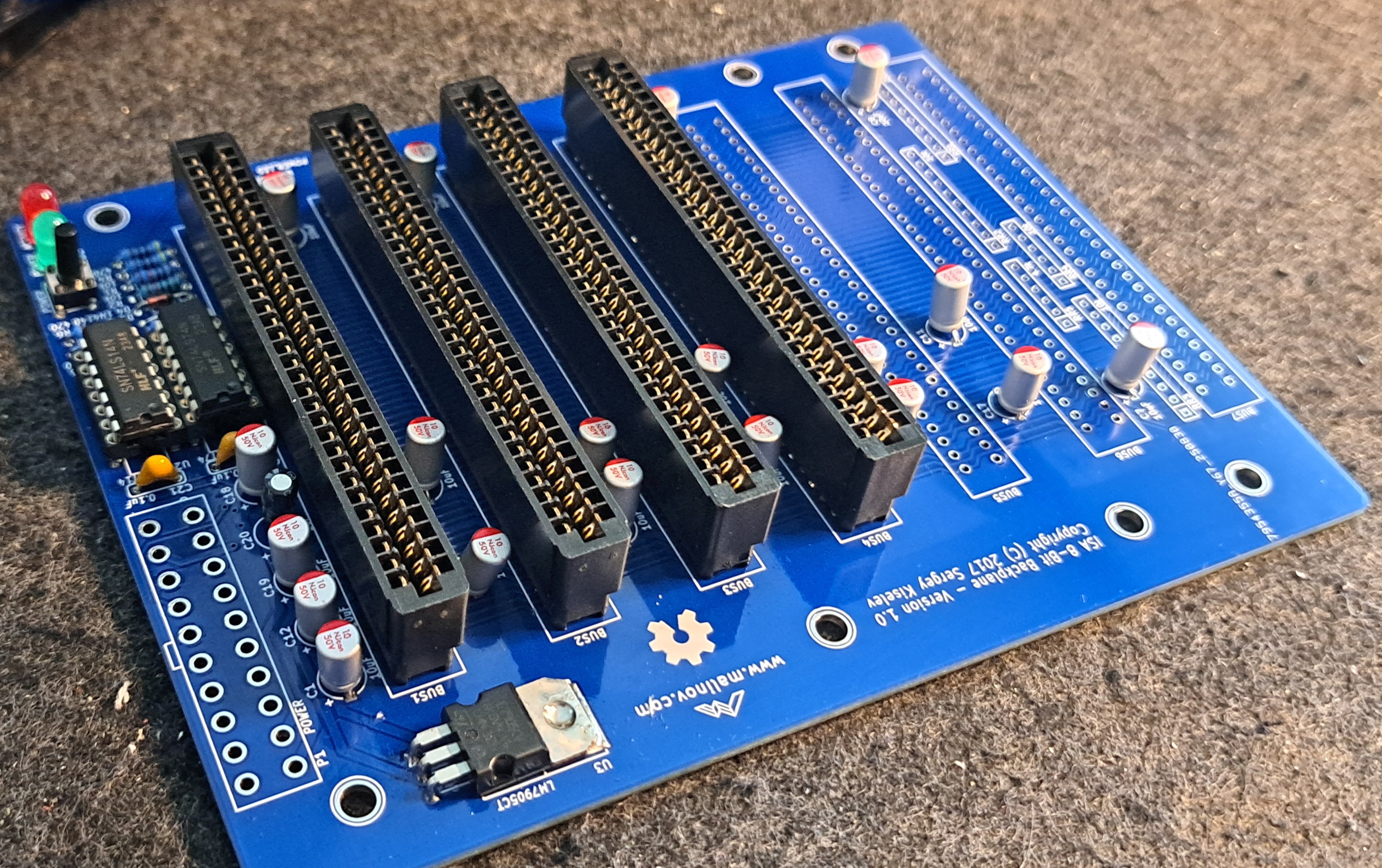
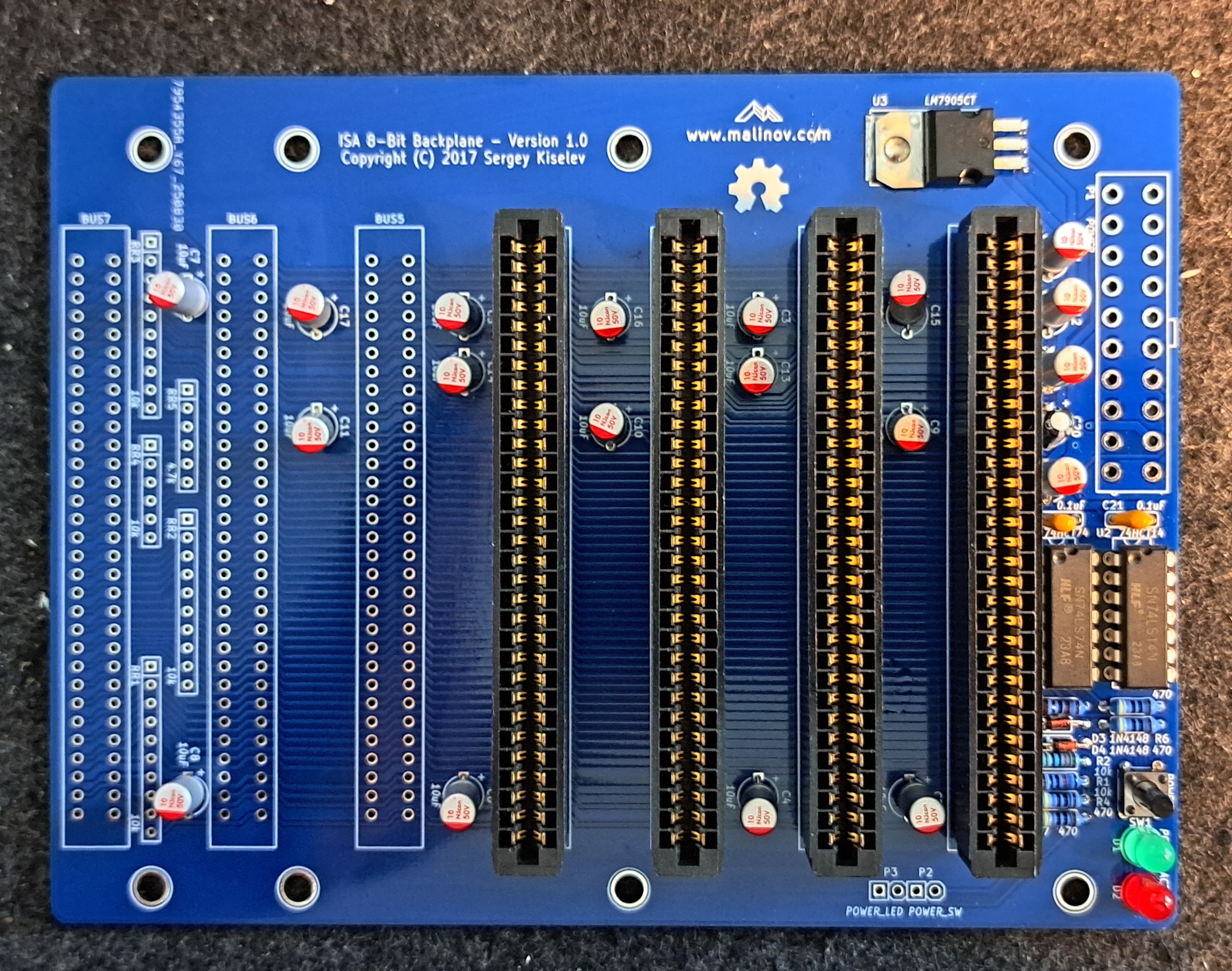
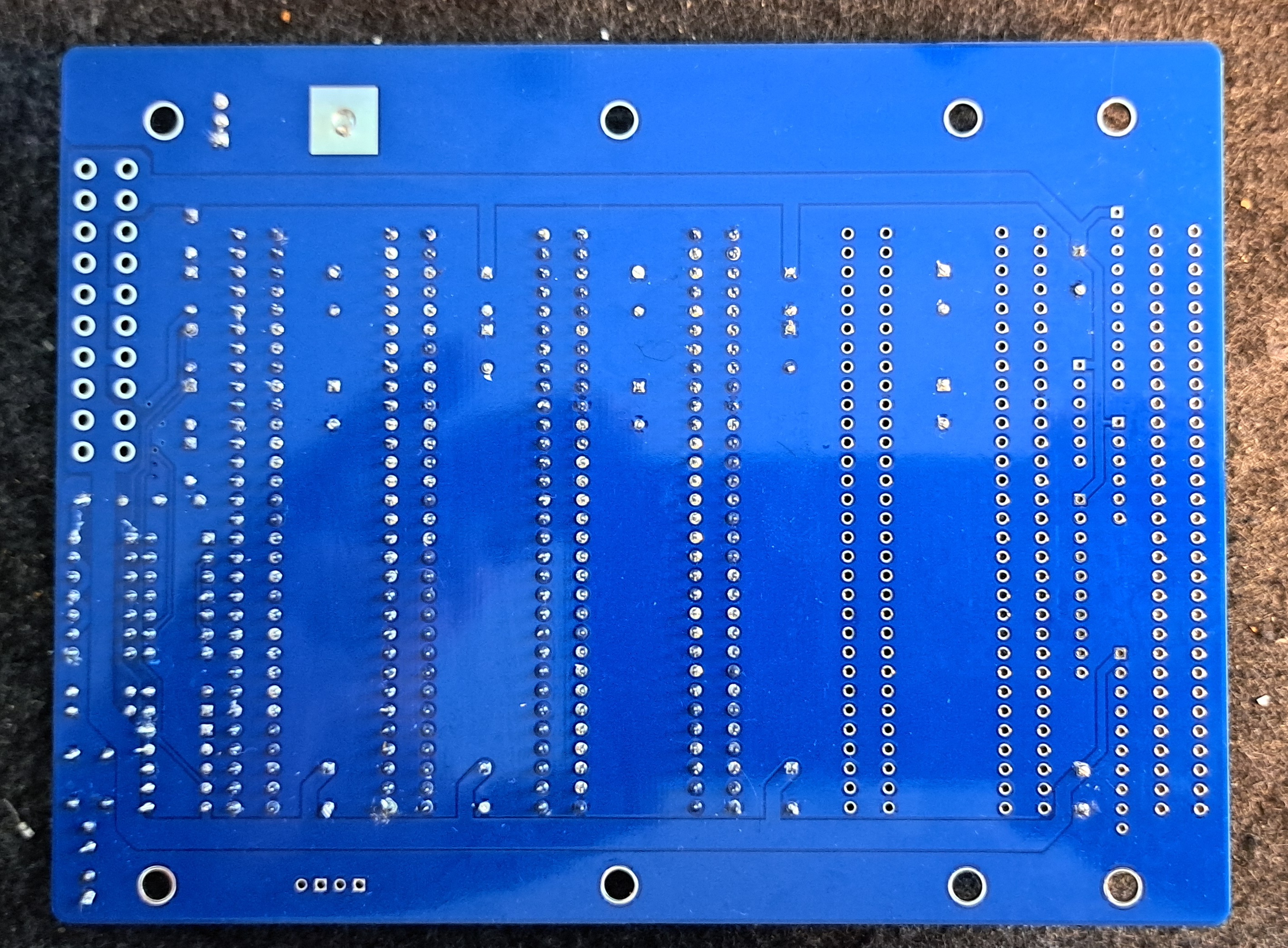
Facts
- 7x 8-bit ISA slots
- Power-LED / Aktivitäts-LED
- Power button
- 20-pin ATX connector
- Pin header for power LED and button
- -5V-Spannungsregler, um bei ATX-Netzteil aus -12V -5V zu generieren
Circuit diagrams
Documentation
Keine zusätzliche Dokumentation vorhanden, alle Infos gibt’s auf GitHub – Link to the projectLink status: OK.
Assembly
Record
| Description | Worth |
|---|---|
| Gerber available | Yes |
| Gerber file | LinkLink status: OK |
| Ordered where | JLCPCB |
| Piece | 5 |
| Price including tax and delivery | 25€ |
| Special features | Leadfree, Blau |
Hier habe ich die Gerberdateien konserviert, bitte auf der Originalseite schauen, ob es etwas Neueres gibt.
Components
Die Bauteile habe ich bei diversen Händlern bestellt. Der Preis für eine Einheit lag bei ca. 20€.
| Reference | Component type / Value | Quantity | Description | (approx.) Price in € | Check |
|---|---|---|---|---|---|
| ISA 8-Bit Backplane | 1 | I ordered mine from JLCPCB | £5.00 | ||
| U1 | 74HCT74 | 1 | Integrated Circuit (IC): DIP-14 Package Mouser 595-SN74AHCT74N | 0.60 EUR | |
| U2 | 74HCT14 | 1 | Integrated Circuit (IC): DIP-14 Package Mouser 595-SN74AHCT14N | 0.60 EUR | |
| U3 | LM7905C | 1 | Integrated Circuit (IC): -5V Voltage Regulator Mouser 512-LM7905CT | 0.50 EUR | |
| U1, U2 | DIP-14 | 2 | IC Socket: 300 mil socket Mouser 517-4814-3000-CP | 0.40 EUR | |
| D1 | 3 mm LED, blue | 1 | LED display Mouser 696-SSL-LX3054USBD | 0.30 EUR | x |
| D2 | 3 mm LED, two-colour red/green | 1 | LED display Mouser 696-SSL-LX3054IGW | 0.40 EUR | x |
| D3, D4 | 1N4148 | 2 | Diode Mouser 512-1N4148 | 0.20 EUR | x |
| SW1 | 6 mm | 1 | Short-stroke push button: Short-stroke push button, straight Mouser 653-B3F-1000 | 0.30 EUR | |
| Page 1 | ATX | 1 | Connector: 20-Pin power connector Mouser 538-46015-2006 | 0.80 EUR | |
| P2, P3 | Pen holder | 2 | Connector: 4-pin, 2.54 mm pitch Mouser 649-68002-104HLF | 0.20 EUR | |
| BUS1-BUS7 | ISA slot | 7 | Connector: 62-pin card edge connector, 2.54 mm pitch Mouser 571-6-5530843-5 | 3.80 euros | |
| C1 – C19 | 10 µF | 19 | Capacitor: 16V, MLCC, 5 mm pitch Mouser 810-FG28X5R1E106MR06 | £1.20 | |
| C20 | 1 µF | 1 | Capacitor: MLCC, 5 mm pitch Mouser 810-FG28X5R1H105KRT0 | 0.20 EUR | |
| C21, C22 | 0.1 µF | 2 | Capacitor: MLCC, 5 mm pitch Mouser 594-K104K15X7RF53H5 | 0.20 EUR | |
| R1, R2 | 10 kOhm, wired | 2 | Resistance Mouser 291-10K-RC | 0.30 EUR | x |
| R3 | 1 kOhm, wirewound | 1 | Resistance Mouser 291-1K-RC | 0.30 EUR | x |
| R4 – R7 | 470 Ohm, wirewound | 4 | Resistance Mouser 291-470-RC | 0.30 EUR | x |
| RR1 – RR5 | Resistor network: do not populate (Optional, should not be populated.) | 0.00 EUR | – | ||
| Total material costs (guideline value) | 17.00 EUR |
Structure
Variations
Recommended logic family CMOS 74HCT series
- Possible alternatives: 74AHCT or 74ACT
- TTL-ICs (74LS, 74ALS, 74F) work but consume more power.
LEDs
- Power LED (D1): Recommended 3mm blue LED; 5mm or other colours also work
- Activity LED (D2): recommended 3 mm red/green bi-colour LED with two connections (antiparallelly connected LED crystals)
Capacitors
- Recommended: Ceramic multilayer capacitors with 5 mm pitch
- 2.5 mm pitch or axial capacitors can be adapted by bending the leads
- Electrolytic or tantalum capacitors for C1–C19 (10 µF) are possible — Observe polarity!
Order
Die Anleitung auf Github war ausführlicher als ich sie schreiben würde, deswegen habe ich sie übersetzt, etwas die Reihenfolge geändert und hier übernommen. Hier geht’s zum OriginalLink status: OK.
- Check circuit board for visible defects (scratches, short circuits)
- Clean PCB with alcohol
- Solder components from low to high
- Solder diodes D3 and D4 in place — Consider polarity (Black ring = marking)
- Solder resistors R1–R7
- Voltage regulator U3 shape and solder in — hole for heatsink must align with PCB hole
- Solder capacitors C1–C22 — Consider polarity, falls polarised
- Solder in DIP sockets U1 and U2 — Observe alignment
- Solder LEDs D1 and D2 Note polarity at D1
- Solder pin headers P2–P3
- Solder switch SW1
- Solder ATX power connector P1
- Solder ISA card connectors BUS1–BUS7
- Carefully check all solder joints; re-solder if necessary.
- Optional: Check for short circuits and supply voltages with a multimeter
- Clean the board thoroughly with alcohol, wipes, and a toothbrush
- Carefully insert ICs into the sockets — align pins on a hard, non-static surface if necessary
- Check the orientation of the ICs; ensure no pins are bent
- Re-inspect finished circuit board
- Install Micro-8088-Board and other ISA cards, connect power supply
- Turn on, test, install software — and have fun!
Commissioning
Man kann die Backplane zwar mal mit Strom versorgen, das sollte man auch tun, bevor man eine Karte einsteckt, aber sonst kann sie selbst nicht viel leisten. Sie ist mehr das Bindeglied.
Miscellaneous
Data sheets
7474
Source: https://www.alldatasheet.com/view.jsp?Searchword=7474Link status: Unknown
7414
Source: https://www.alldatasheet.com/datasheet-pdf/pdf/27375/TI/7414.htmlLink status: Unknown
General Tips
Soldering points
Lötstellen gerade an den IC’s nochmal genau, am besten mit dem Microskop oder Lupe, auf Kurzschlüsse und Kontakt prüfen. Durchmessen mit Multifunktionsmeter bzw. Durchgangsprüfer.
For small solder joints on through-hole components, use flux if possible; it makes life easier and increases the quality of the connection.
Problems
Conclusion
| Description | Worth |
|---|---|
| Successful | Yes |
| Preis pro Stück | ~20€ |
| Soldering time | 1 hour |
| Function | Gut |
| Is it worth it | Ja – schöne Ergänzung für das Set |
| Restrictions | 8-bit, no additional functionality |
Related Posts
- Retro Projekt – Real Time Clock – RTC8088 (skiselev/RTC8088)Link status: OK
- Retro Projekt – DiskBuddy 64Link status: OK
- Retro Projekt – Joystick TesterLink status: OK
- Retro Projekt – Voltage BlasterLink status: OK
- Retro Projekt – 8Bit Isa Ethernet Card (isa8_eth)Link status: OK
- Retro Projekt – FDC USB Floppy Disk ControllerLink status: OK
- Retro Projekt – Floppy Disk Controller (isa-fdc)Link status: OK
- Retro Projekt – ROMOSLink status: OK
- Retro Projekt – USB auf RS232 Mouse AdapterLink status: OK
- Retro Projekt – Monotech ISA Double ROMLink status: OK
Sources
To the project
GitHub LinkLink status: OK
Parts listLink status: OK
Gerber filesLink status: OK
Retro pages
https://archive.orgLink status: OK – Alte Software, Magazine, Handbücher und viele mehr.
https://theretroweb.comLink status: Broken – PC Hardwareverzeichnis.
https://www.winhistory.de/index.phpLink status: OK – Dos, Windows Versions Beschreibungen.
http://www.win31.de/links.htm – Win 3.1x Tools und Tricks
Retro Forensics
https://forum.classic-computing.de/forumLink status: OK – Deutsch/Englische Formum mit vielen Retro-Computer Enthusiasten.
https://www.vogons.orgLink status: OK – Hier habe ich schon viele Tips zu Hardware gefunden, sie haben auch eine Treiber Verzeichnis.
https://www.dosforum.deLink status: OK – Forum mit strikten Regeln und sehr hilfreich in Bezug zu DOS, Windows fragen werden nicht gerne gesehen.
https://dosreloaded.deLink status: OK – Dos, Hardware Repartur, Bios Dateien und mehr.
https://www.winhistory-forum.netLink status: OK DOS and Windows history.
Retro Shops
https://ram-co-shop.deLink status: Broken – PC Teile auch neuere, schon viel dort bestellt hat immer funktioniert.
http://www.amoretro.deLink status: OK – Verkauft auf EBay und hat ein nettes Verzeichnis alter Hadware
https://retroreiz.deLink status: OK – Atari, Nintendo, Seaga und anderes.
https://www.retroworld.info/deLink status: Broken – Aufkleber, Schilder und mehr.
https://retesa-nb.deLink status: OK – Alte Hardware rund um den PC
https://www.retro8bitshop.comLink status: Unknown – C64 lastig
Logbook
| Date | Change | Author |
|---|---|---|
| 04.10.2026 | Rechtschreibung korrigiert: Tippfehler, Kommas, Bindestriche, Formulierungen Block Klarstellung unter Link zum Projekt eingefügt | Suffocation |
| 03.10.2026 | Logbuch-Tabelle auf Log-Liste umgestellt | Suffocation |
| 09.09.2025 | Boards arrived | Suffocation |
| 21.06.2025 | Soldered the board, unfortunately I'm missing the 20-pin ATX connector. I only have a 24-pin one that I could shorten, but I'd rather wait until the ordered one arrives. | Suffocation |
| 20.06.2025 | Gathered stuff Post created | Suffocation |