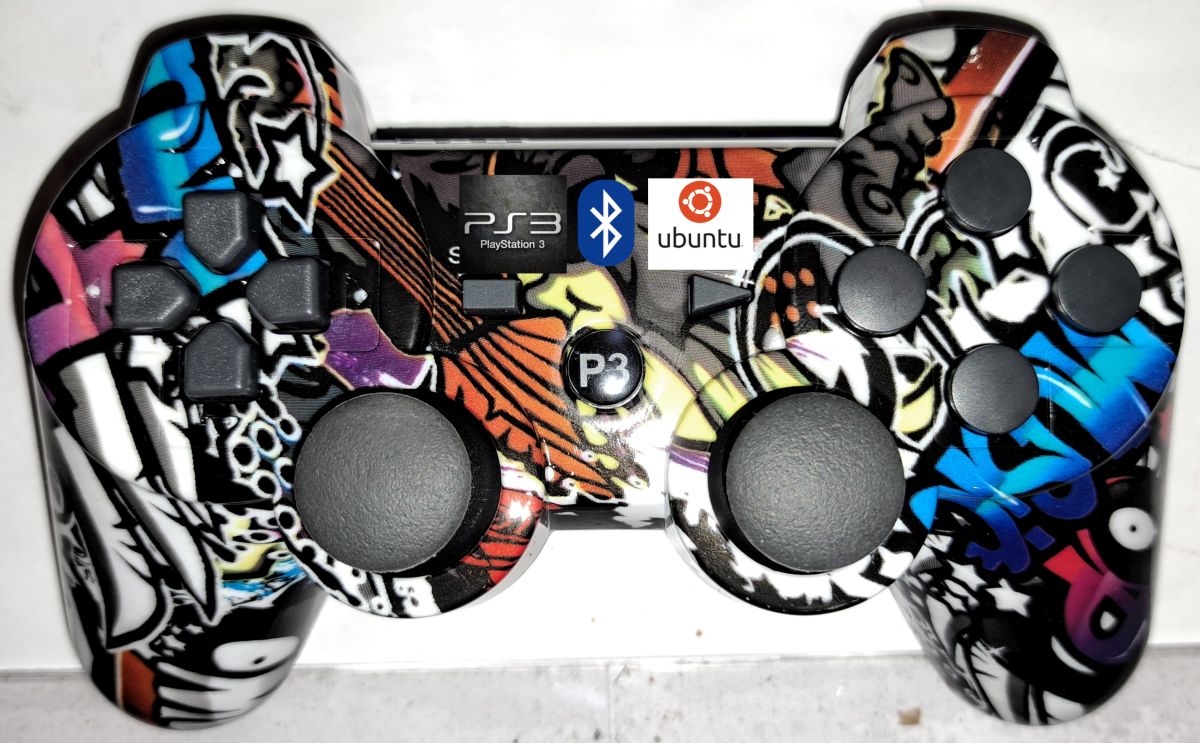
Last Updated on 8. October 2026 by SuffocationLink status: OK
Im Artikel wird auf die Besonderheiten der Einbindung von PS3-Controllern eingegangen. Die generelle Installation, Konfiguration und Fehlersuche eines BlueTooth Controllers unter Ubuntu kann unter dem folgenden Link gefunden werden.
Bluetooth Gamepad on Ubuntu 22.04Link status: OK
Facts
Required hardware
- USB-Kabel, um den Controller mit dem Computer zu verbinden
- USB cable to connect the controller to the computer
- (Optional) USB Bluetooth Adapter
Required Software
- Ubuntu (20.04 / 22.04)
- BlueZ
- jstest-gtk
Areas of application
- Remote control
- RC control
- Joystick for games
Installation
Start Gnome and open the Bluetooth configuration. This can be done via the icon in the top right of the desktop. (or via Settings)
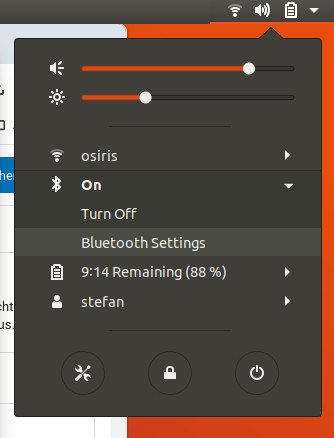
Nach dem Öffnen den Controller mit dem USB Kabel am Computer anschließen.
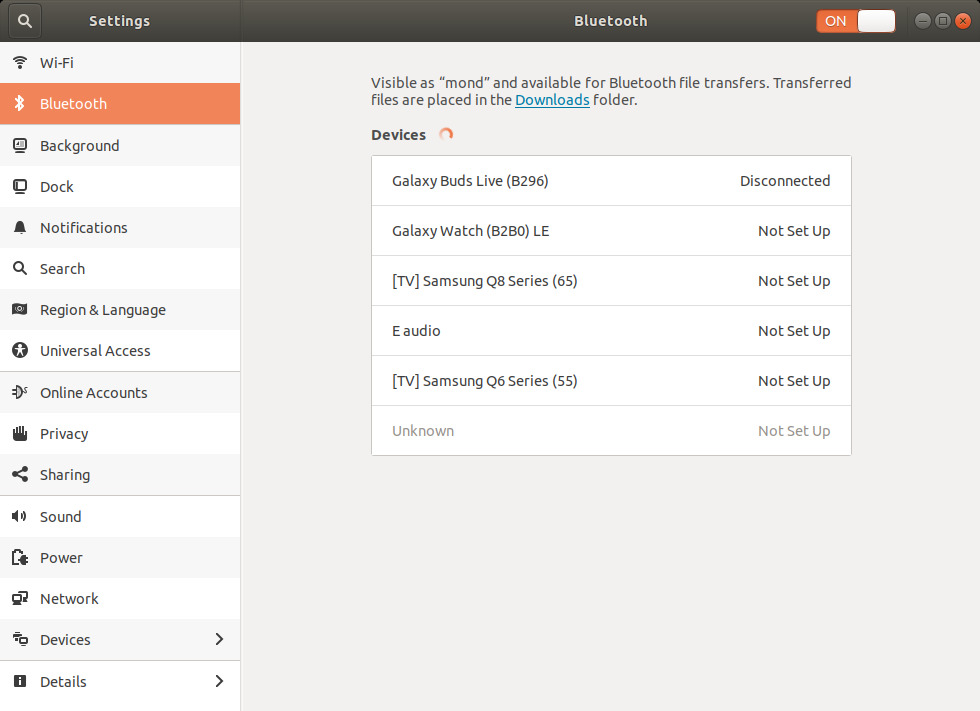
Es blinken erst alle der 4 LEDs am Controller und dann nur noch die mittleren zwei. In der Zwischenzeit erscheint ein Popupfenster, das um Erlaubnis bittet, den Controller zu verbinden.
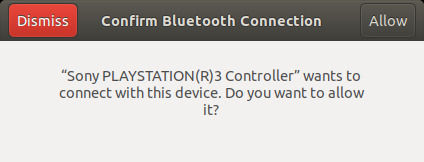
Den Dialog mit „Allow “ bestätigen und schon taucht der Controller in der Auswahlliste der BlueTooth Geräte auf.
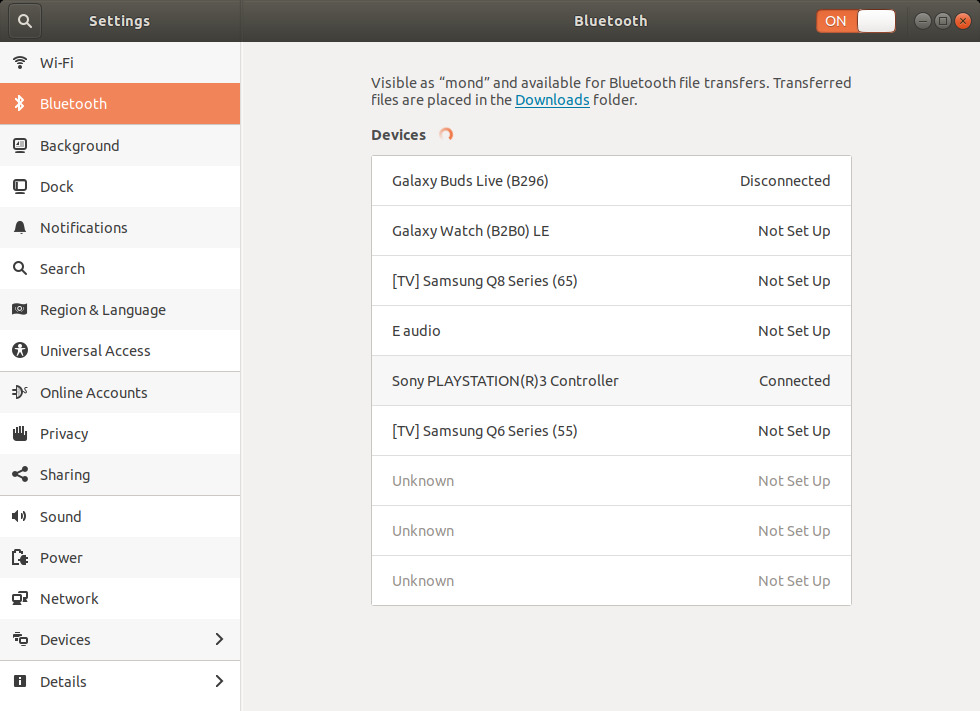
Zuerst ist der Status „Nicht Verbunden“. Wird der Controller vom USB Kabel getrennt und der PS3 Knopf gedrückt, blinken die LEDs kurz auf und danach leuchtet eine der vier LEDs permanent auf. Gleichzeitig sollte der Status in der BlueTooth Geräteübersicht auf connected wechseln.
Problems
Proxmox
Ich habe den Controller unter Proxmox nicht zum Laufen gebracht. Das Gerät wird zwar erkannt, kann aber nicht verbunden werden, weil die USB „Aktivierung“ nicht funktioniert.
I haven't found a solution for this yet.
Conclusion
Wird der Bluetooth Adapter in Gnome erkannt, ist die Einbindung einfacher als in Windows. Anstecken, bestätigen, abziehen, schon läuft er. Wird der Adapter nicht richtig erkannt, ist der Weg steiniger. Wie bei vielen Dingen unter Linux oder generell bei der Installation ist es wichtig, die richtigen Quellen zu finden. Viele sind veraltet oder helfen nicht, weil das Setup oder die Linuxversion nicht stimmt. So habe ich ein paar Tage gebraucht und bin dennoch mit Proxmox gescheitert.
Related Posts
- PS3 controller on Windows 10Link status: OK
- ESP32 Bluetooth GamepadLink status: OK
- Bluetooth game controller on Ubuntu 20.04Link status: OK
- Bluetooth game controllers on Windows 10Link status: OK
Sources
https://wiki.ubuntuusers.de/Archiv/PS3_Controller/Link status: OK
https://askubuntu.com/questions/409761/how-do-i-use-a-playstation-3-sixaxis-controller-with-ubuntu-to-control-gamesLink status: Unknown
https://www.reddit.com/r/linuxquestions/comments/10o6352/connecting_ps3_controllers_to_ubuntu/Link status: Unknown
NimBLE-ArduinoLink status: OK
NimBLE-Arduino New User GuideLink status: OK
NimBLE-Arduino API Link status: OK
https://github.com/lemmingDev/ESP32-BLE-GamepadLink status: OK
https://en.wikipedia.org/wiki/List_of_Bluetooth_profilesLink status: OK
https://en.wikipedia.org/wiki/USB_human_interface_device_classLink status: OK
https://www.usb.org/sites/default/files/documents/hid1_11.pdfLink status: OK
https://praxistipps.chip.de/ps3-controller-mit-pc-verbinden-so-gehts_13631Link status: OK
https://retropie.org.uk/forum/topic/2913/guide-use-qtsixa-on-ubuntu-16-04-and-derivativesLink status: OK
https://git.kernel.org/pub/scm/linux/kernel/git/torvalds/linux.git/commit/?id=4a1a4d8b87389e35c3af04c0d0a95f6a0391b964Link status: OK
https://needforbits.wordpress.com/2017/05/10/dualshock-3-controller-ps3-sixaxis-gamepad-on-ubuntu-16-04/Link status: OK
https://www.pabr.org/sixlinux/sixlinux.en.htmlLink status: Unknown
| Date | Change | Author |
|---|---|---|
| 08.10.2026 | Überschriften-Hierarchie korrigiert (H1→H2, Unterebenen eine Stufe tiefer) | Suffocation |
| 04.10.2026 | Rechtschreibung korrigiert: Tippfehler, Kommas, Groß-/Kleinschreibung, doppeltes Wort | Suffocation |
| 03.10.2026 | Log-Liste eingefügt | Suffocation |
| 04.01.2024 | Post created | Suffocation |