Last Updated on 8. October 2026 by SuffocationLink status: OK
Manchmal braucht es eine Fernbedienung oder einen Joystick, um ein Projekt zu testen oder einfach Spaß zu haben. Im Folgenden wird die Anbindung eines ESP32 über BlueTooth beschrieben. Zur Steuerung werden ein kleiner analoger Joystick und zwei Potis angeschlossen.
Facts
Required hardware
- ESP32 BLE Board (ESP32, ESP32C3, ESP32S3)
- Taster, Joysticks, Potis …
- Kabel zum Verdrahten
- (Optional) Breadboard
- (Optional) I²C Expansion Board
- (Optional) USB dongle for the computer
Required Software
- Arduino GUI
- https://github.com/h2zero/NimBLE-Arduino
- https://github.com/lemmingDev/ESP32-BLE-Gamepad
- (Optional) Custom Keyboard Library
- (Optional for Linux) bluez
Areas of application
- Remote control
- RC control
- Joystick for games
Views
Programming
Libraries
Die folgenden beiden Bibliotheken werden benötigt. Dies kann über den Download des Zips von Git oder direkt in der Arduino GUI geschehen. Die dritte ist nicht nötig für den BlueTooth Betrieb, wird aber in meinen Beispielen verwendet.
NimBLE-ArduinoLink status: OK
ESP32 BLE GamepadLink status: OK
CustomKeyboardLink status: OK
Connection test
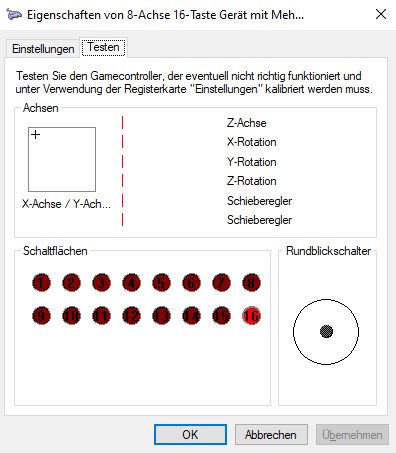
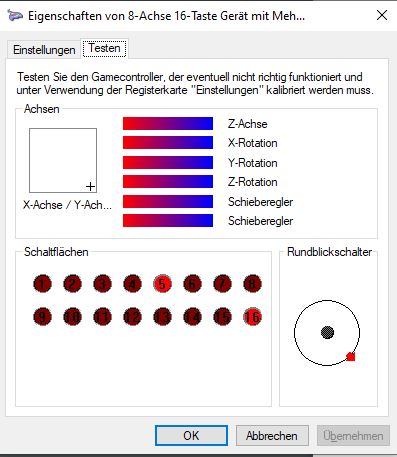
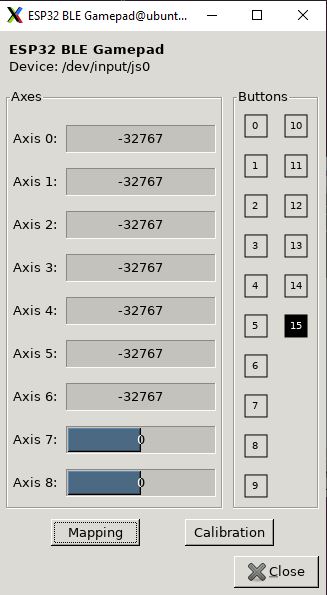
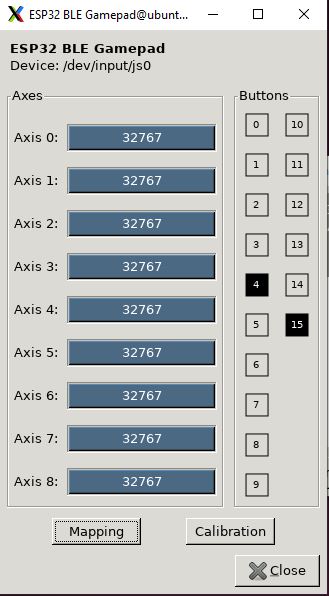
Der erste Test soll zeigen, ob eine Verbindung mit dem PC möglich ist. Hierfür habe ich einen USB-Dongle an den PC angeschlossen und mir einen ESP32 Wroom geschnappt. Das Testprogramm wird bei der ESP32 BLE GamepadLink status: OK Bibliothek mitgeliefert und heißt GamepadLink status: OK. Das Programm simuliert in Abständen von einer halben Sekunde das Drücken und Lösen der Taste 5 (bzw. 4) sowie das Setzen der Achsenwerte.
Compile and upload the sketch for the Arduino. How the controller in Windows Link status: Unknownor in Linux Link status: Unknowncan be found in the linked posts.
This is how the simulator should look in the respective operating system.
Periphery test
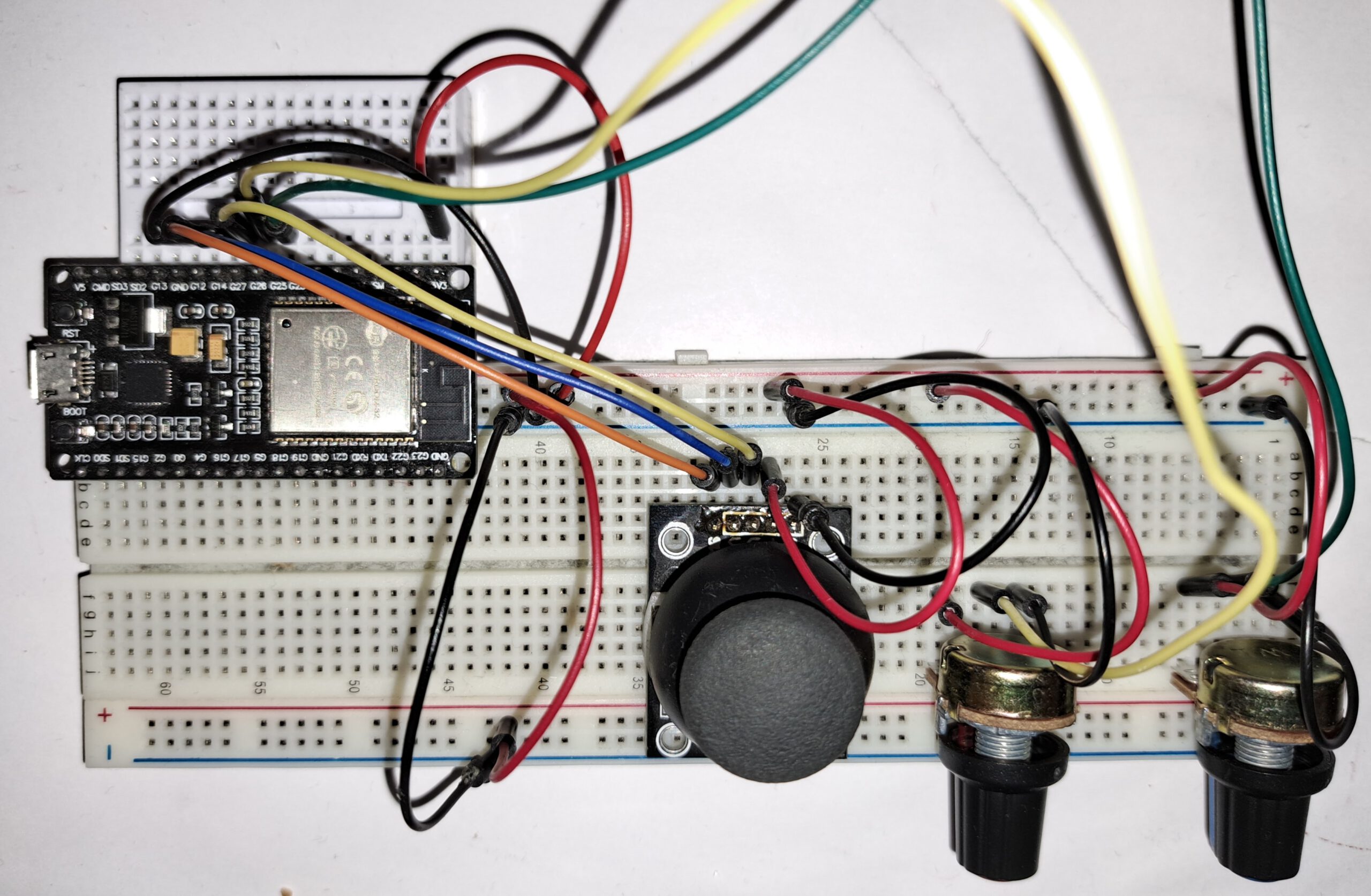
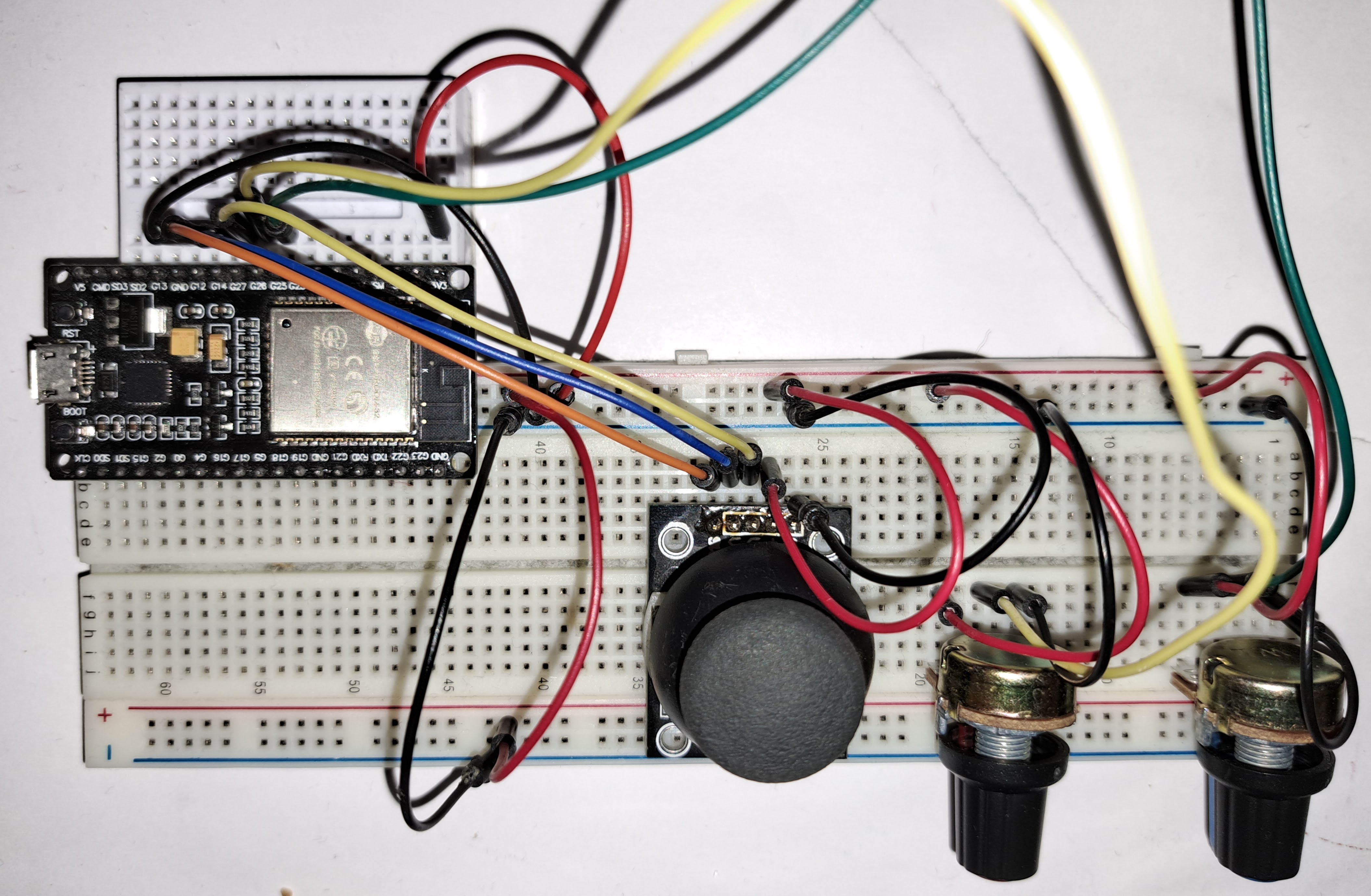
Um vorab zu überprüfen, ob die Potis und der Joystick auch funktionieren, habe ich einen Peripherietest erstellt, der einfach die entsprechenden Ports abfragt und auf der Konsole ausgibt. Er basiert auf meiner CustomKeyboard Link status: OKBibliothek. Mein Versuchsaufbau sieht wie folgt aus.
Experimental setup

Pin assignment
Hier die verwendeten Pins. Diese sind im Grunde frei wählbar. Für die Potis und die Achsen werden analoge Input Pins benötigt, und da der AD-Wandler 1 nicht funktioniert, wenn Wifi oder BLE aktiv ist, habe ich Pins des ADC2 verwendet.
| Periphery | ESP GPIO |
|---|---|
| Pot 1 Middle pin | 25 |
| Pot 2 Middle Pin | 26 |
| Joystick X-axis | 14 |
| Joystick Y-axis | 27 |
| Joystick button | 12 |
ATTENTION nicht vergessen, die beiden anderen Pins der Potis mit der Versorgungsspannung und Masse zu verbinden und auch an die Stromversorgung für den Joystick denken.
Source code
Der Sourcecode für den Test ist unter folgendem Link zu finden:
The output should look like this:

All together
Nun bleibt nicht viel mehr als die beiden Tests zusammenzufügen und die von der Physik gelesenen Werte mit BlueTooth zu übermitteln.
The example code can be found here:
Three axes X, Y, RX and RY, as well as button 0 are transmitted.
Getestet werden kann das Ganze wieder in Windows in der „GameController Einrichtung“ und unter Linux mit dem Tool jstest.gtk (siehe Kapitel Connection test).
Problems
Not yet
Miscellaneous
Connect controllers on Windows
Integrating controllers under Linux
Conclusion
Wie immer Schritt für Schritt zum Ziel. Zuerst die Bluetooth Funktionalität herstellen, danach die Peripherie anschließen und zum Schluss beides kombinieren. So fiel die Implementierung leicht. Die Bluetooth Funktionalität des ESP erscheint ausgereift. Die schlechte Analog-/Digitalwandlung muss durch Mittelwertbildung verbessert werden, aber zum Spielen sollte es ausreichen.
Related Posts
- PS3 controller under Ubuntu 2x.04Link status: OK
- PS3 controller on Windows 10Link status: OK
- Bluetooth game controller on Ubuntu 20.04Link status: OK
- Bluetooth game controllers on Windows 10Link status: OK
Sources
NimBLE-ArduinoLink status: OK
NimBLE-Arduino New User GuideLink status: OK
NimBLE-Arduino API Link status: OK
https://github.com/lemmingDev/ESP32-BLE-GamepadLink status: OK
https://en.wikipedia.org/wiki/List_of_Bluetooth_profilesLink status: OK
https://en.wikipedia.org/wiki/USB_human_interface_device_classLink status: OK
https://www.usb.org/sites/default/files/documents/hid1_11.pdfLink status: OK
https://github.com/nilutpolkashyap/esp32_microros_joystick/blob/main/cmd_vel_publisher_udp/cmd_vel_publisher_udp.inoLink status: Unknown
| Date | Change | Author |
|---|---|---|
| 08.10.2026 | Überschriften-Hierarchie korrigiert (H1→H2, Unterebenen eine Stufe tiefer) | Suffocation |
| 04.10.2026 | Rechtschreibung korrigiert: Tippfehler, Kommas, Groß-/Kleinschreibung, Grammatik | Suffocation |
| 03.10.2026 | Log-Liste eingefügt | Suffocation |
| 04.01.2024 | Post created | Suffocation |
Hello Karl-Heinz
In the current case, I haven't set anything specific. I'm using Ubuntu, but I've also had problems with Bluetooth and other Linux distributions like Proxmox. Unfortunately, I haven't found a solution.
LG Stefan
Good day, ,
I have a question. On Windows and Android I can easily pair and connect. On Linux /Bacotera/Recalbox/Retropie I can't connect. Or rather, it's constantly disconnected. So, it's not usable. Is there a trick for Linux? Could you help me with that?