Last Updated on 17. October 2026 by SuffocationLink status: OK
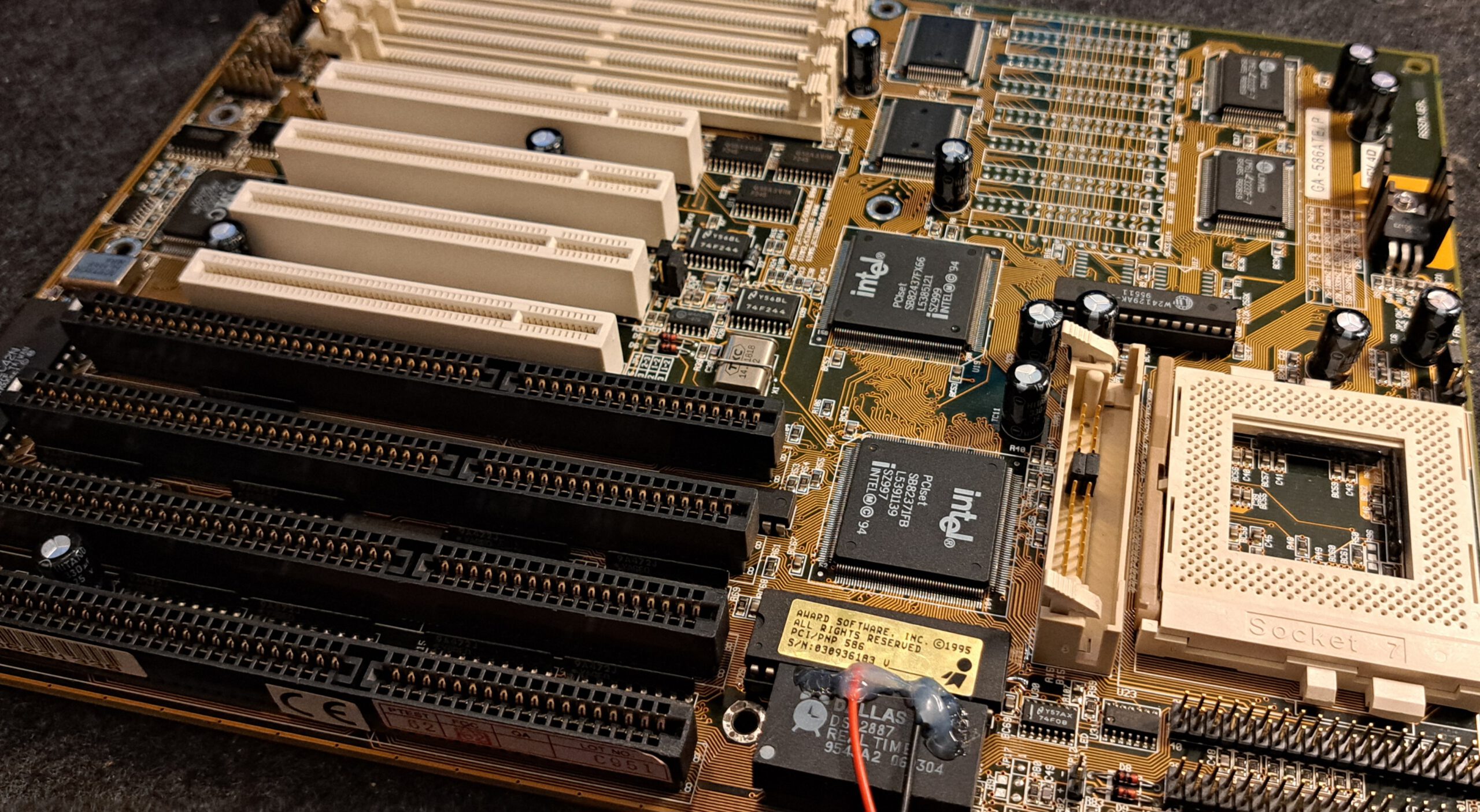
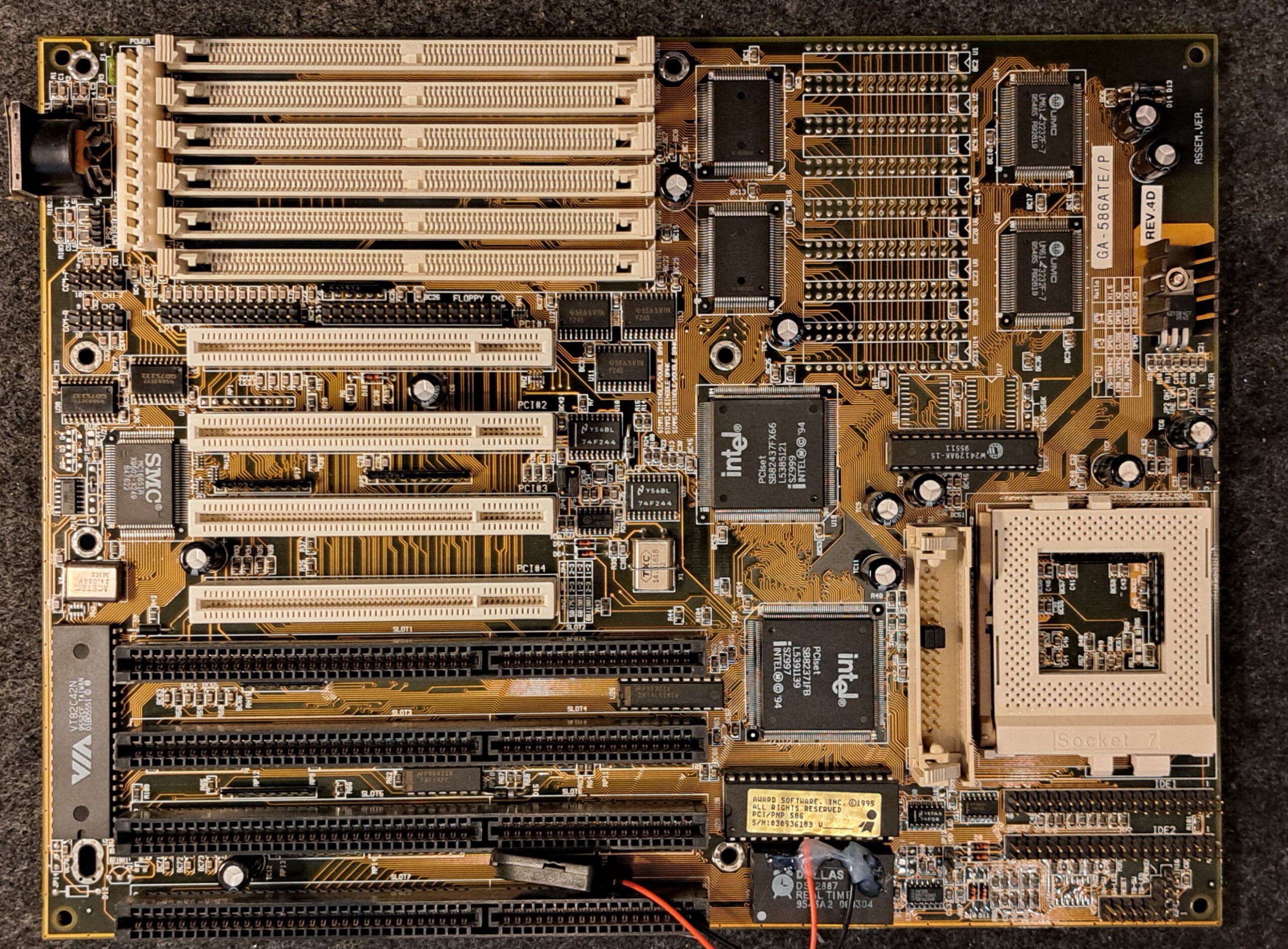
Eine Sockel 7 Hauptplatine für den Pentium I, mit nur einer Spannung, also bis 166MHz ohne MMX. Das Board hat einen Intel 8243xFX Chipsatz. Es unterstützt nur 72Pin FPM und EDO Ram, dafür aber sechs davon und bis zu 128MB. Meine 2x 32MB Module wurden auch erkannt. Wie der Benchmark zeigt, ist diese Hauptplatine, mit dem 512kB Cache und dem Intel FX Chipsatz, nicht die langsamste auf dem Markt.
Views
Facts
| GA-586ATE | |
|---|---|
| Manufacturer | Gigabyte |
| Chipset | Intel · Intel 430FX (82437FX/82438FX, PIIX) |
| Base | Socket 7 |
| Unterstützte CPUs | Intel Pentium (P54C) 75–166 MHz, AMD K5 PR100/PR133, Cyrix 6×86 P120+–P166+, IDT WinChip C6, IDT WinChip 2 |
| Tact | 50 MHz, 60 MHz, 66 MHz |
| Multiplikatoren | 1.5, 2, 2.5 |
| Cache | 256 oder 512 KB auf dem Board |
| Speichertakt | wie Bustakt |
| Speichersteckplätze | 6 SIMM 72-polig |
| RAM höchstens | 128 MB |
| Power supply | AT (P8 + P9) |
| Form factor | Baby AT |
| Lüfteranschlüsse CPU | 0 |
| Lüfteranschlüsse Gehäuse | 1 |
| Steckplätze | 4 · ISA 16 Bit, 4 · PCI |
| Connections | 2 · IDE/ATA, 1 · Floppy-Controller, 2 · RS-232, 1 · Centronics, 1 · AT-Tastatur (DIN), 1 · PS/2 |
| Onboard | SMSC FDC37C665GT |
| BIOS-Hersteller | Award |
| Erscheinungs Monat/Jahr | 1995 |
User manual
Source: https://theretroweb.com/motherboard/manual/33069.pdfLink status: OK
–
BIOS
Bios ist gesockelt und ein SST 29EE010 EEPROM.
Das letzte Bios im Retro WebLink status: Broken ist von 1998, dieses sollte ich nochmal ausprobieren.
Maintenance
- Erster Funktionstest – War ok, Postcodes kommen, mit Speicher und Graka versehen läuft das Board.
- Verschmutzung – Sehr sauber
- Batterie – Dallaschip Pins für Batterie bereits freigelegt und ein externer CR2032 Halter angelötet. Wäre nicht meine Wahl gewesen, aber funktioniert auch.
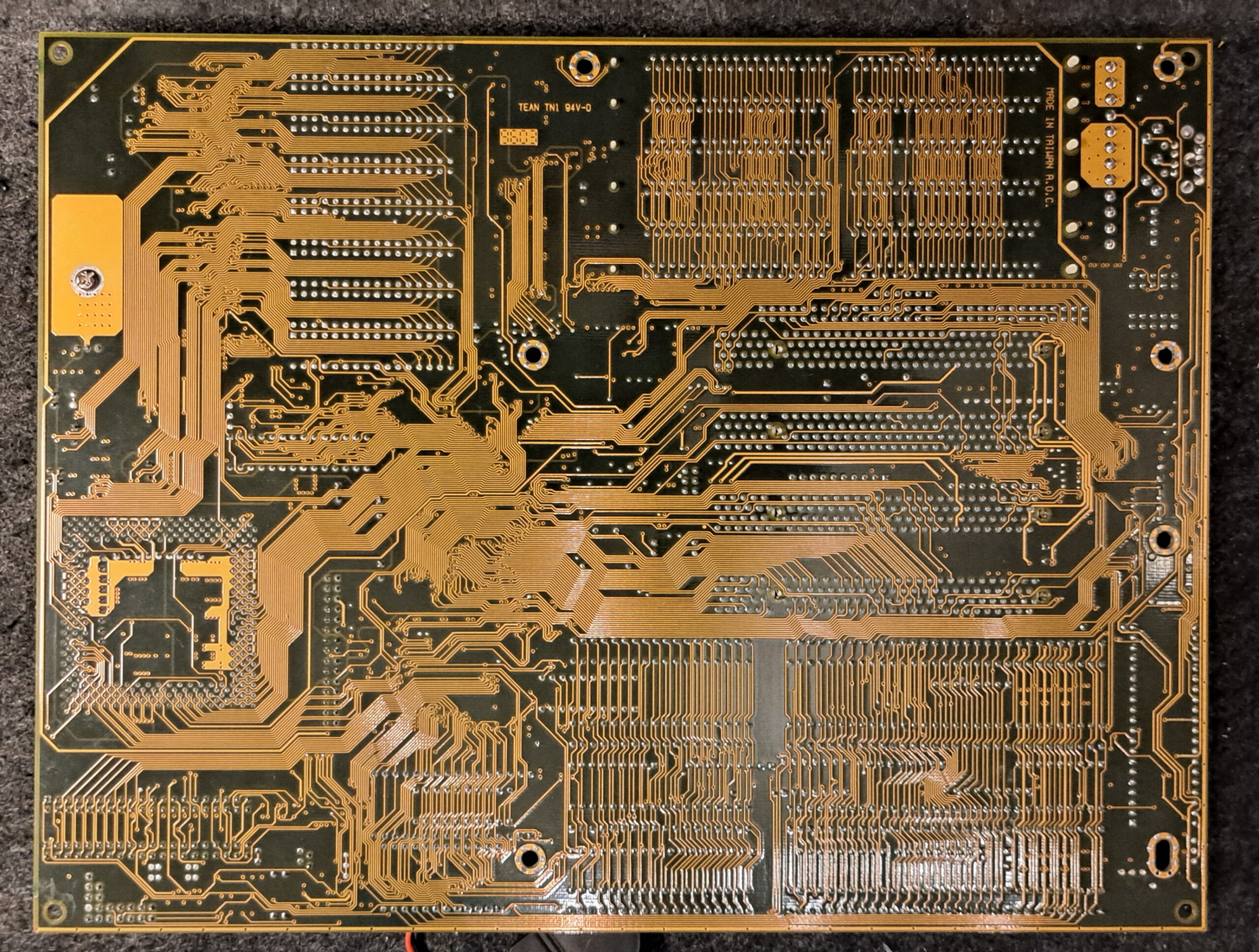
- Schäden – Soweit ich feststellen konnte, keine
- Jumper – Waren auf 100MHz eingestellt, also perfekt um es mit einem P100 zu testen
Troubleshooting
Bei mir waren keine Fehler vorhanden.
Benchmark
| Componentescription | Type used |
|---|---|
| CPU | Pentium 100 |
| Graphics card | ATI PCI Mach 64 2MB |
| Storage | min 16 MB |
| Hard disk drive | CompactFlash |
| Szenario · Einheit | GA-586ATE Rev 4.D |
|---|---|
| 3D Bench | |
| für langsame PCs | 90.6 |
| für schnelle PCs | 87.2 |
| Chris 3D Benchmark | |
| Punkte | 102.1 |
| Bilder je Sekunde | 61.3 |
| 640×480 · Punkte | 41 |
| 640×480 · Bilder je Sekunde | 24.6 |
| PC Player Benchmark | |
| 320×200 8bpp | 27 |
| 640×480 8bpp | 12.4 |
| Doom | |
| min Detail · Realtics | 397 |
| min Detail · Bilder je Sekunde | 188.14 |
| max Detail · Realtics | 1332 |
| max Detail · Bilder je Sekunde | 56.07 |
| Quake | |
| 360×480 · Sekunden | 37.3 |
| 360×480 · Bilder je Sekunde | 26 |
| 640×480 · Sekunden | 104.2 |
| 640×480 · Bilder je Sekunde | 9.3 |
| Landmark | |
| Landmark [CPU] | 804.27 |
| Landmark [FPU] | 2082.56 |
| Landmark [Video] | 11170.91 |
| Top Bench | |
| Top Bench | 221 |
| Speedsys | |
| Speedsys [CPU] | 74.21 |
| MB/S L2 | 100.46 |
| MB/S TP | 69.3 |
| Speedsys [HDD] | 2096.46 |
| MB/S L1 | 197.72 |
| System Info | |
| System Info [CPU] | 317.6 |
| System Info [HDD] | 55.9 |
Problems
General cross-computer issues
Computer
Doesn't start, no postcodes
- Check frequency
- Check multiplier
- Check the voltage
- (Pentium) Possibly change setting for Pentium and Pentium MMX (Dual Voltage).
Freezes / Computer crashes during Doom test
- Test memory
- Check memory. Possibly remove/exchange modules and test with a different configuration.
- Check BIOS settings (possibly set too quickly)
- Check board settings such as voltage and frequency.
Crashes after memory dive
- Test memory in device or another computer.
- Check if the board supports the memory and size
- Possibly install BIOS update
CPU
Fan bracket defective
- There are two other hooks where the heatsink could be attached with wire.
- Sticking it onto the processor would also be a possibility, or using a processor with a pre-applied cooler.
- Furthermore, there are coolers that can simply be clipped onto the CPU.
Hard drive
Not recognised
- Manually enter hard drive parameters.
- Test setup with a different hard drive.
- Test hard drive in another device.
- BIOS Update (possibly hard drive too new)
- Try the XT-Ide BIOS.#
BIOS
General Problem
- Clear BIOS settings reset.
- Update BIOS.
- If no newer BIOS is available, you can also look for successor models with the same chipset. For example, a 486 BIOS can also work on a 386.
New BIOS requires password
- Remove battery to clear settings
- Password reset jumper set
- Standard Passwort bei AMI Bios ist -> ami
Optimisation
PS/2 Mouse Port
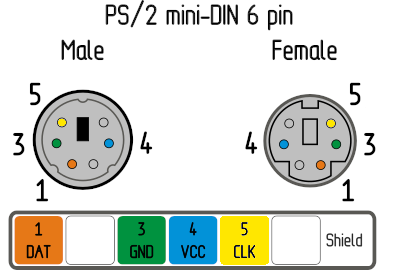
Das Board verfügt über einen PS/2 Anschluss, aber leider nur über Pins. Das entsprechende Slotblech fehlt.
| Pin Nr. | Kurzbeschr. | Description |
|---|---|---|
| 1 | vcc | Supply voltage |
| 2 | gnd | Mass |
| 3 | dat | Data |
| 4 | clk | Tact |
Externer Spannungswandler
Dieser erlaubt es auch MMX und schnellere Prozessoren zu verwenden.
General cross-computer optimisation
- Bios – Update
- BIOS patcherBPALink status: OK Award/Phoenix Version 4.23 (Ami a Version 6.00)
- ATX Power Supply Adapter (up to ATX)
- Install coprocessor (up to and including 386)
- XT-IDE ROM for Larger Hard Drives (Up to Pentium I)
- ISA Blaster for USB Mouse (as long as no PS2 or USB is present)
- DIN -> PS2 Adapter für Tastatur (solange kein PS2 oder USB vorhanden ist)
- Compact Flash as HDD replacement (up to Pentium, then rather SSD due to speed)
- GotekLink status: Unknown or FDD EmuLink status: OK as FDD replacement
- Pico GUZLink status: Unknown as a sound card replacement (until May Pentium is 8-bit)
- PicoMem Link status: OKfor memory, sound and HDD (Up to a maximum of 486, 8-bit)
Pentium CPU
History
| Manufacturer | Intel |
| Year of publication | 1992 |
| End of production | 1999 |
| Processor clock speed [MHz] | 60-300 |
| L1 Cach [kB] | 16-32 |
| Fertigung [µm] | 0,8 bis 0,25 µm |
| Instruction set | x86Link status: Unknown (16 Bit) bis IA-32Link status: Unknown (32-Bit) |
| Bus width | 16-32 Bit |
| Mikroprozessor Architektur | P5 |
| Variations | P5 P54 P54CS P55C Tillamook |
| Co-processor | External 80387 |
| Predecessor | 80486 |
| Successor | Pentium II |
| Produkte andere Hersteller | K5 – AMD 6×86 – Cyrix |
Variations
| Pentium 60 (P5) | Pentium 66 (P5) | Pentium 75 (P54C) | Pentium 90 (P54C) | Pentium 100 (P54C, 50 MHz Bus) | Pentium 100 (P54C, 66 MHz Bus) | Pentium 120 (P54C) | Pentium 133 (P54CS) | Pentium 150 (P54CS) | Pentium 166 (P54CS) | Pentium 200 (P54CS) | Pentium MMX 166 (P55C) | Pentium MMX 200 (P55C) | Pentium MMX 233 (P55C) | |
|---|---|---|---|---|---|---|---|---|---|---|---|---|---|---|
| Codename | P5 | P5 | P54C | P54C | P54C | P54C | P54C | P54CS | P54CS | P54CS | P54CS | P55C | P55C | P55C |
| Base | Socket 4 | Socket 4 | Socket 5, Socket 7 | Socket 5, Socket 7 | Socket 5, Socket 7 | Socket 5, Socket 7 | Socket 5, Socket 7 | Socket 7 | Socket 7 | Socket 7 | Socket 7 | Socket 7 | Socket 7 | Socket 7 |
| Tact | 60 MHz | 66 MHz | 75 MHz | 90 MHz | 100 MHz | 100 MHz | 120 MHz | 133 MHz | 150 MHz | 166 MHz | 200 MHz | 166 MHz | 200 MHz | 233 MHz |
| Bustakt | 60 MHz | 66 MHz | 50 MHz | 60 MHz | 50 MHz | 66 MHz | 60 MHz | 66 MHz | 60 MHz | 66 MHz | 66 MHz | 66 MHz | 66 MHz | 66 MHz |
| Multiplier | 1 | 1 | 1.5 | 1.5 | 2 | 1.5 | 2 | 2 | 2.5 | 2.5 | 3 | 2.5 | 3 | 3.5 |
| Datenbus | 64 bit | 64 bit | 64 bit | 64 bit | 64 bit | 64 bit | 64 bit | 64 bit | 64 bit | 64 bit | 64 bit | 64 bit | 64 bit | 64 bit |
| Adressbus | 32 bit | 32 bit | 32 bit | 32 bit | 32 bit | 32 bit | 32 bit | 32 bit | 32 bit | 32 bit | 32 bit | 32 bit | 32 bit | 32 bit |
| Kernspannung von | 4.75 V | 4.9 V | 3.135 V | 3.135 V | 3.135 V | 3.135 V | 3.135 V | 3.135 V | 3.135 V | 3.4 V | 3.4 V | 2.7 V | 2.7 V | 2.7 V |
| Kernspannung bis | 5.25 V | 5.4 V | 3.6 V | 3.6 V | 3.6 V | 3.6 V | 3.6 V | 3.6 V | 3.6 V | 3.6 V | 3.6 V | 2.9 V | 2.9 V | 2.9 V |
| I/O-Spannung von | 3.135 V | 3.135 V | 3.135 V | |||||||||||
| I/O-Spannung bis | 3.6 V | 3.6 V | 3.6 V | |||||||||||
| Leistung höchstens | 14.6 W | 16 W | 8 W | 9 W | 10.1 W | 10.1 W | 12.81 W | 11.2 W | 11.6 W | 14.5 W | 15.5 W | 13.1 W | 15.7 W | 17 W |
| L1-Cache Daten | 8 kB | 8 kB | 8 kB | 8 kB | 8 kB | 8 kB | 8 kB | 8 kB | 8 kB | 8 kB | 8 kB | 16 kB | 16 kB | 16 kB |
| L1-Cache Befehle | 8 kB | 8 kB | 8 kB | 8 kB | 8 kB | 8 kB | 8 kB | 8 kB | 8 kB | 8 kB | 8 kB | 16 kB | 16 kB | 16 kB |
| Manufacturing | 800 nm | 800 nm | 600 nm | 600 nm | 600 nm | 600 nm | 600 nm | 350 nm | 350 nm | 350 nm | 350 nm | 350 nm | 350 nm | 350 nm |
| Transistoren | 3100000 | 3100000 | 3300000 | 3300000 | 3300000 | 3300000 | 3300000 | 3300000 | 3300000 | 3300000 | 3300000 | 4500000 | 4500000 | 4500000 |
| Instruction set | IA-32 | IA-32 | IA-32 | IA-32 | IA-32 | IA-32 | IA-32 | IA-32 | IA-32 | IA-32 | IA-32 | IA-32 | IA-32 | IA-32 |
| Erweiterungen | FPU, SMM | FPU, SMM | FPU, SMM | FPU, SMM | FPU, SMM | FPU, SMM | FPU, SMM | FPU, SMM | FPU, SMM | FPU, SMM | FPU, SMM | FPU, SMM, MMX | FPU, SMM, MMX | FPU, SMM, MMX |
Source: https://de.wikipedia.org/wiki/Intel_80386#VariantenLink status: Unknown
Software
| Operating systems | Programme | Games |
|---|---|---|
| DOS 6.22/ 7 Windows 3.11/95/98 NT 3/4 OS/2 Linux | VLC-Player KM-Player Quicktime Player Final Cut Pro Winrar Winamp Word Perfect / Lotus 1-2-3 Windows Office 97 Adobe Reader, Photoshop Coral Draw Internet Explorer Netscape | Doom Myst Warcraft Command & Conquer Quake Final Fantasy VII Half-Life Counterstrike |
Miscellaneous
Test report
–
Conclusion
| Question | Antwort |
|---|---|
| Does the board work | Yes |
| How much did it cost? | 39€ |
| Was the price okay? | Yes |
| Is it worth it? | Wenn nur alte CPUs verwendet werden, ja, ansonsten wird ein Adapter benötigt, der die zweite Spannung zur Verfügung stellt. Die automatische Einstellung ist allerdings sehr nett. Ein AGP Port würde das Board noch besser machen. |
| Gesamtfazit | Positive |
Licence
Stand 10.10.2026; kommerzielles Produkt, keine offene Lizenz bekannt.
- Hardware: nicht offen, kommerzielles Produkt von Gigabyte (proprietär)
- Software/Firmware: BIOS proprietär
- Marken: Genannte Marken- und Produktnamen gehören ihren jeweiligen Inhabern.
Related Posts
- Retro Hauptplatine – FIC 486-HC-HDLink status: OK
- Retro Hauptplatine – HIPPO COM v2.1Link status: Unknown
- Retro Hauptplatine – FIC 4386-VC-HDLink status: Unknown
- Retro Hauptplatine – MSI 3134Link status: Unknown
- Retro Hauptplatine – BioSTAR GF8100 M2 TELink status: Unknown
Sources
RetroWeb Link zum BoardLink status: Broken
https://theretroweb.comLink status: Broken
Log
| Date | Change | Author |
|---|---|---|
| 18.10.2026 | Mainboard- und Benchmark-Tabelle (TablePress) durch Vergleichsblöcke des Taxonomy Modeller ersetzt | Suffocation |
| 10.10.2026 | Abschnitt Lizenz ergänzt (Hardware/Software) | Suffocation |
| 08.10.2026 | Überschriften-Hierarchie korrigiert (H1→H2, Unterebenen eine Stufe tiefer) | Suffocation |
| 04.10.2026 | Rechtschreibung korrigiert: Tippfehler, Kommas, Groß-/Kleinschreibung | Suffocation |
| 03.10.2026 | Logbuch-Tabelle auf Log-Liste umgestellt | Suffocation |
| 13.04.2025 | Letzte Informationen hinzugefügt und Benchmarks gemacht. | Suffocation |
| 11.04.2025 | Post created | Suffocation |