Last Updated on 17. October 2026 by SuffocationLink status: OK
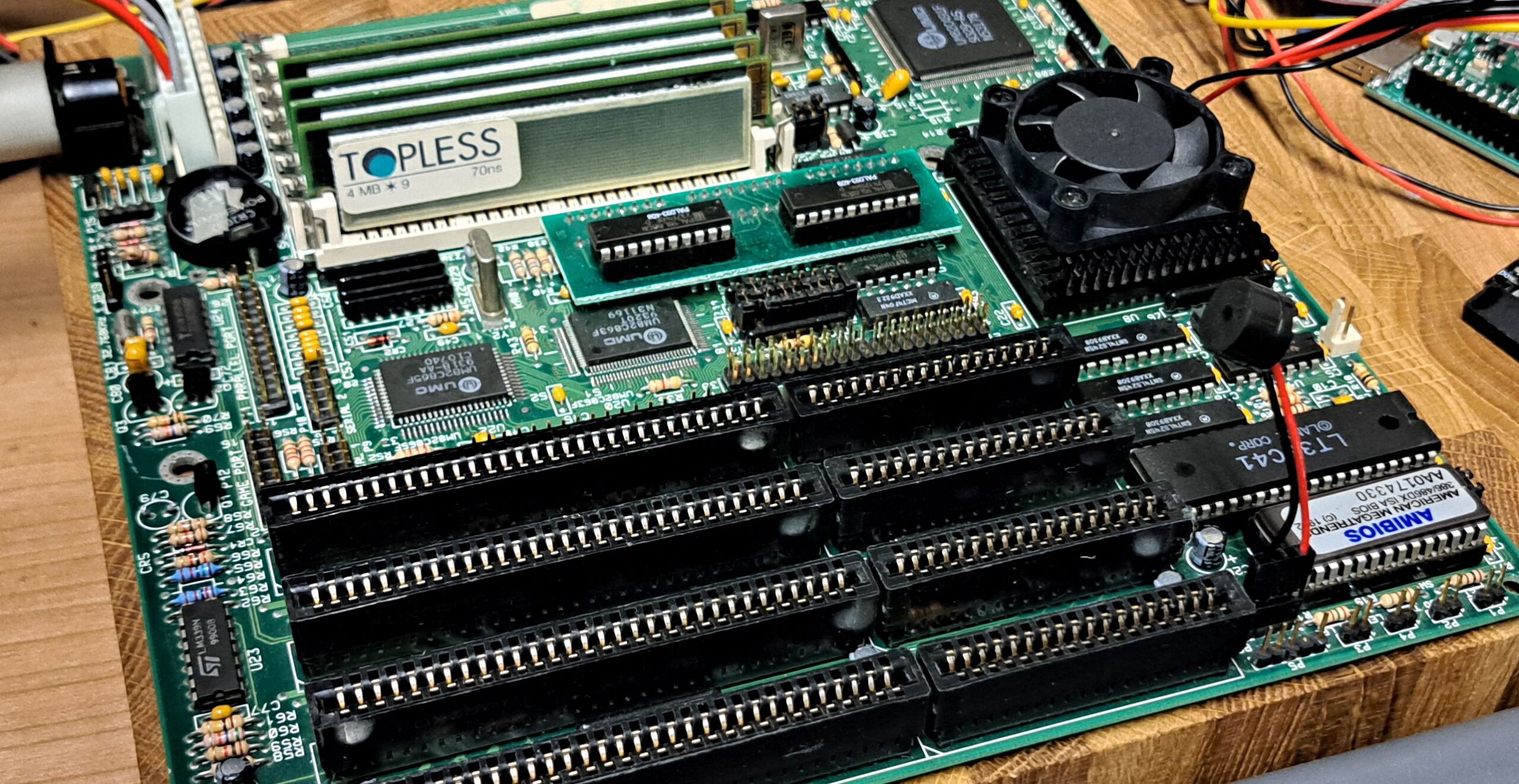
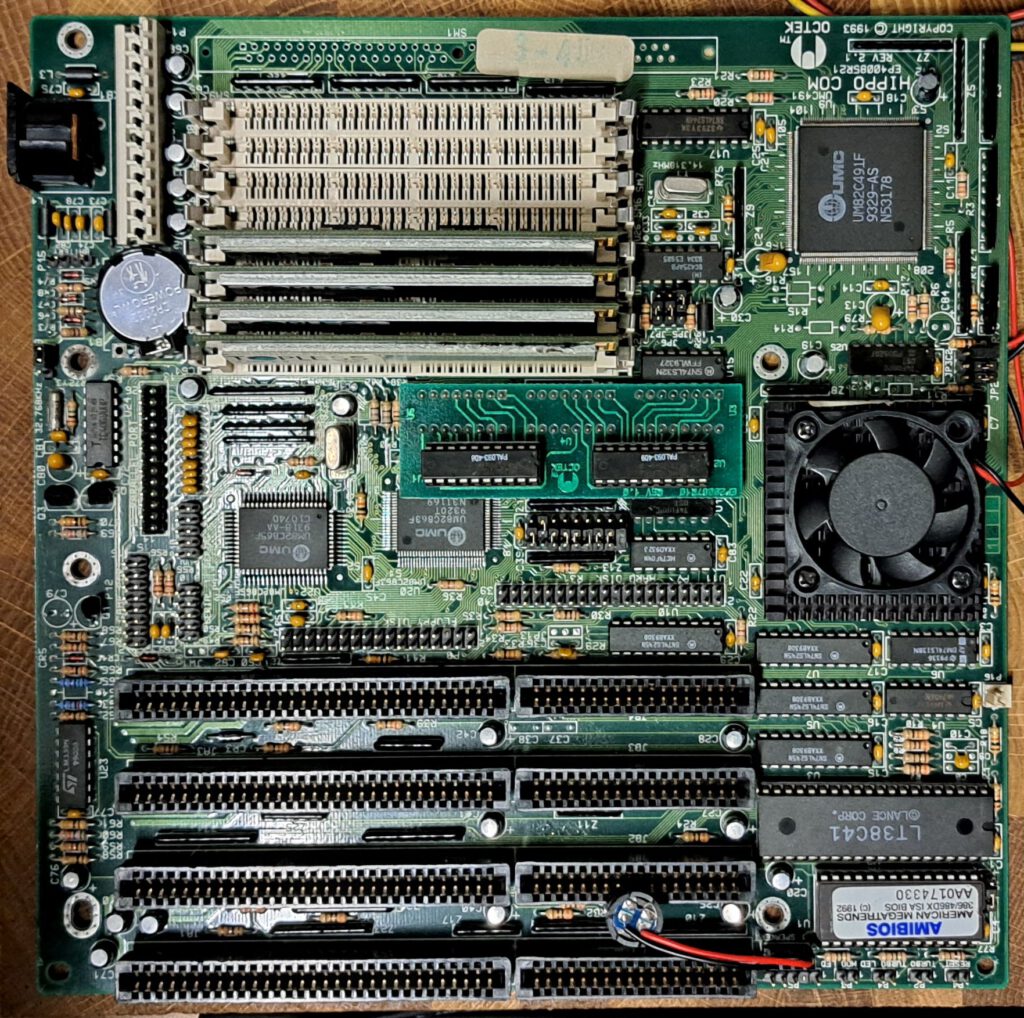
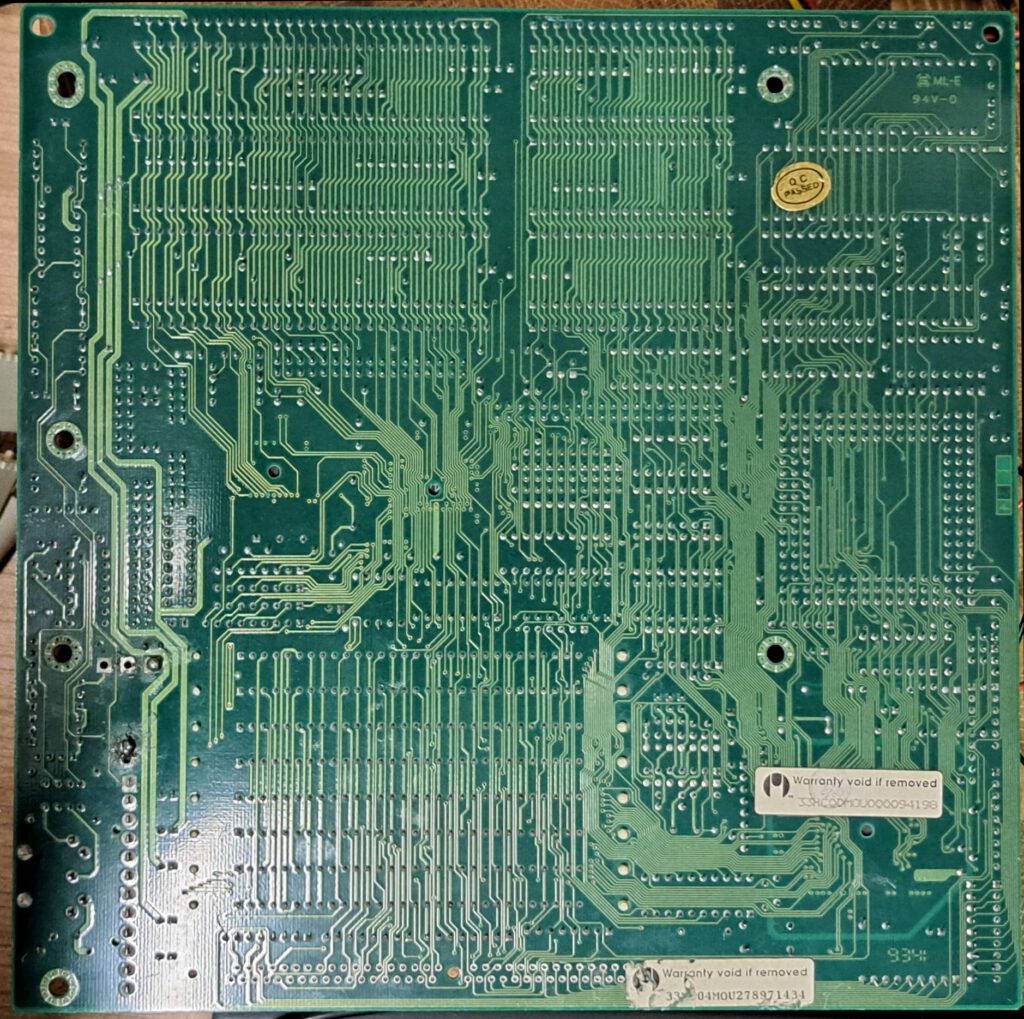
Eine 486er Hauptplatine mit einem DX2 66 on Board. IDE Controller für zwei Festplatten und zwei Floppies sowie ein 2xCOM, LPT und Gameport sind auch schon on Board.
Views
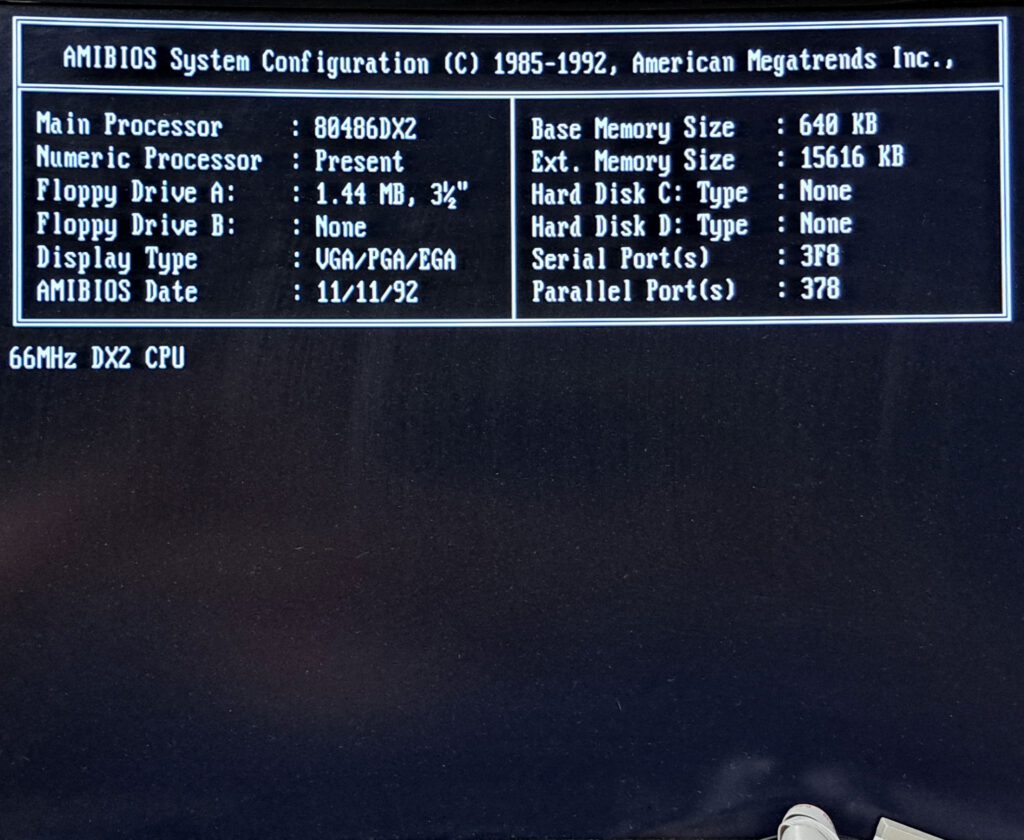
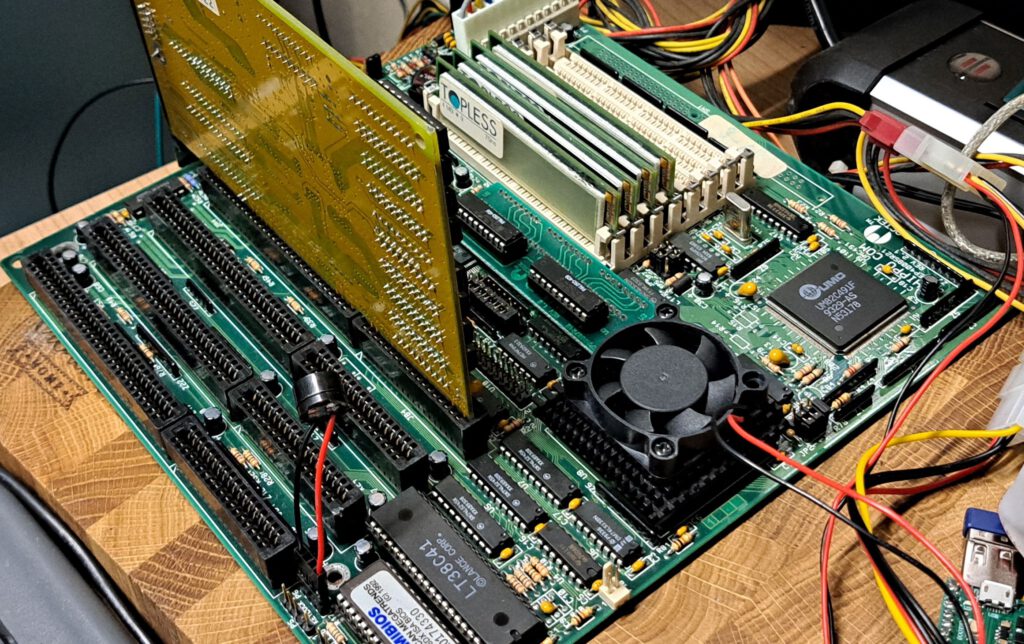
Facts
| Hippo COM | |
|---|---|
| Manufacturer | Octek |
| Chipset | UMC · UMC UM82C491 (386/486 Single Chip) |
| Base | Socket 1 |
| Unterstützte CPUs | Intel 486 DX/DX2 (5 V) |
| Tact | 20 MHz, 25 MHz, 33 MHz, 40 MHz, 50 MHz |
| Multiplikatoren | 1, 2 |
| Speichersteckplätze | 8 SIMM 30-polig |
| RAM höchstens | 64 MB |
| Power supply | AT (P8 + P9) |
| Form factor | Baby AT |
| Lüfteranschlüsse CPU | 1 |
| Lüfteranschlüsse Gehäuse | 0 |
| Steckplätze | 4 · ISA 16 Bit |
| Connections | 1 · AT-Tastatur (DIN), 1 · Floppy-Controller, 1 · IDE/ATA, 1 · Centronics, 2 · RS-232, 1 · Gameport |
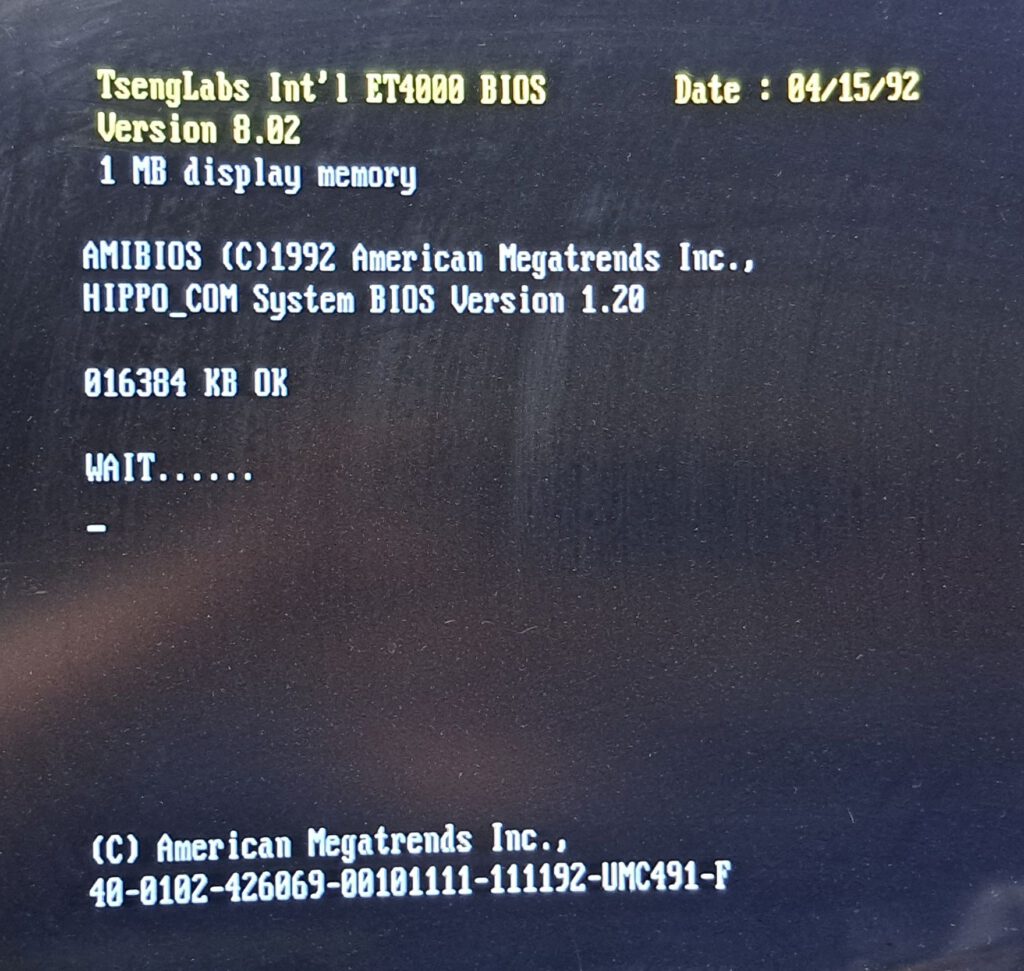
| BIOS-Hersteller | AMI |
| BIOS-Baustein | EPROM 27C512, gesockelt |
User manual
Ein Handbuch habe ich nur von der Version 1.1 gefunden.
Source: https://theretroweb.com/motherboards/s/octek-hippo-com-2.xLink status: Broken
–
BIOS
Auf dem Board steht als gewünschter Bios Chip ein 27C256, der Chip selbst ist ein M27C512 von ST.
Maintenance
- Erster Funktionstest – OK
- Verschmutzung – Kaum, nur mit einem Pinsel abgebürstet
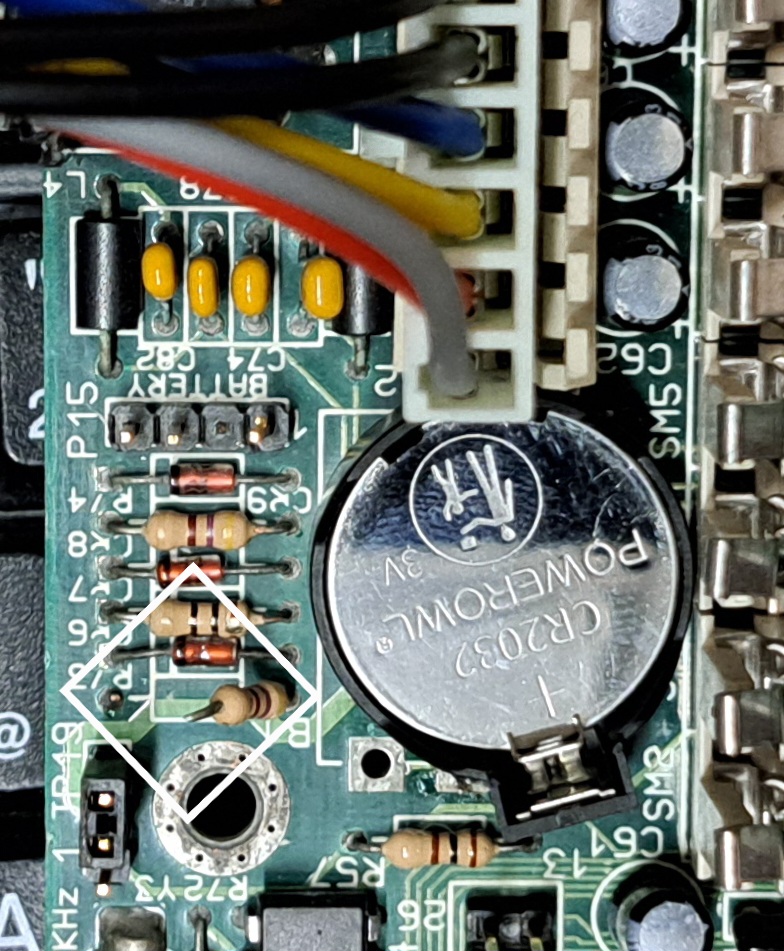
- Batterie – War entfernt, kaum Schaden, habe ich durch eine CR2032 ersetzt, siehe unten.
- Schäden – Verbogene Pins gerade gerückt, sonst nichts
- Jumper – Waren ok.
- Slotblech für On-Board Anschlüsse rausgesucht und getestet.
Benchmark
| CPU / CoPro | See board |
| Graphics card | 16 Bit ISA ET4000 1MB ISA 16Bit |
| Storage | min 16 MB |
| Hard disk drive | CompactFlash |
| Szenario · Einheit | Hippo Com v2.1 DX266 |
|---|---|
| 3D Bench | |
| für langsame PCs | 30.3 |
| für schnelle PCs | 26.7 |
| Chris 3D Benchmark | |
| Punkte | 34.3 |
| Bilder je Sekunde | 20.6 |
| 640×480 · Punkte | 10.1 |
| 640×480 · Bilder je Sekunde | 6 |
| PC Player Benchmark | |
| 320×200 8bpp | 8 |
| Doom | |
| min Detail · Sekunden | 2134 |
| min Detail · Realtics | 1368 |
| min Detail · Bilder je Sekunde | 54.6 |
| max Detail · Sekunden | 2134 |
| max Detail · Realtics | 4683 |
| max Detail · Bilder je Sekunde | 15.95 |
| Quake | |
| 360×480 · Bilder | 969 |
| 360×480 · Sekunden | 154.8 |
| 360×480 · Bilder je Sekunde | 6.3 |
| 640×480 · Bilder | 969 |
| 640×480 · Sekunden | 154.8 |
| 640×480 · Bilder je Sekunde | 6.3 |
| Landmark | |
| Landmark [CPU] | 243.31 |
| Landmark [FPU] | 502.28 |
| Landmark [GPU] | 2969.91 |
| Top Bench | |
| Top Bench | 130 |
| Speedsys | |
| Speedsys [CPU] | 23.63 |
| MB/S TP | 28.32 |
| Speedsys [HDD] | 1447.7 |
| MB/S L1 | 47.42 |
| System Info | |
| System Info [CPU] | 126.5 |
| System Info [HDD] | 14.1 |
| MB/s | 1924.1 |
Problems
General cross-computer issues
Computer
Doesn't start, no postcodes
- Check frequency
- Check multiplier
- Check the voltage
- (Pentium) Possibly change setting for Pentium and Pentium MMX (Dual Voltage).
Freezes / Computer crashes during Doom test
- Test memory
- Check memory. Possibly remove/exchange modules and test with a different configuration.
- Check BIOS settings (possibly set too quickly)
- Check board settings such as voltage and frequency.
Crashes after memory dive
- Test memory in device or another computer.
- Check if the board supports the memory and size
- Possibly install BIOS update
CPU
Fan bracket defective
- There are two other hooks where the heatsink could be attached with wire.
- Sticking it onto the processor would also be a possibility, or using a processor with a pre-applied cooler.
- Furthermore, there are coolers that can simply be clipped onto the CPU.
Hard drive
Not recognised
- Manually enter hard drive parameters.
- Test setup with a different hard drive.
- Test hard drive in another device.
- BIOS Update (possibly hard drive too new)
- Try the XT-Ide BIOS.#
BIOS
General Problem
- Clear BIOS settings reset.
- Update BIOS.
- If no newer BIOS is available, you can also look for successor models with the same chipset. For example, a 486 BIOS can also work on a 386.
New BIOS requires password
- Remove battery to clear settings
- Password reset jumper set
- Standard Passwort bei AMI Bios ist -> ami
General cross-computer optimisation
- Bios – Update
- BIOS patcherBPALink status: OK Award/Phoenix Version 4.23 (Ami a Version 6.00)
- ATX Power Supply Adapter (up to ATX)
- Install coprocessor (up to and including 386)
- XT-IDE ROM for Larger Hard Drives (Up to Pentium I)
- ISA Blaster for USB Mouse (as long as no PS2 or USB is present)
- DIN -> PS2 Adapter für Tastatur (solange kein PS2 oder USB vorhanden ist)
- Compact Flash as HDD replacement (up to Pentium, then rather SSD due to speed)
- GotekLink status: Unknown or FDD EmuLink status: OK as FDD replacement
- Pico GUZLink status: Unknown as a sound card replacement (until May Pentium is 8-bit)
- PicoMem Link status: OKfor memory, sound and HDD (Up to a maximum of 486, 8-bit)
CPU 80486
History
Variations
Software
| Betriebssystem | Programme | Games |
|---|---|---|
| DOS – MSD 5.0, MSD-6.22, Novell Dos Windows 3.x , Windows for Workgroups 3.x, Windows 95 NT 3.5 OS/2 Linux (for example, Debian 3.1) FreeBSD Novell NetWare | Check it | Commander Keen 1/2 Wolfenstein 3D Civilisation I / II SimCity Monkey Island Simon the Sourcerer Prince of Persia Lemmings Doom 1/2 Duke Nukem 1/2/3? |
Miscellaneous
Batterie durch CR2032 ersetzt
Hierzu habe ich den Ladeschaltkreis am Widerstand unterbrochen (siehe Bild) und einfach eine Halterung für eine CR2032 an die alten Kontakte für die Batterie gelötet.
Test report
–
Conclusion
| Question | Antwort |
|---|---|
| Does the board work | Yes |
| How much did it cost? | EUR 136,99 mit 20MB RAM |
| Was the price okay? | Nein, das war eines meiner ersten Boards, der Verkäufer hat sich bestimmt gefreut 😉 |
| Is it worth it? | Nicht für diesen Preis, sonst schon. |
| Gesamtfazit | Normal positiv, wegen des Preises eher neutral |
Licence
Stand 10.10.2026; kommerzielles Produkt, keine offene Lizenz bekannt.
- Hardware: nicht offen, kommerzielles Produkt (proprietär)
- Software/Firmware: BIOS proprietär
- Marken: Genannte Marken- und Produktnamen gehören ihren jeweiligen Inhabern.
Related Posts
- Retro Hauptplatine – GA-586ATE Rev 4.DLink status: OK
- Retro Hauptplatine – FIC 486-HC-HDLink status: OK
- Retro Hauptplatine – FIC 4386-VC-HDLink status: OK
- Retro Hauptplatine – MSI 3134Link status: OK
- Retro Hauptplatine – BioSTAR GF8100 M2 TELink status: OK
Sources
RetroWeb Link zum BoardLink status: Broken
User manualLink status: OK
https://theretroweb.comLink status: Unknown
Log
| Date | Change | Author |
|---|---|---|
| - | Sound und Netzwerk getestet Benchmark gemacht | Suffocation |
| 18.10.2026 | Mainboard- und Benchmark-Tabelle (TablePress) durch Vergleichsblöcke des Taxonomy Modeller ersetzt | Suffocation |
| 10.10.2026 | Abschnitt Lizenz ergänzt (Hardware/Software) | Suffocation |
| 08.10.2026 | Überschriften-Hierarchie korrigiert (H1→H2, Unterebenen eine Stufe tiefer) | Suffocation |
| 04.10.2026 | Rechtschreibung korrigiert: Kommas, Tippfehler, Kleinschreibung | Suffocation |
| 03.10.2026 | Logbuch-Tabelle auf Log-Liste umgestellt | Suffocation |
| 02.04.2025 | Bilder bearbeitet und eingefügt. Beitrag finalisiert. | Suffocation |
| 01.04.2025 | Bilder geschossen | Suffocation |
| 31.03.2025 | Comport mit neumem Slotblech Reaktiviert, Mouse getestet | Suffocation |
| 30.03.2025 | Batterie ersetzt | Suffocation |
| 21.03.2025 | Post created | Suffocation |