Last Updated on 18. October 2026 by SuffocationLink status: OK
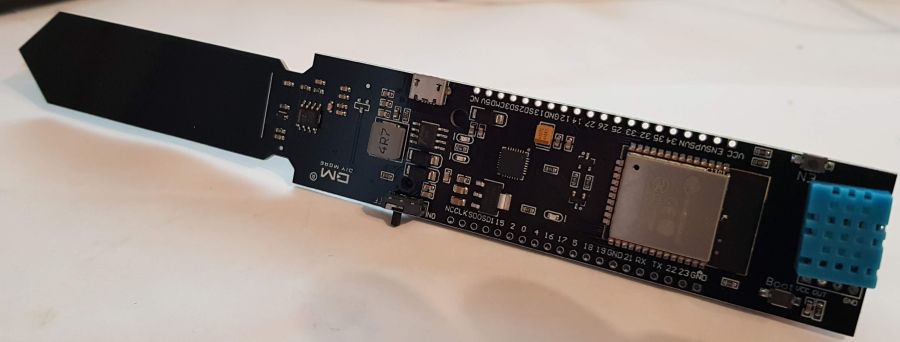
Das HiGrow (oder auch HighGrow) Board ist unter seinem vollen Namen „ESP32 DHT11 WIFI Bluetooth Soil Temperature Humidity Sensor18650“ beim schnellen Ali erhältlich. Es soll zur Pflanzenüberwachung dienen und basiert auf einem ESP32 Wroom. Das Board kann Luftfeuchtigkeit, Temperatur, Licht sowie Erdfeuchte messen. Einige Pins sind nach außen geführt, so dass weitere Sensoren hinzugefügt werden können. Der Lichtsensor scheint bei meiner Version nicht vorhanden zu sein. Es gibt noch andere ähnliche Boards, zum Beispiel von TTGO. Im weiteren Verlauf werde ich das Board auch als Stock oder Spieß bezeichnen, denn so sieht es aus ;).
Zum Thema HighGrow ist auch dieser kurze Wikipediaeintrag ganz nett, den ich euch nicht vorenthalten möchte:
https://de.wikipedia.org/wiki/HighGrowLink status: OK
Facts
| HiGrow ESP32 V1.0 | |
|---|---|
| Processor | ESP32-WROOM |
| USB | Micro-USB |
| Abmessungen | 195 × 30 × 25 mm |
| Weitere Bausteine | DHT11 (Temperatur/Luftfeuchte), Bodenfeuchtesensor, Akkuhalter 18650, Laderegler TP5400 (teils TP5410) |
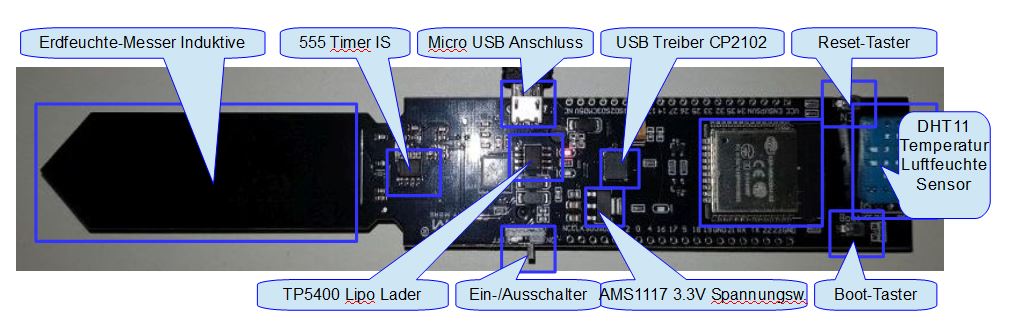
What is installed
Am USB angeschlossen, blinkt die blaue LED. Der erste Blick im Terminal zeigt nur die Standardausgabe des ESP Wroom. Der Stock scheint keine programmierte Funktion zu haben und ist auch nicht mit MicroPython geflasht.
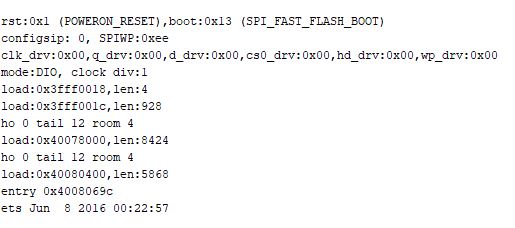
A bootloader has been installed. When switching on whilst holding down the boot button, the blue LED no longer flashes.
Areas of application
- For observing plants
- Room climate recording
- An access point for every plant 😉
- Als Testplattform für Kurse (gibt ein paar Negativbeispiele im Netz)
Views

Hi Grow – von Oben 
Hi Grow – von der Seite 
Hi Grow from Below
Programming
I’m using a ready-made MQTT programme. This allows me to carry out a few quick tests and saves time.
Here is the link to the originalLink status: OK
Libraries
Für das Programm werden ein paar Bibliotheken benötigt, diese sind im Folgenden aufgelistet.
MQTT Client
MQTT wird hier nicht neu erfunden, sondern es wird die folgende Bibliothek verwendet.
https://github.com/knolleary/pubsubclientLink status: OK
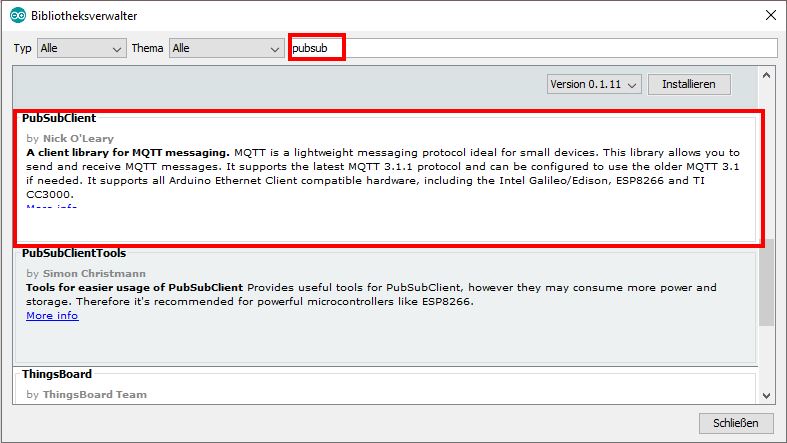
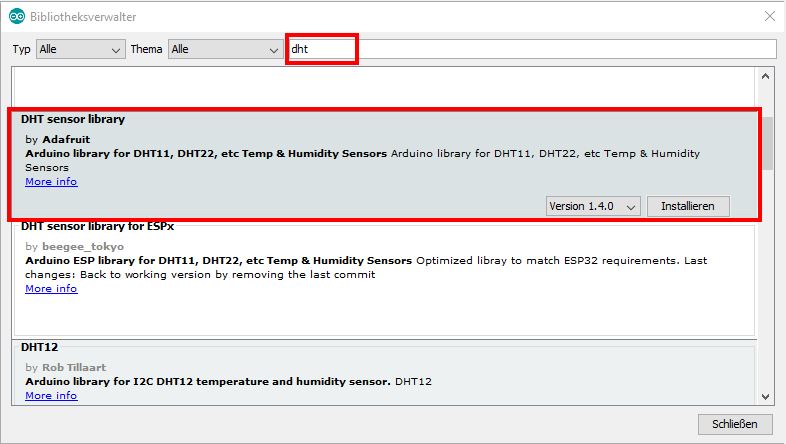
DHT11 Sensor Library
The DHT11Link status: OK und DHT22 Luftfeuchte- und Temperatursensor ist weit verbreitet, auch hier gibt es unterschiedliche Implementierungen, das gewählte Programm verwendet die folgende:
https://github.com/adafruit/DHT-sensor-libraryLink status: OK
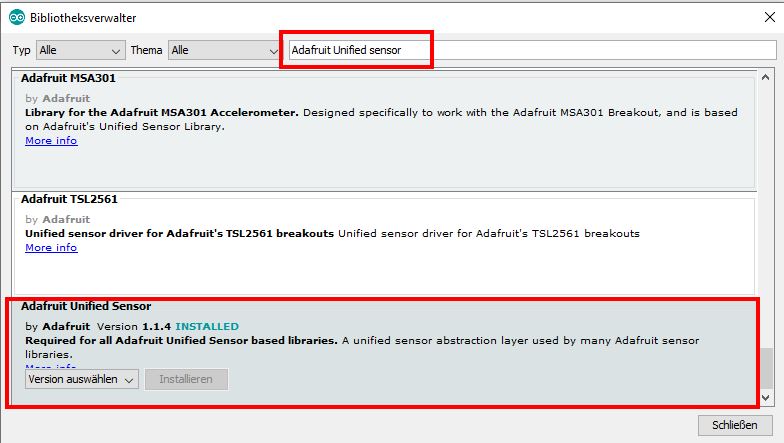
AdafruitLink status: OK hat irgendwann mal eine Basis für all ihre Sensorimplementierungen geschaffen, diese nennt sich Unified SensorLib. Sie wird auch für den DHT11 Sensor benötigt.
https://github.com/adafruit/Adafruit_SensorLink status: OK
Test programme
Das Testprogramm kann von GitHub heruntergeladen werden. Ich habe noch ein paar andere Änderungen am Code vorgenommen, deswegen hier mein Fork. In der Datei credentials.h müssen noch SSID, WIFI Passwort und MQTT Broker und die Titel eingetragen werden.
Source code credentials.h (GitHubLink status: OK)
// This file contains credentials to access several services
#ifndef CREDENTIALS_H
#define CREDENTIALS_H
// WiFi
const char* mySSID = "YOUR_SSID";
const char* myPW = "YOUR_PASSWORD";

// MQTT (CloudMQTT)
const char* BROKER = "192.168.1.10";
uint16_t    BRPORT = 1883;
const char* BRUSER = "YOUR_MQTT_USER";
const char* BRPWD  = "YOUR_MQTT_PASSWORD";
const char* CLIENTID = "HiGrow2";
const char* hostname = "HiGrowBuero";


//#define DHTTYPE DHT21   // DHT 21 (AM2301)
//#define DHTTYPE DHT22   // DHT 22  (AM2302), AM2321
#define uS_TO_S_FACTOR 1000000
//#define LILYGO

#ifdef LILYGO
  #define DHTTYPE DHT11  // DHT12
  #define I2C_SDA             25
  #define I2C_SCL             26
  #define DHT_PIN             16 //22  // 16
  #define BAT_ADC             33
  #define SALT_PIN            34
  #define SOIL_PIN            32
  #define BOOT_PIN            0
  #define POWER_CTRL          4
  #define USER_BUTTON         35
  #define DS18B20_PIN         21                  //18b20 data pin
  #define TEMP_CALIBRATION -7.7 // calibrate the temp sensor to the correct temperature
#else

  #define DHTTYPE DHT11
  #define I2C_SDA             25
  #define I2C_SCL             26
  #define DHT_PIN             22
  //#define BAT_ADC             33
  #define SALT_PIN            34
  #define SOIL_PIN            32
  #define BOOT_PIN            0
  #define POWER_CTRL          4
 // #define USER_BUTTON         35
  #define DS18B20_PIN         21                  //18b20 data pin
  #define TEMP_CALIBRATION -4.3          // calibrate the temp sensor to the correct temperature

#endif

#define OB_BH1750_ADDRESS       (0x23)
#define OB_BME280_ADDRESS       (0x77)

#define SOIL_MIN 1500
#define SOIL_MAX 4000


//maximum is 400 days
// uint64_t  DEEPSLEEP_SECONDS = 10; // 10 seconds
uint64_t DEEPSLEEP_SECONDS = 1800; // 30 min
// uint64_t  DEEPSLEEP_SECONDS = 180; // 3 min
// uint64_t  DEEPSLEEP_SECONDS = 3600; // 60 min number to big
// uint64_t  DEEPSLEEP_SECONDS = 7200; // every two hours
// uint64_t  DEEPSLEEP_SECONDS = 3600*12; // twice a day
// uint64_t  DEEPSLEEP_SECONDS = 3600*24; // once a day

/** define some mqtt things */

/*** define topics */
#define FLOOR "EG"
#define ROOM  "Büro"
//#define ROOM  "Diele"
//#define ROOM  "Wohnen"
#define PLANT "Bogenhanf"
//#define PLANT "Yucca"
//#define PLANT "Benjamini"
//#define PLANT "Gummibaum"
#define TEMP  "Temperatur"
#define HUMI  "Luftfeuchte"
#define SOIL  "Bodenfeuchte"
#define SALT  "Salz"
#define LIGHT "Helligkeit"
#define BAT   "Battery"

/*** define what values should be send Doccument out the unwanted */
#define SINGLE 0x00
#define JSON  0x01

#ifdef SINGLE
  #define TEMP_TOPIC   FLOOR "/" ROOM "/" PLANT "/"  TEMP
  #define HUMI_TOPIC   FLOOR "/" ROOM "/"  PLANT "/" HUMI
  #define SOIL_TOPIC   FLOOR "/" ROOM "/"  PLANT "/" SOIL
  #define SALT_TOPIC   FLOOR "/" ROOM "/"  PLANT "/" SALT
  #define LIGHT_TOPIC  FLOOR "/" ROOM "/"  PLANT "/" LIGHT
  #define BAT_TOPIC    FLOOR "/" ROOM "/"  PLANT "/" BAT
#endif

#ifdef JSON
  #define JSON_TOPIC  FLOOR "/" ROOM "/"  PLANT "/json"
  #define JSON_TOPIC_TEMPLATE  "[{\"" TEMP "\": %f,\"" HUMI "\":%f,\"" SOIL "\":%i,\"" SALT "\":%i,\"" LIGHT "\":%i,\"" BAT "\":%1.2f}]"

#endif

#endif // #define CREDENTIALS_H
You can find the original here:
GitHub Link Link status: OKzLink status: OKHiGrowEsp32MqttLink status: OK
Directly as a zip via DownGitLink status: OK
Auf die Einrichtung des Brokers gehe ich an dieser Stelle nicht näher ein, sollte noch kein Broker vorhanden sein, gibt es unterschiedliche Möglichkeiten, an einen zu kommen:
- There are so-called web brokers where you can register online and often use the broker for free. Examples include HiveMQLink status: OK, DIY projectsLink status: Unknown and here's another Top 10 listLink status: Unknown.
- Eigener Broker – exemplarisch sei hier auf den Mosquitto in Verbindung mit dem PI verwiesen (Here's the setup)Link status: OK
- Home automation broker. I am using IP-SymconLink status: Unknown For home automation, many other systems now also offer MQTT connections.
Nun noch compilieren und auf den Spieß schreiben und dann hoffen, dass was beim Broker ankommt.
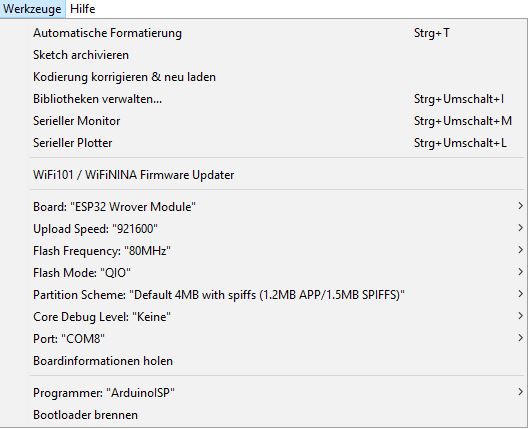
The root of the problem lies here yet again. It won't work without the button. First, initiate the writing process. Then, hold down the boot button and briefly press the reset (EN) button. The ESP will now start in boot mode. After a few seconds, the boot button can be released. The writing process should now start.
Auch auf meinem Broker werden die Werte vom Spieß jetzt angezeigt und können weiter verarbeitet werden.
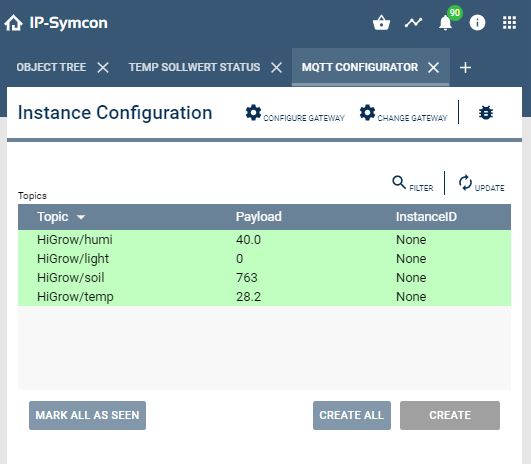
Über die Zeit schwankt es schön, mal schauen, was man daraus machen kann.
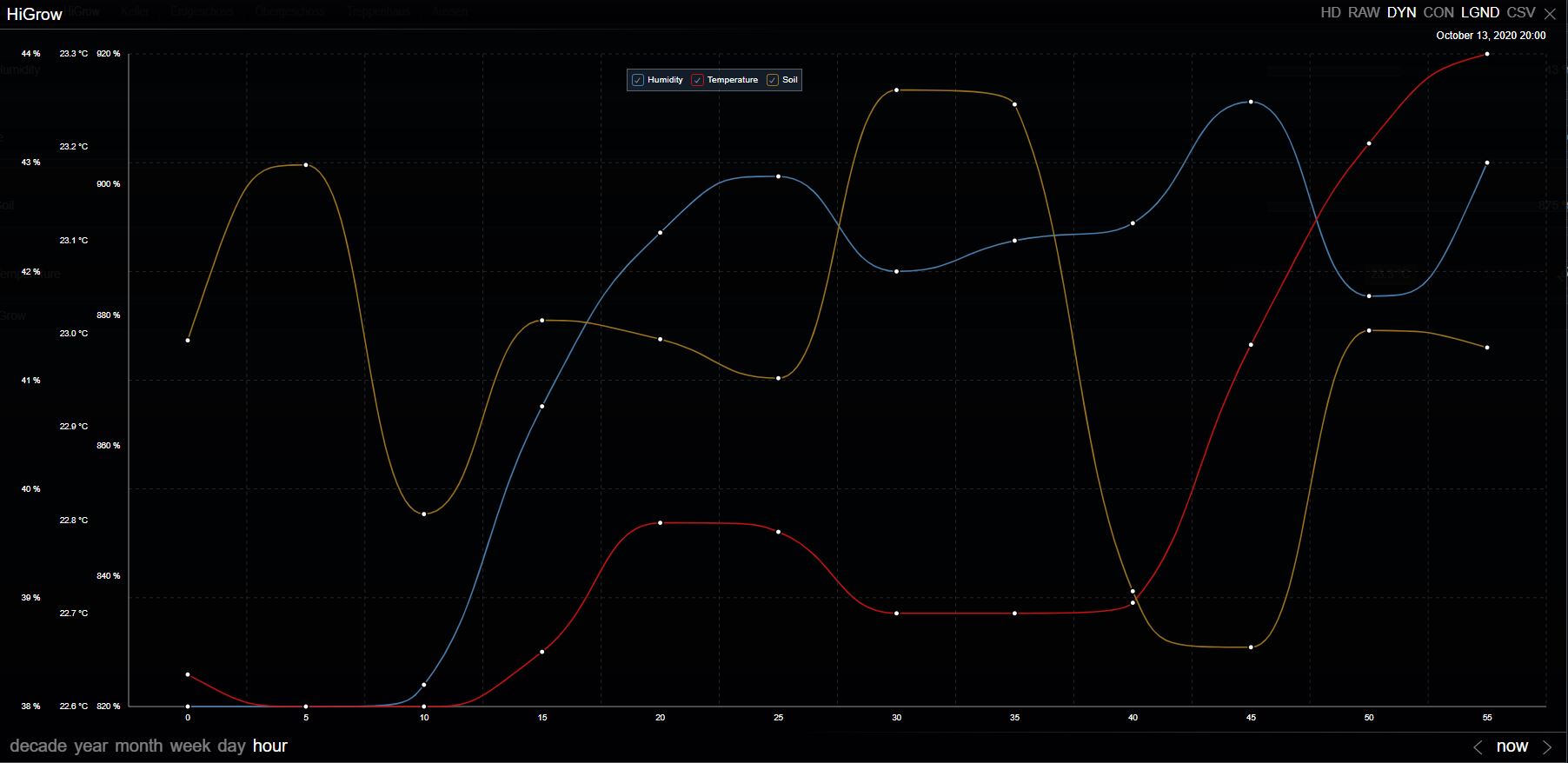
Long-term test (updated)
Drei Pflanzen (Benjamini, Bogen Hanf (Kein THC), Areca Palme). Die Sensoren messen und legen sich dann 30Min/1h/2h schlafen. Die Sensoren senden ihre Werte an den Homeserver und dieser speichert sie. Alle Akkus haben um die 2400Ah.
- 14.10.2020 11:30 Test with Benjamini started, sends every 30 minutes.
- 15.10.2020 23:03 Still receiving messages
- 16.10.2020 13:29 Benjamini is still sending.
- 16.10.2020 18:23 The Benjamine continues to run, the hemp bow now sends every hour and the Areca palm every two hours.
- 17.10.2020 13:04 Alle Sensoren laufen noch, Tabelle aktualisiert
- 19.10.2020 09:25 Heute Morgen um 4 Uhr ist der letzte Messwert vom Benjamini gekommen. Somit hat dieser weniger als 5 Tage durchgehalten.
- 20.10.2020 ~21:30 The Arc Hemp sensor has failed
- 21.10.2020 ~04:00 The sensor for the Areca palm has failed.
Evaluation
Die Palme hält etwas länger durch, aber nicht signifikant, siehe Tabelle. Somit haben wir unspektakuläre 5 Tage. Alleine am ESP32 scheint es zumindest nicht zu liegen:
- The ESP consumes a maximum of 180mA during normal operation with Wi-Fi.
- In DeepSleep mode, it only consumes <10 uA.
Assuming a cycle of 2 hours of DeepSleep and 10 seconds of measuring/sending, the calculation works out as follows:
Consumption per cycle under load
= 10s * 180mAh/3600(s)
= 10s * 180mAh/3600
= 10s * 0.022mAh
= 0.22 mAh
Consumption per cycle on standby
= 2h * 0.10mA
0.02mAh
Total consumption per cycle
0.22mAh + 0.02mAh
0.24mAh
With a 2400mAh battery
Cycles = 2400mAh / 0.24mAh = 10000c
Hours = 10000z / 2.002h/z = 4995h
Days = 4995h / 24h/Day = 208 days
Das sind 203 Tage mehr als der beste Test, somit muss der Hauptverbrauch an anderer Stelle liegen.
Für den DHT 11 habe ich ebenfalls Daten gefunden, deshalb möchte ich überprüfen, ob diese verantwortlich sein könnte.
- Standby max 150µA
- Last 2.5mA
Consumption per cycle under load
10s * 2.5mAh / 60min * 60s
= 10s * 2.5mAh/3600
= 10s * 0.000694mAh
= 0.0069 mAh
Consumption per cycle on standby
= 2h * 0.15mAh
0.3mAh
Total consumption per cycle ESP32 + DHT11
= 0.5469mAh
= 0.55mAh
With a 2400mAh battery
Cycles = 2400mAh / 0.55mAh = 4,363 cycles
Hours = 4.363z/ 2.002h/z = 2160h
Days = 4995h / 24h/Day = 90 Days
Mit DHT11 Sensor sind es nur noch etwas weniger als die Hälfte der Tage. Rechnet man die 90 Tage verbleibend minus die wirklich gemessene Zeit, verbleiben 85 Tage, die der Boden-Feuchtesensor und die restliche Peripherie verbrauchen.
| #Test | Plant | Message | Started | Read | # measured values | #Tage |
|---|---|---|---|---|---|---|
| 1 | Benjamini | 30 mins. | 14.10.2020 11:30 | 19.10.2020 03:40 | 224 | Less than 5 |
| 2 | Bow Hemp | 1st St. | 16.10.2020 18:10 | 20.10.2020 21:30 | 99 | 4 |
| 3 | Areca palm | 2 St. | 16.10.2020 18:23 | 21.10.2020 04:00 | 52 | Less than 5 |
Die Werte der Feuchtesensoren scheinen mir auch nicht ganz schlüssig, wenn ich sie mit denen im Internet vergleiche. Evtl. mache ich hierzu nochmal eine Versuchsreihe mal sehen.
Problems
Hoher Stromverbrauch selbst in der Sleep Phase.
Im Netz klagen einige Benutzer über den hohen Stromverbrauch während des Tiefschlafs (deep sleep). Meine Tests haben das bestätigt, allerdings liegt es meiner Meinung nach an den Sensoren.
Ich habe noch einen Fehler im Code gefunden, wenn man die Sleepzeit zu hoch setzt, geschieht ein Überlauf der int Variablen und er schläft nicht ein. Bitte int durch uint64_t tauschen, dann klappts:
// int DEEPSLEEP_SECONDS = 1800; // 30 min // alt
uint64_t DEEPSLEEP_SECONDS = 1800; // 30 min // new
Miscellaneous
3D models for the casing
To package the cane, there are some 3D models on Thingiverse:
https://www.thingiverse.com/thing:3333221Link status: OK
https://www.thingiverse.com/thing:2791829Link status: OK
https://www.thingiverse.com/thing:3491667Link status: OK
https://www.thingiverse.com/thing:3209270Link status: OK
Die ersten beiden Modelle habe ich mal gedruckt. Der Ausdruck erfolgte mit den folgenden Druckparametern:
| Description | Worth |
|---|---|
| Printer | Ender 5 |
| Material | PLA |
| Printing temperature | 210 |
| Bed temperature | 60 |
| Nozzle | 0,4 |
| Layer height | 0,2 |
| Shell thickness | 0,8 |
| Print speed | 95 |
| Support | Everywhere |
| Underground | Raft |
Der Ausdruck verlief ohne Probleme, das Endprodukt musste ich etwas mit dem Skalpell nachbearbeiten, aber nichts was aus dem Rahmen fällt. Den Tropfen Deckel bräuchte ich persönlich nicht und werde ihn weglassen. Zum Montieren habe ich 4st 2×15 Spax und 1st *2×2,5 Blechschrauben verwendet. Das Board selbst passt gut in das Gehäuse. Hier noch ein paar Bilder :
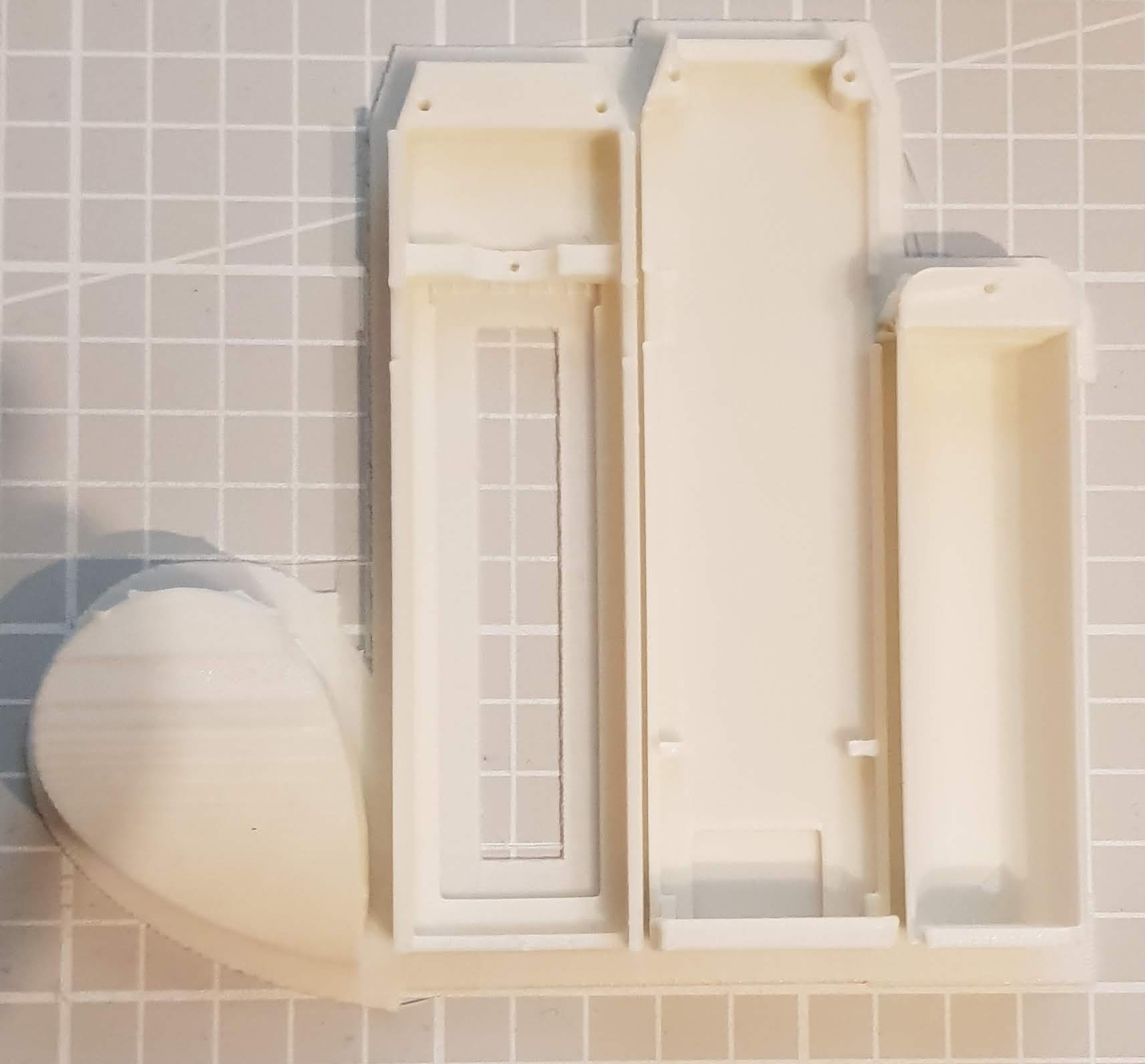
4HiGrow Verpackung – Frisch aus dem Drucker 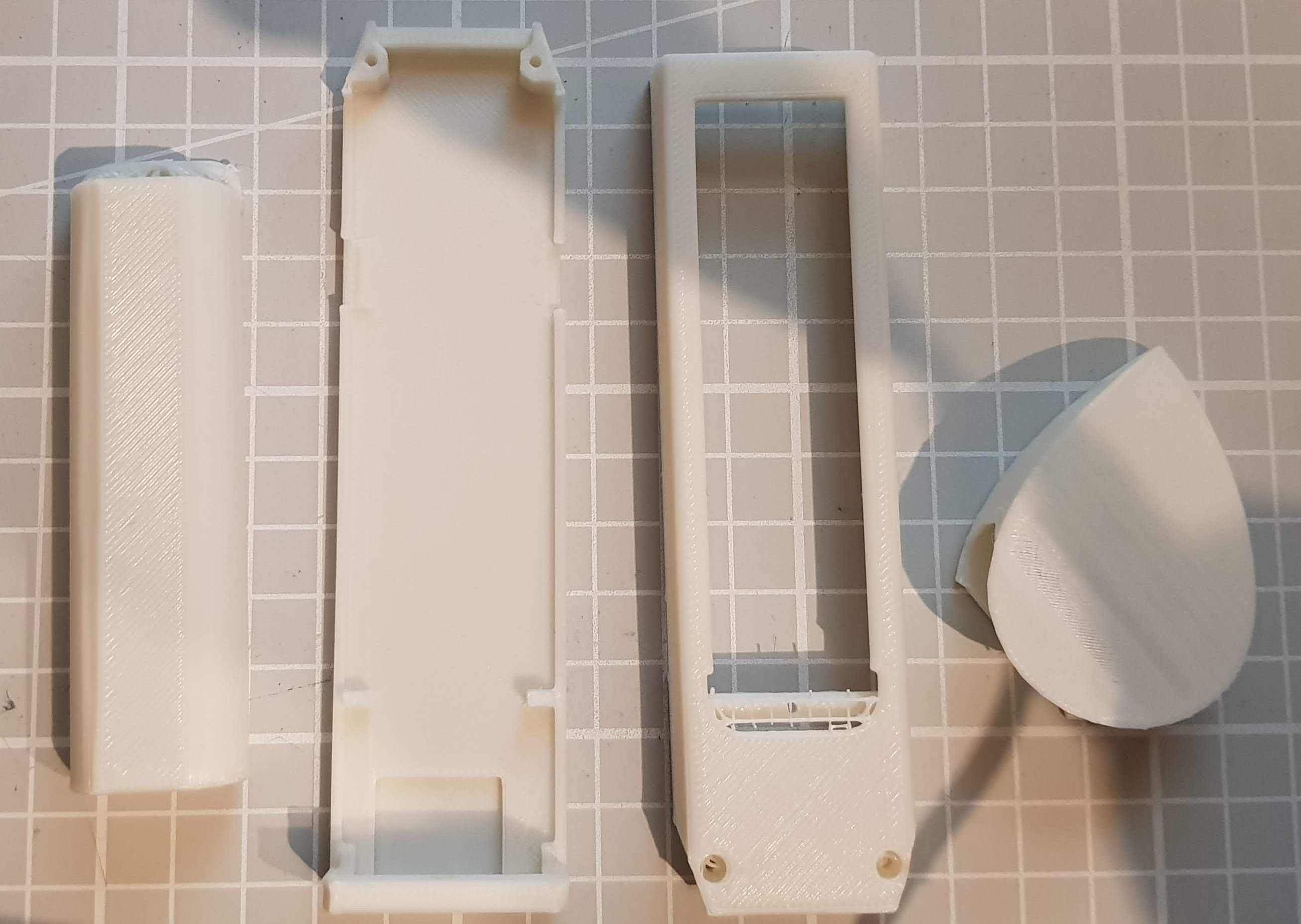
HiGrow Verpackung – Vom Brim gelöst 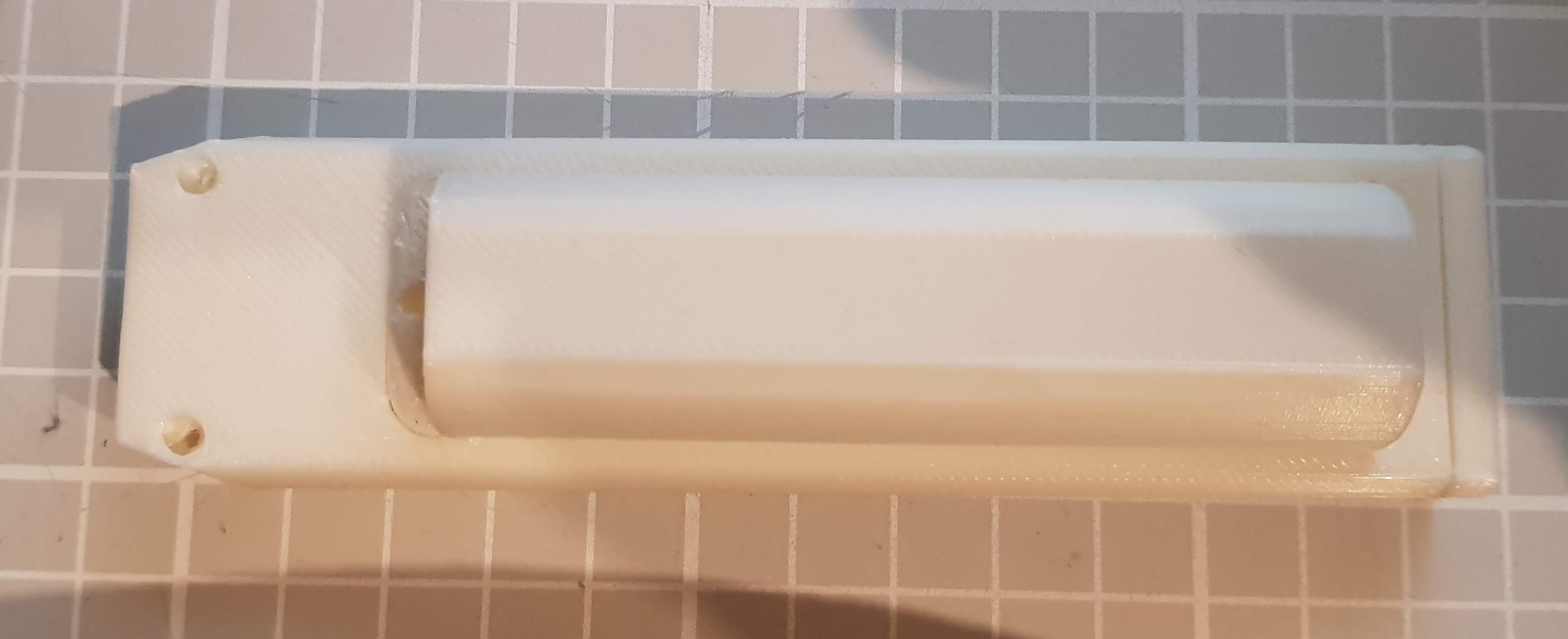
HiGrow Verpackung – Unten 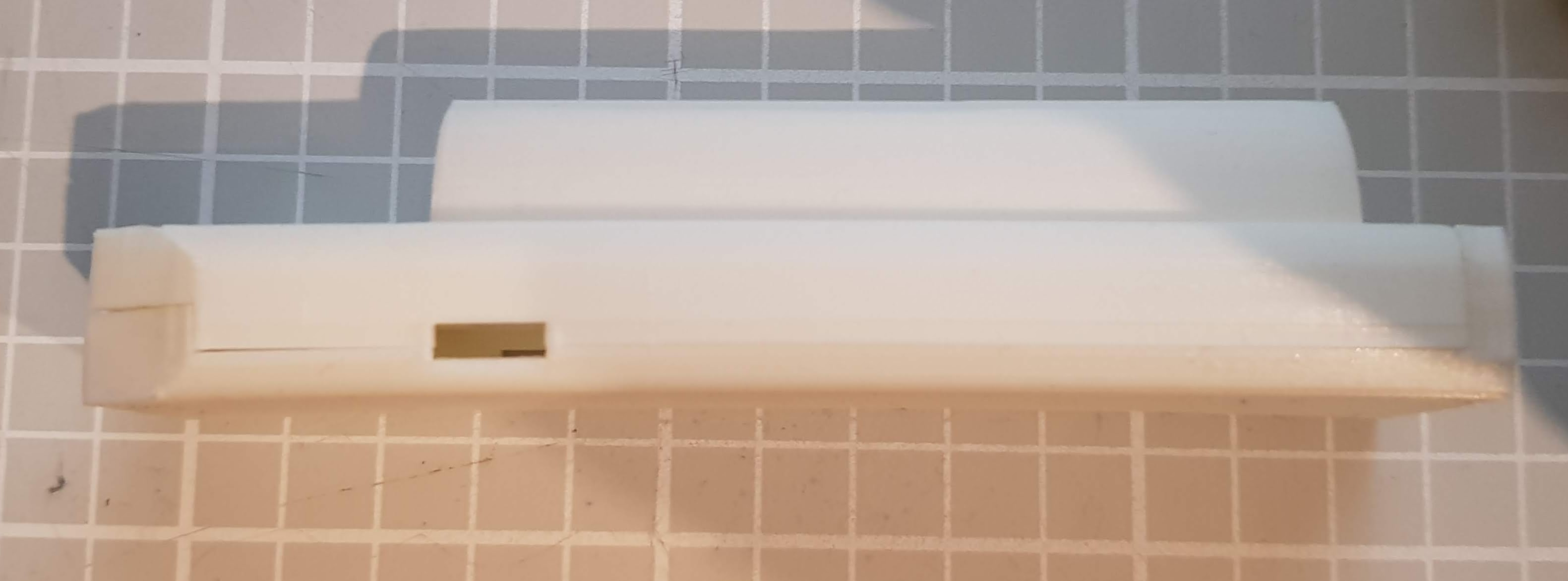
HiGrow Verpackung – Seite 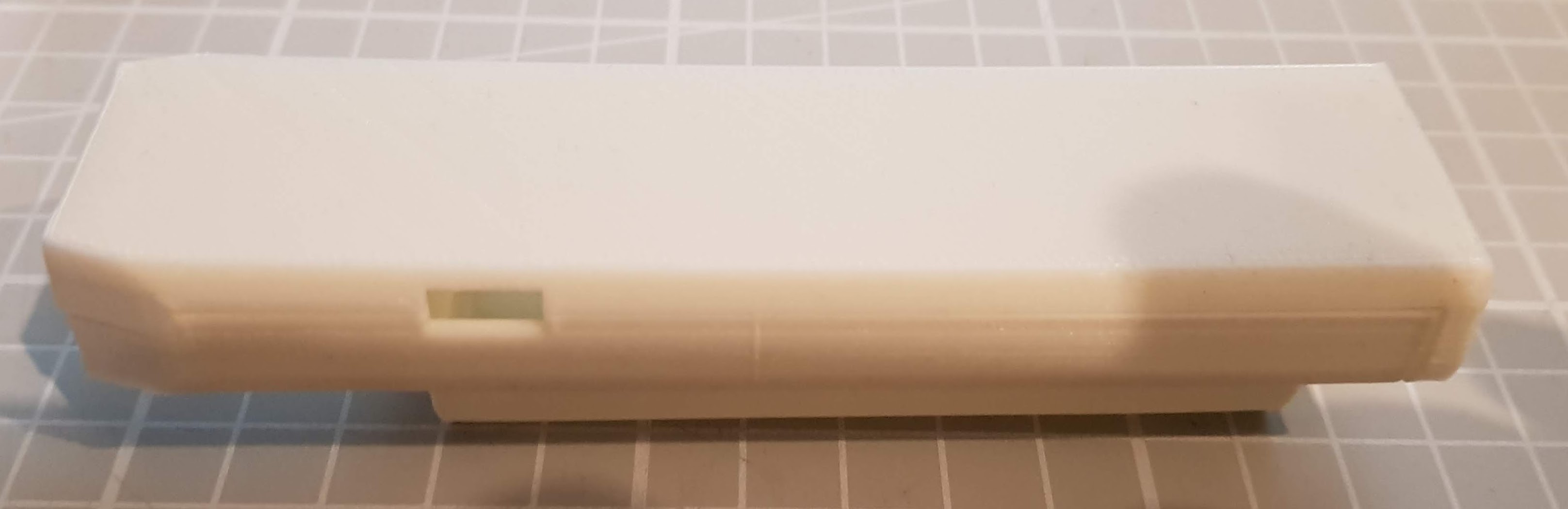
HiGrow Verpackung – Oben 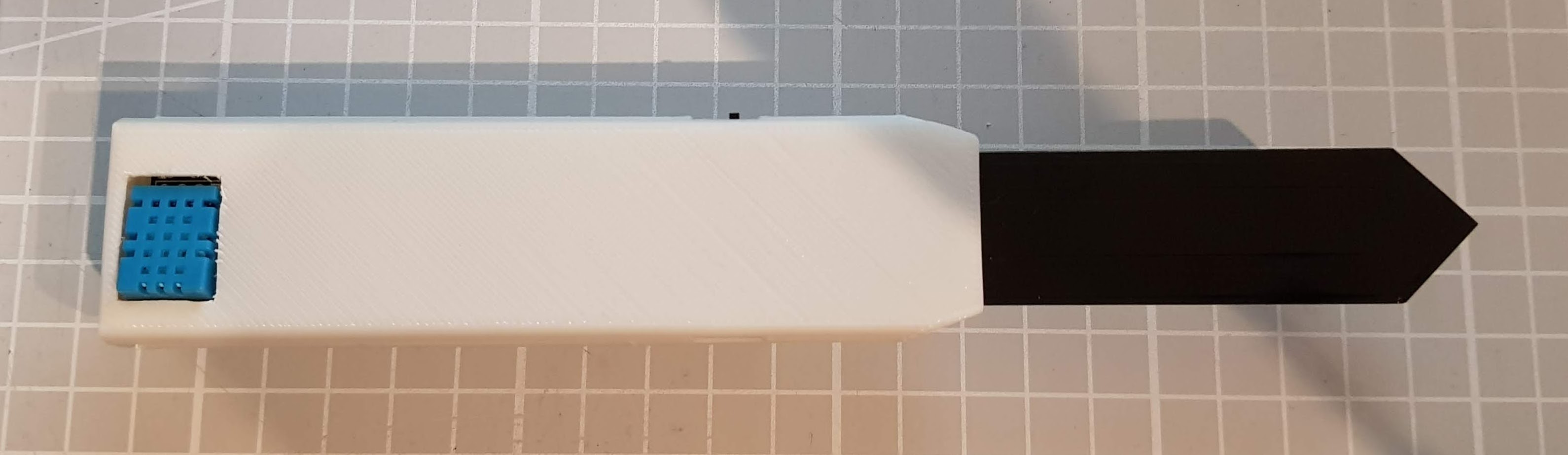
HiGrow Verpackung – Mit Board von Oben 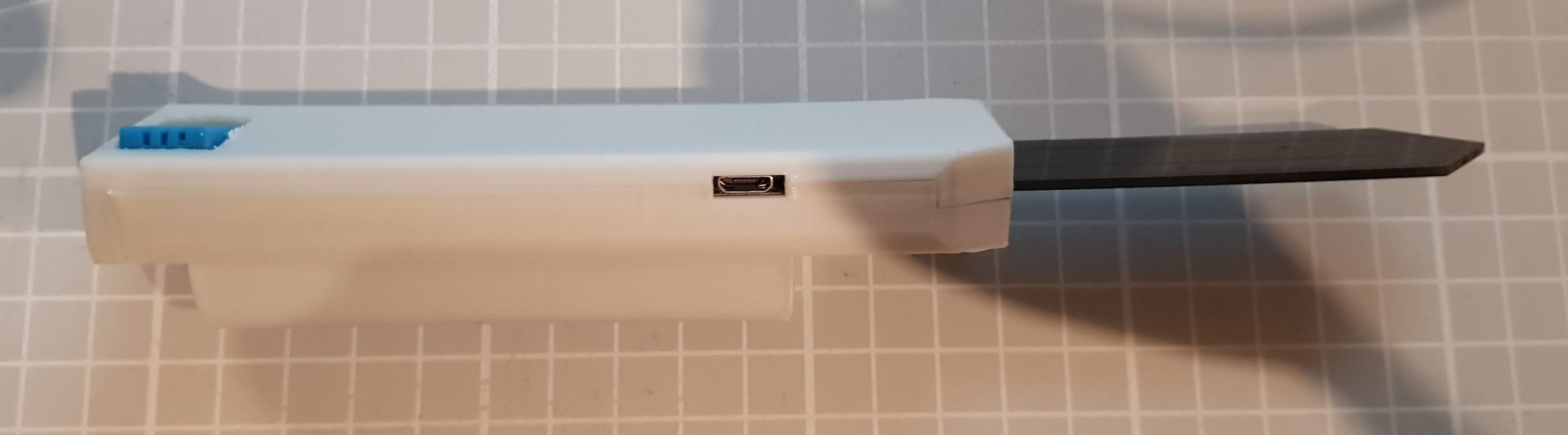
HiGrow Verpackung – Mit Board von der Seite 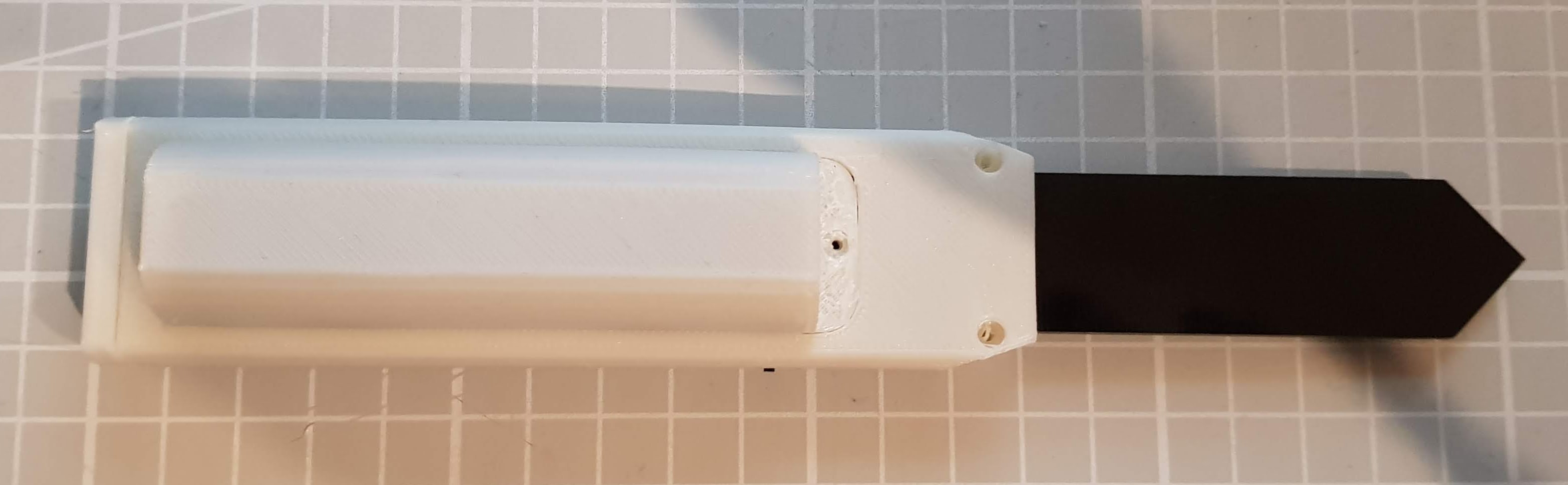
HiGrow Verpackung – Mit Board von Unten
Der zweite Ausdruck war auch ok, hier fehlt mir allerdings das Schraubenloch zur Befestigung des Deckels. Bilder habe ich mir jetzt mal gespart.
Conclusion
Nette Idee mit dem Pflanzensensor. Der ESP32 ist Stand der Technik, das gesamte Board hat ein paar Sensoren, was auch ganz nett für Einsteiger sein kann. Was mich am Stock ärgert ist die Knöpfchendrückerei beim Programmieren. Da waren wir schon mal weiter. Wenn man den Berichten im Internet glaubt (und das tue ich an dieser Stelle), dann kann der Stock die Nähe von Feuchtigkeit nicht ertragen und die Lötpunkte blühen relativ schnell auf. Somit ist an einen Langzeiteinsatz ohne zusätzliche Behandlung, zum Beispiel durch Epoxid Harz, nicht zu denken. Ein Außeneinsatz fällt damit auch flach.
Der Spannungsteiler, um die Spannung des Akkus zu messen, fehlt. Den Lichtsensor solls erst ab Version 2 geben. Der Stock ist eine nette Idee, aber nicht besonders gut ausgeführt. Ich habe mir noch ein paar einzelne Bodenfeuchte Sensoren und eine Variante des HiGrow von LilyGo bestellt, diese werde ich bei Gelegenheit noch testen.
Related Posts
- October Check 2026 – Neue Mikrocontroller und BoardsLink status: OK
- Ulanzi TC001 Smart Pixel ClockLink status: Unknown
- ESP32-C3 Seeed Studio XIAOLink status: Unknown
- ESP32-C3 Super Mini BoardLink status: Unknown
- Preview – LuatOs ESP32-C3 BoardLink status: OK
- ESP32 Bluetooth GamepadLink status: OK
- ESP8266/32 WiFi Manager.Link status: OK
- Preview – ESP32-IO Schild für Arduino ESP32 Wroom Core BoardLink status: OK
- Preview – ESP-WROOM-32 Rev1 Steckbrett Adapterplatine Link status: OK
- Preview – 7x9CM Prototyp Platine zum Löten für ESP8266, ESP-12E, ESP-12F, ESP32Link status: OK
Sources
https://www.diymore.cc/Link status: OK
Post on IOT NewbieLink status: OK
CK Blog Post About the SensorLink status: OK
CK Blog Post on Data Collection with the SensorLink status: OK
Github Project HiGrowESP32MQTTLink status: OK
Re-release of the MQTT projectLink status: Broken
Github other project by lucafabbriLink status: OK
Post on FlashgamerLink status: OK
Instructables postLink status: OK
Nice contribution on Wikipedia about the game HighGrow 😉Link status: OK
Contribution to Deep Sleep Time ESP826Link status: OK6Link status: OK Link status: OK
| Date | Change | Author |
|---|---|---|
| 19.10.2026 | Fakten-Tabelle durch Datenblock aus dem Modell ersetzt | Suffocation |
| 15.10.2026 | Beispielcode als Code-Block eingefügt (Einbettung über gist-it.appspot.com funktionierte nicht mehr) | Suffocation |
| 04.10.2026 | Rechtschreibung korrigiert: Tippfehler, Kommas, Groß-/Kleinschreibung, Grammatik | Suffocation |
| 03.10.2026 | Log-Liste eingefügt | Suffocation |
| 13.10.2020 | Post created | Suffocation |
Hello Stefan,
I've now also had my first experiences with the stick from Ali, and it's sufficient for experimenting.
I have the code from draeger-it.blog and am sending it to the „ThingSpeak“ page. .
Unfortunately, I'm not getting reasonable times with an 18650 battery either. With a stated 8800 mAh, it's kaput after about 200 cycles. When I measure the current the stick draws in standby mode, I have about 20 mA on the multimeter. In transmission status, the current is 170 mA.
Greetings from Halle/Sa
Siegfried
Hello,
after some error messages (wrong board, I had selected an ESP32 Wrover module instead of an ESP32 DEV Module as above)
No error messages are now appearing in the COM log.
But no further data is displayed there for me either.
It doesn't get any better than this.
11:00:57.393 -> …..ets Jun 8 2016 00:22:57
11:01:02.603 ->
11:01:02.603 -> rst:0x1 (POWERON_RESET),boot:0x13 (SPI_FAST_FLASH_BOOT)
11:01:02.603 -> configsip: 0, SPIWP:0xee
11:01:02.603 -> clk_drv:0x00,q_drv:0x00,d_drv:0x00,cs0_drv:0x00,hd_drv:0x00,wp_drv:0x00
11:01:02.603 -> mode:DIO, clock div:1
11:01:02.603 -> load:0x3fff0018,len:4
11:01:02.603 -> load:0x3fff001c,len:1216
11:01:02.603 -> ho 0 tail 12 room 4
11:01:02.603 -> load:0x40078000,len:10944
11:01:02.603 -> load:0x40080400,len:6388
11:01:02.603 -> entry 0x400806b4
11:01:02.882 -> [WIFI] Connecting to No_Name
11:01:03.068 -> xx:xx:xx:xx:xx:18
11:01:04.094 -> ………….
(MAC removed)
Shouldn't values be displayed there as well?
My Fritzbox can't find the IP address I entered either. (SSID and WPA2 password are correct though)
I wanted to use it with iOBroker (I already have MQTT installed there, but there is no connection).
Hello Corcon,
It looks like the Wi-Fi connection isn't working.
Let's check in the Fritzbox to see if 2.4GHz is enabled. If necessary, try disabling 5GHz. The encryption is WPA2. Try choosing a short password and test with that.
Perhaps try using some code that just establishes the Wi-Fi connection and see if that works. You can find an example here:
https://www.fambach.net/esp32-nodemcu/ or one of the example programs for the ESP32.
Hope that helps, regards Stefan
Hello,
After some „hurdles“, I managed to compile the code and flash it onto the plant skewer.
I have adjusted the WLAN SSID and password.
But shouldn't I see the Wi-Fi connection on the Fritzbox now?
As for MQTT, I wanted to use iobroker, but I'm not getting a connection there either.
How can I test if the spit is working at all?
Hello Stefan,
Everything runs on a RaspPi and the DietPi operating system for me. https://dietpi.com, It has a lot of built-in software for installation, including Docker: https://dietpi.com/docs/software.
If you want, I'll gladly send you my Node-RED, InfluxDB, Grafana „workflow“.
Sorry, yes I mean to keep it awake for longer, about 60 seconds, as I'd like it to wake up twice a day (uint64_t DEEPSLEEP_SECONDS = 3600*12;) and have enough time for watering and measurement. I can't find the setting to adjust the „awake“ time.
I've inverted the light level map because the graph in Grafana is showing a low value when it's sunny.
Greetings
Ian
Hello Ian,
is always before line 75 in the loop function. Before the deep sleep start is where you would need to get involved. The deep sleep start is unfortunately after the console output and therefore easily overlooked.
Hello
Stefan
Hello Stefan,
Thanks, found it.
Greetings
Ian
Hello Stefan,
Sorry, one more question. How can I set it to read the sensor data multiple times during the „wake“ phase?
Because in my irrigation system I would like to irrigate as follows in a 1-minute irrigation time:
Wait up
Sensor reading: dry > water > wait
Sensor reading: dry > water > wait
Sensor reading: dry > water > wait
Sensor reading: wet > no water > waiting
Sensor reading: wet > no water > waiting
etc.
Deep sleep
Greetings
Ian
Hello Ian,
Glad it's working out for you. With InfluxDB and Grafana, you're already much further along than I am. I've only just made my first attempts with Docker.
I don't know the module, but it's very interesting. Basically, it only needs two resistors connected as a voltage divider to an analogue port. It also annoys me a bit that the voltage or battery level aren't measured at the same time. On a few circuit diagrams there's a measurement connection for the charging IC, perhaps it just needs a bridge, but I'm not very good with electronics.
I'm not sure what you mean by the 60 seconds, of course you can keep the module awake for longer, for example, to switch a pin, is that what you mean?
The easiest way would be to put it before line 75, before the output and the sleep command (by the way, terrible programming style 😉).
Hello
Stefan
Hello Stefan,
Thank you very much for this great project. I have a HiGrow and couldn't do anything with it, now it's running great with node-red, influxDB and Grafana.
A question, would it be possible to integrate a GY219 Current Power Supply Sensor via I2C with MQTT. I am interested in monitoring the battery voltage.
Another question, would it be possible to determine the time after deep sleep? I would like to integrate it with my irrigation system and it needs about 60 seconds to be switched on.
Many greetings
Ian