Last Updated on 15. October 2026 by SuffocationLink status: OK
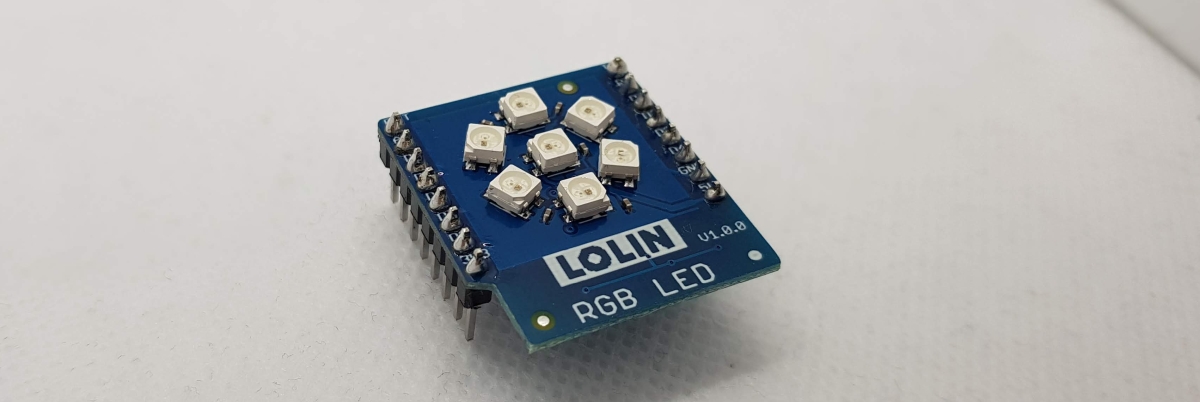
7 RGB LEDs im Kreis angeordnet, jede LED kann 24-Bit RGB Farben darstellen und jede LED ist einzeln schaltbar.
For the D1 mini ESP8266 and ESP32, go here:
- Preview – W600-Pico V1.0.0 1MB FlashLink status: OK
- Wemos C3 MiniLink status: OK
- (Wemos) D1 ESP32Link status: OK
- Wemos D1 Mini Pro (V1.1.0)Link status: OK
- Wemos D1 MiniLink status: OK
Facts
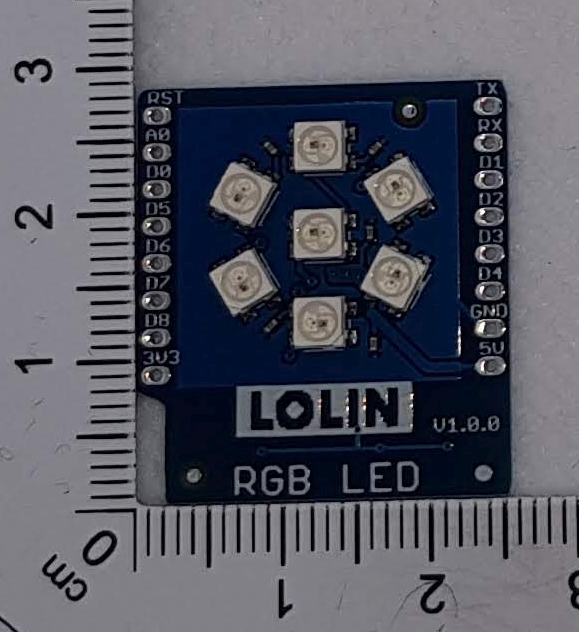
- 7 RGB LEDs als Blume angeordnet
- LED einzeln ansteuerbar
| Description | Name | D1 | ESP32 | C3 | S2 |
|---|---|---|---|---|---|
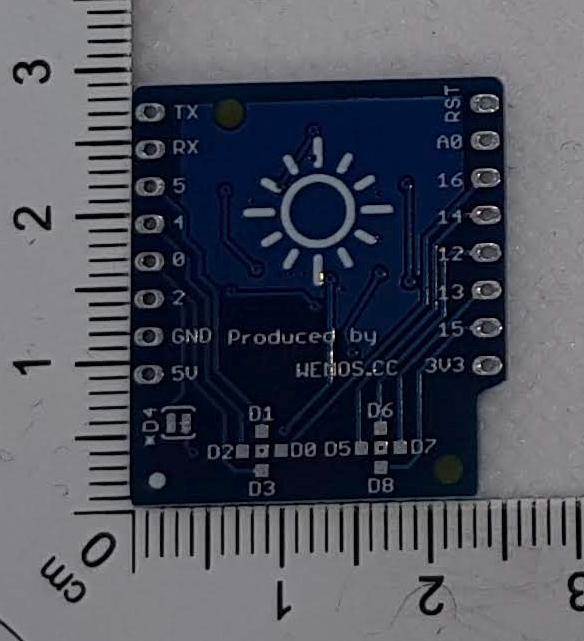
| Signal Pin (vorbelegt) | D4 | GPIO2 | 16 | 6 | 16 |
SchematicLink status: OK
Compatibility
| D1 Type | Compatible | Begründung, wenn nicht |
|---|---|---|
| D1 mini | Yes | |
| D1 mini Pro | Yes | Untested |
| D1 mini Lite | Yes | Untested |
| D1 32 | Yes | |
| S2 mini | Yes | |
| C3 | Yes | Untested |
Areas of application
Views
Programming
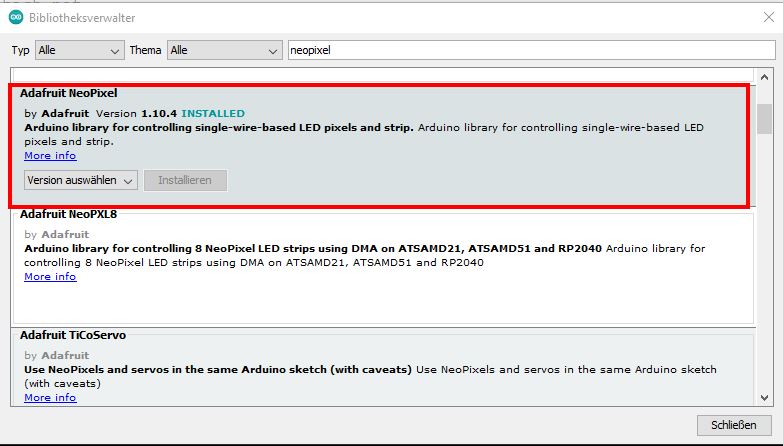
Libraries
Arduino ESP32 Bibliothek V2.0.2
Arduino ESP8266 Bibliothek V3.0.2
Adafruit Neo Pixel V1.10.04
https://github.com/adafruit/Adafruit_NeoPixelLink status: OK
Test programme
Source code RGBPixelExample.ino (GitHubLink status: OK)
/**
   Example for RGB Array
   Show RGB and CMY

   Libs:
   https://github.com/adafruit/Adafruit_NeoPixel

   Written by S. Famach GPL2
   Visit https://www.fambach.net
*/


#define LED_COUNT 7


// output pin +
// pin where the pir is connected
#if defined(ESP8266) // d1 mini
#pragma message("ESP8266 Remove Shield while start!")
#define LED_PIN D4


#elif defined ( ESP32 ) // d1 mini esp32

#if CONFIG_IDF_TARGET_ESP32C3 // c3
#pragma message("ESP32C3")
#define LED_PIN 6

#elif CONFIG_IDF_TARGET_ESP32S2
#pragma message("ESP32S2")
#define LED_PIN 16

#else
#pragma message("ESP32")
#define LED_PIN 16

#endif
#else
#error "Unknown board"
#define LED_PIN -1

#endif


// init adafruits neo pixel
#include <Adafruit_NeoPixel.h>
Adafruit_NeoPixel ledController = Adafruit_NeoPixel(LED_COUNT, LED_PIN, NEO_GRB + NEO_KHZ800);
#define DEF_COLOR 50
static const uint32_t  COLORS[] = { ledController.Color(150, 0, 0), // red
                       ledController.Color(0, DEF_COLOR, 0), // green
                       ledController.Color(0, 0, DEF_COLOR), // blue
                       ledController.Color(DEF_COLOR, DEF_COLOR, 0), // Yellow
                       ledController.Color(0, DEF_COLOR, DEF_COLOR), // Cyan
                       ledController.Color(DEF_COLOR, 0, DEF_COLOR)
                     }; // magenta

uint8_t COLOR_COUNT = 6;

void setup() {
  Serial.begin(115200);
  ledController.begin();
  Serial.println(F("Started"));
}


void loop() {
  ledController.clear(); // Set all pixel colors to 'off'
  delay(500);

  // go over all colors
  for (int j = 0; j < COLOR_COUNT; j++) {

    // set all pixels after another
    for (int i = 0; i < LED_COUNT; i++) { // For each pixel...

      // set color of single pixel
      ledController.setPixelColor(i, COLORS[j]);
      ledController.show();   // Send the updated pixel colors to the hardware.

      delay(500);
    }
  }

}
That's how it is
Problems
—
Conclusion
Nette Zusatzplatine, dank der Adafruit Bibliothek leicht anzusteuern, macht Spaß und sorgt bei Anfängern für eine steile Erfolgskurve.
More posts
Other Shields
- D1 Mini Shield – Prototyp-PlatineLink status: OK
- D1 Mini Shield – RGB LED (Einzeln)Link status: OK
- D1 Mini Shield – PIR (Bewegungssensor)Link status: OK
- D1 Mini Shield – HR8833 MotorLink status: OK
- D1 Mini Shield – AT8870 MotorLink status: OK
- D1 Mini Shield – SG30 LuftqualitätsmessungLink status: OK
- D1 Mini Shield – I2C ConnectorLink status: OK
- D1 Mini Shield – Matrix LED ShieldLink status: OK
- D1 Mini Shield – Oled 64×48Link status: OK
- D1 Mini Shield – Buzzer (Pipser)Link status: OK
More ESPs
- October Check 2026 – Neue Mikrocontroller und BoardsLink status: OK
- Ulanzi TC001 Smart Pixel ClockLink status: Unknown
- ESP WEB Serial LibraryLink status: OK
- ESP32-C3 Seeed Studio XIAOLink status: OK
- ESP32-C3 Super Mini BoardLink status: OK
- Preview – LuatOs ESP32-C3 BoardLink status: OK
- ESP32 Bluetooth GamepadLink status: OK
- ESP01 – DHT11 Temperatur und Feuchte Sensor PlatinenLink status: OK
- ESP01 Relay BoardsLink status: OK
- ESP8266/32 WiFi Manager.Link status: OK
Sources
Sources for the Shield
Manufacturer's websiteLink status: Unknown
SchematicLink status: OK
Arduino BeispieleLink status: Unknown
Sources for the boards
Manufacturer's websiteLink status: OK
SchematicLink status: OK
CH340 USB DriverLink status: OK
https://arduino-projekte.info/wemos-d1-mini/Link status: OK
https://www.exp-tech.de/plattformen/esp8266/entwicklungsboards/8898/wemos-d1-miniLink status: Broken
| Date | Change | Author |
|---|---|---|
| 15.10.2026 | Beispielcode als Code-Block eingefügt (Einbettung über gist-it.appspot.com funktionierte nicht mehr) | Suffocation |
| 08.10.2026 | Überschriften-Hierarchie korrigiert (H1→H2, Unterebenen eine Stufe tiefer) | Suffocation |
| 04.10.2026 | Rechtschreibung korrigiert | Suffocation |
| 03.10.2026 | Log-Liste eingefügt | Suffocation |
| 16.04.2022 | Post created | Suffocation |